
One Account to Many Copier: Pro Trader Setup Guide
TradeDupe
10 min read
Discover how a one account to many copier boosts your trading efficiency by automating trades across multiple accounts in real time.
A one account to many copier is software that automatically duplicates every trade from a single master account to multiple follower accounts in real time. The industry term for this workflow is trade mirroring or multi-account copy trading. Professional traders and prop firm operators use it to eliminate manual entry across accounts, reduce decision-making lag, and avoid costly execution errors in volatile markets. Professional-grade systems achieve execution latency below 50ms, which is the benchmark that separates institutional-quality tools from consumer-grade alternatives. Platforms like Tradovate, MT5, and NinjaTrader 8 all support this architecture, and Tradedupe is purpose-built for the Tradovate ecosystem.
*
What is a one account to many copier and how does it work?
A one account to many copier connects a leader account (master) to one or more follower accounts through a software layer that intercepts every order event and replicates it downstream. The moment the master account submits a market, stop, or limit order, the copier fires identical or proportionally sized orders to each follower. No manual intervention is required after the initial setup.

The core value is consolidation. You make every trading decision on a single chart, and the copier distributes execution across all funded accounts simultaneously. Distributing capital across multiple prop firm accounts is also a recognized risk-management strategy, increasing total buying power while diversifying exposure across separate account structures. That means a single losing streak on one account does not wipe out your entire capital base.
Modern copiers also support heterogeneous broker environments. Copying across different broker ecosystems such as Rithmic and Tradovate simultaneously is now standard in professional setups. This matters for traders who hold evaluation accounts at Apex Trader Funding alongside funded accounts at Tradeify or Lucid Trading.
*
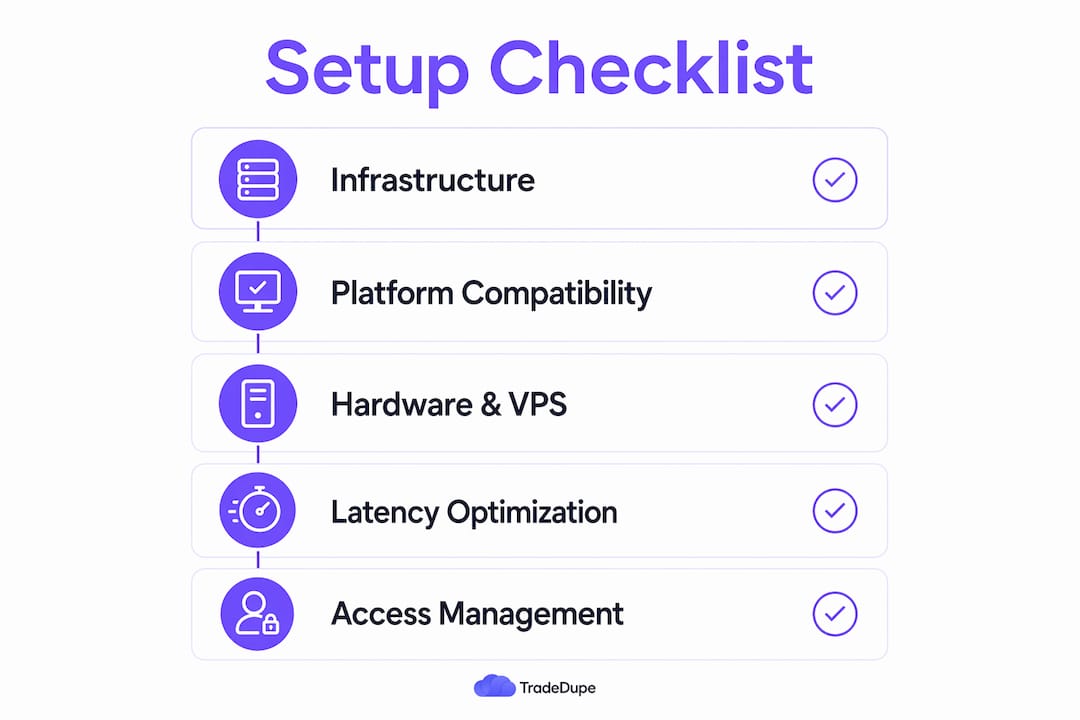
What are the technical requirements for setting up a multi-account copier?
The right infrastructure determines whether your copy trading setup performs at the institutional level or breaks under pressure.
Platform and broker compatibility
Your copier must natively support the trading platforms your accounts run on. The most common platforms in professional setups are:
- MT5 for forex and CFD environments
- NinjaTrader 8 for futures with Rithmic or CQG data feeds
- Tradovate for cloud-based futures trading and prop firm accounts
- TradingView via broker bridge integrations
Multiple MT5 installations from separate folders allow you to run many accounts simultaneously on one machine. Each instance connects to a different broker login, and the copier software coordinates them all.
Hardware and VPS requirements
Latency is a function of physical distance to exchange servers. Deploying your copier on a Chicago-based VPS minimizes network delay for US futures exchanges like CME Group. A local machine works for testing, but a co-located VPS is the production standard for serious operations.
Minimum specs for a stable multi-account setup: 4 CPU cores, 8GB RAM, and a 1Gbps network connection. More follower accounts require proportionally more RAM, since each platform instance consumes memory independently.
Tool categories at a glance
| Category | Best for | Latency profile |
|---|---|---|
| Local desktop copier | Single-machine, low account count | Low, hardware-dependent |
| Cloud-based SaaS copier | Multi-broker, scalable follower count | Very low with proper VPS |
| Platform-native solution | Single broker, built-in replication | Varies by broker |
*
How to configure trade copying from one master to multiple followers
Setup follows a consistent sequence regardless of the platform. Skipping steps, particularly symbol mapping and demo validation, is the most common cause of live execution failures.
- Install the copier software on your VPS or local machine. Connect the master account credentials first and confirm the data feed is live.
- Add each follower account individually. Assign a unique identifier to each so the dashboard can track execution status per account.
- Configure lot sizing per follower. Independent lot sizing methods include fixed contracts, ratio-based scaling, or a percentage of account equity. Each follower can carry a different setting.
- Set up symbol mapping. Symbol mapping prevents execution failures when brokers use different naming conventions, for example mapping ES to MES or EURUSD to EURUSDm.
- Define order type handling. Confirm the copier replicates market orders, stop orders, limit orders, and conditional orders. Gaps in order type support create silent mismatches.
- Run a full demo test. Execute 10–20 trades on the master account in a demo environment. Review execution timestamps across all followers and confirm latency stays below 50ms.
- Go live with a single follower first. Monitor for one full trading session before adding additional accounts.
Pro Tip: Set your risk parameters conservatively on the first live day. You can always increase position sizing once you have confirmed that execution timing and symbol mapping are working correctly across all followers.
Configuration checklist
| Stage | Key action | Validation check |
|---|---|---|
| Installation | Connect master account | Data feed confirmed live |
| Follower setup | Add accounts with unique IDs | Each account shows active status |
| Sizing | Assign lot method per follower | Test order reflects correct size |
| Symbol mapping | Map all traded instruments | No "symbol not found" errors |
| Demo validation | Run 20 test trades | Latency below 50ms on all followers |
| Live rollout | Start with one follower | Full session monitoring complete |
*
How to manage multiple copiers and maintain copier access management
Running a single account to many copier at scale requires more than a working setup. It requires active management discipline.
The most effective approach is segmentation by group. Organize follower accounts into logical groups: evaluation accounts at one prop firm, funded accounts at another, and personal accounts separately. This structure lets you toggle entire groups on or off without disrupting unrelated accounts. It also isolates failures. If one broker connection drops, only that group is affected.
Key management practices for professional operators:
- Use randomized order submission to distribute execution priority fairly. Randomized order submission prevents any single follower from consistently receiving worse fills than others. Over time, this equalizes execution quality across the entire account pool.
- Monitor mismatch detection logs after every session. A mismatch occurs when the master closes a position but a follower does not. Left unaddressed, mismatches compound into significant risk exposure.
- Assign user roles and access permissions if multiple team members manage the setup. Restrict live account controls to senior operators. Give junior team members read-only dashboard access.
- Configure emergency stop controls at both the group and individual account level. Mismatch detection and emergency stop features are non-negotiable for professional-grade operations.
Pro Tip: Use multiple tabs or instances to segregate accounts by broker or strategy. This makes failure isolation faster and prevents a single connection issue from cascading across your entire account pool.
Sound risk management across accounts also means setting hard drawdown limits per follower, not just at the master level. Each account should have its own guardrails.
*
What common issues arise with multi-account copiers and how do you fix them?
Even well-configured setups encounter problems. Knowing the failure modes in advance cuts resolution time from hours to minutes.
Symbol mismatches are the most frequent issue. They occur when the master account trades an instrument that the follower broker lists under a different ticker. The fix is a complete symbol map reviewed before adding any new instrument to your trading plan.
Latency variances appear when one follower consistently executes later than others. The cause is almost always network routing, not the copier software itself. Moving that follower's connection to a VPS closer to the broker's matching engine resolves it in most cases.
Order rejections at the follower level usually trace back to insufficient margin, position limits, or broker-specific restrictions. Check each follower account's available margin before the trading session opens.
> Prop firms vary widely on copy trading policies. Some prop firms restrict or prohibit copy trading between funded accounts entirely. Always read the firm's terms of service before automating replication across their accounts. A compliance violation can result in account termination regardless of trading performance.
Broker connection limits are a real constraint. Some data providers cap simultaneous connections per user credential. Eliminating legacy broker platform limits such as a maximum of one Rithmic connection per session is a key reason professional traders migrate to platforms that support unlimited broker connections.
When a follower fails mid-session, the correct fallback is to flag the account as disconnected, halt new order replication to it, and manually reconcile any open positions before reconnecting. Never attempt to auto-resync an account with unresolved open positions.
*
Key Takeaways
A professional one account to many copier setup requires sub-50ms latency, per-account sizing controls, symbol mapping, and active mismatch monitoring to operate reliably at scale.
| Point | Details |
|---|---|
| Latency benchmark | Professional copiers execute across all followers in under 50ms. |
| Symbol mapping | Map every instrument before going live to prevent silent order failures. |
| Randomized submission | Use randomized order routing to equalize fill quality across all follower accounts. |
| Segmentation by group | Organize followers by prop firm or strategy to isolate failures and simplify management. |
| Compliance check | Verify each prop firm's copy trading policy before automating replication on funded accounts. |
*
Why I think most traders underestimate the management side
Most traders spend 90% of their setup time on the technical configuration and almost no time building a management protocol. That is the wrong ratio.
Getting the copier connected and firing orders is genuinely straightforward with modern tools. The hard part is what happens at 9:35 AM when one follower rejects an order, another has a stale connection, and the master account is already in a position. Without a pre-built response protocol, you are making high-stakes decisions under pressure with incomplete information.
The traders I have seen run the most reliable multi-account operations share one habit: they treat the copier dashboard like a trading instrument itself. They check execution logs after every session, not just when something breaks. They set weekly reviews of fill quality across followers and adjust VPS routing or lot sizing based on what the data shows.
The other underrated factor is prop firm compliance. Clients increasingly demand replication across multiple evaluation and funded accounts to speed challenge passing. But the firms that fund those accounts have rules, and those rules change. Building a compliance review into your monthly maintenance routine is not optional if you want to keep your funded accounts active.
My recommendation: before scaling beyond five follower accounts, document your emergency procedures in writing. Define exactly what you do when a follower disconnects, when a mismatch is detected, and when a broker rejects an order. That document is worth more than any software feature.
> — Andres
*
Tradedupe's futures copier for one-to-many account replication
Tradedupe is built specifically for prop traders and trading firms operating on Tradovate. Its futures trade copier delivers a median execution latency of 34ms across all follower accounts, which puts it well inside the 50ms professional benchmark. The platform supports unlimited follower accounts, independent per-account sizing, rogue-trade detection, and auto-recovery after connection drops.

Tradedupe integrates natively with Apex Trader Funding, Tradeify, Lucid Trading, and Alpha Futures, making it a direct fit for traders managing multiple prop firm accounts from a single master. Setup takes under 10 minutes with the getting started guide. If you are ready to move from manual multi-account entry to automated, low-latency replication, Tradedupe is the purpose-built solution for the Tradovate ecosystem.
*
FAQ
What is a one account to many copier?
A one account to many copier is software that replicates every trade from a single master account to multiple follower accounts automatically. The industry term is trade mirroring or multi-account copy trading.
What latency should a professional trade copier achieve?
Professional-grade copiers execute across all follower accounts in under 50ms. Tradedupe reports a median latency of 34ms on the Tradovate platform.
Can I use different lot sizes on each follower account?
Yes. Professional copiers support independent lot sizing per follower using fixed contracts, ratio-based scaling, or equity percentage methods. Each account carries its own sizing configuration.
Do prop firms allow copy trading on funded accounts?
Policies vary by firm. Some prop firms prohibit copy trading between funded accounts, so you must review each firm's terms of service before automating replication.
How do I manage multiple copier instances under one login?
Use group segmentation to organize followers by broker or prop firm, and apply randomized order submission to distribute execution priority fairly across all accounts. A centralized dashboard with mismatch detection and emergency stop controls handles the rest.