
How to monitor live trades across accounts on Tradovate
TradeDupe
11 min read
Learn how to monitor live trades across accounts on Tradovate efficiently. This guide offers essential steps for flawless multi-account trading.
Managing multiple live prop accounts on Tradovate without a disciplined synchronization system is like running parallel positions with no order flow confirmation: you assume alignment until a costly divergence proves otherwise. One missed fill, one follower account that didn't execute during a volatility spike, and your carefully constructed risk structure collapses asymmetrically. This guide walks through everything you need, from account prerequisites and setup steps to drift mitigation and post-trade verification, so you can operate multi-account trade monitoring with the precision that professional prop trading demands.
Table of Contents
- What you need before monitoring live trades
- How to set up trade copying and live monitoring on Tradovate
- Common pitfalls and how to avoid trade drift
- Verifying trades and enforcing prop risk parameters
- Our take: Why true trade synchronization is about more than mirroring
- Next steps: Elevate your trade monitoring with the right tools
- Frequently asked questions
Key Takeaways
| Point | Details |
|---|---|
| Synchronization is crucial | Real-time trade integrity across accounts depends on more than just order copying. |
| Native limitations | Tradovate’s built-in copier only supports market orders, not stop-loss or take-profit copying. |
| Drift risks | Order mismatch and latency can cause follower accounts to diverge from the master. |
| Verification routine | Verify fills per account and enforce loss limits and drawdown rules for robust compliance. |
| Tool and process investment | The best results come from pairing powerful tools with disciplined operational checks. |
What you need before monitoring live trades
Before activating any mirroring or monitoring workflow, you need to clearly define account roles and confirm your technical stack. Skipping this step is the single most common reason traders encounter synchronization failures on day one.
Account roles to define:
- Leader (master) account: The originating account where all trade decisions are made. Every entry, exit, and position adjustment flows from here.
- Follower accounts: Accounts configured to receive and replicate leader activity. These can include funded accounts across Apex, Topstep, Tradeify, Lucid Trading, or Alpha Futures.
- Ratio settings: Each follower needs a defined contract ratio relative to the leader. A 1:1 ratio copies size exactly; a 0.5 ratio halves it for smaller funded accounts.
A common mirroring approach on Tradovate is to use trade-copying via Group Trade or a Trade Copier, where one master account replicates entries to multiple follower accounts configured as a group. This is the native path and requires no external API work.
For teams building custom monitoring pipelines, you need to consume execution and fill data per account to reconcile what actually happened at the fill level, not just the order submission level. This distinction matters enormously when orders partially fill or get rejected during fast markets.
Hardware and software prerequisites:
- Stable, low-latency internet connection (wired preferred over Wi-Fi for live trading)
- Active Tradovate subscription with API access enabled if using third-party trade copier software
- API credentials (client ID, access token) generated from your Tradovate account settings
- A tested best trade copier solution or a configured Group Trade setup within Tradovate's native interface
| Feature | Native Group Trade | API/Third-party copier |
|---|---|---|
| Setup complexity | Low | Medium to high |
| Order type support | Market orders only | Market, limit, stop (varies by tool) |
| Latency control | Platform-dependent | Configurable, often lower |
| Reconciliation tools | Basic | Advanced, per-fill reporting |
| Prop firm compatibility | Limited | Broad (Apex, Topstep, etc.) |
Pro Tip: Before going live with your full account group, stage a funded demo or sandbox environment. Run your leader through 10 to 15 trades and verify that every follower mirrors correctly, including partial fills and rapid reversals. This pre-flight check catches ratio misconfigurations before they cost you a funded account.
How to set up trade copying and live monitoring on Tradovate
Once prerequisites are confirmed, the setup sequence matters. Rushing activation without verifying each layer is how traders end up with follower accounts that are silently out of sync.
Step-by-step setup sequence:
- Log into Tradovate and navigate to Account Settings. Confirm all accounts you intend to group are active and funded with sufficient margin.
- Create or access the Group Trade feature. In Tradovate's native interface, this is found under the account management panel. Assign your leader and add each follower account by account number.
- Set contract ratios per follower. For each follower, define the multiplier. Accounts with different buying power need different ratios to stay within prop firm position limits.
- Enable the copier and test with a single micro contract. Before full deployment, place a small test trade on the leader and confirm execution across all followers within an acceptable latency window.
- For API or third-party integration, authenticate your Tradovate API credentials within your chosen tool. Configure the Tradovate account sync settings, map instruments, and define execution rules.
- Activate live monitoring dashboards. Whether using Tradovate's native view or a third-party panel, confirm you can see real-time order status, fill confirmation, and account-level P&L for every follower simultaneously.
> Warning: Native Tradovate copy trading only supports market orders. Stop-loss, take-profit, bracket orders, and conditional orders are not replicated automatically. If your strategy relies on bracket exits, you must manage those manually on each follower or use a third-party tool that handles them explicitly.
| Setup step | Native Group Trade | API/Third-party |
|---|---|---|
| Account grouping | Supported natively | Requires API mapping |
| Ratio configuration | Yes | Yes, with more granularity |
| Bracket/TP-SL copying | Not supported | Supported (tool-dependent) |
| Real-time fill reporting | Limited | Detailed per-account |
| Dashboard monitoring | Basic | Advanced |
For traders managing more than five follower accounts, the TradingView trade copier setup or dedicated SaaS platforms offer significantly more control than native grouping. When evaluating options, a TradeSyncer vs TradeCopia comparison can help clarify which tool fits your account volume and order type requirements.

Pro Tip: When activating a large follower group for the first time, stagger the activation by enabling two or three followers at a time rather than all at once. This prevents a flood of simultaneous order submissions that can overwhelm execution queues and cause fill delays on slower follower accounts.
Common pitfalls and how to avoid trade drift
Trade drift, where follower accounts diverge from the leader's position, is the central operational risk in multi-account management. It happens more often than most traders expect, and the causes are frequently overlooked during initial setup.
Top causes of trade drift and their mitigations:
- Execution latency spikes: During high-volatility events like economic releases, follower orders may queue behind the leader's fill, resulting in worse prices or missed entries. Mitigation: use a platform with sub-100ms median latency and monitor fill timestamps, not just order submission times.
- Partial fills on the leader: If the leader fills 3 of 5 contracts, some copier tools replicate the full 5-contract order to followers, creating an immediate size mismatch. Mitigation: configure your copier to mirror fills, not orders.
- Bracket and conditional order gaps: Copy trading across prop accounts has critical edge cases around bracket and TP/SL behavior. Native copying does not replicate these order types, so followers may hold open positions after the leader has already exited via a take-profit.
- Symbol or contract mapping errors: Trading ES on the leader while a follower is incorrectly mapped to MES creates a 10x size discrepancy. Always verify instrument mapping before going live.
- Ratio drift from account equity changes: If a follower account's equity changes due to a drawdown, a fixed ratio may push it outside its prop firm's position limits. Review ratios after any significant P&L event.
> Critical reminder: Monitoring live trades is less about passively viewing account statements and more about enforcing synchronization invariants at the execution level. A trade that appears "copied" at the order level may have filled at a different price, size, or not at all.
For prop firm copy trading, the stakes are higher because a single unsynchronized exit can breach a daily loss limit on a follower account. Platforms like Apex copy trading have specific rules around position sizing and drawdown that make accurate mirroring non-negotiable.
Pro Tip: Reconcile fills at the follower level individually, not just by checking whether the leader's gross P&L looks correct. A follower can show a "completed" trade in the order log while having filled at a significantly different price, which only surfaces when you pull per-account execution reports.
Verifying trades and enforcing prop risk parameters
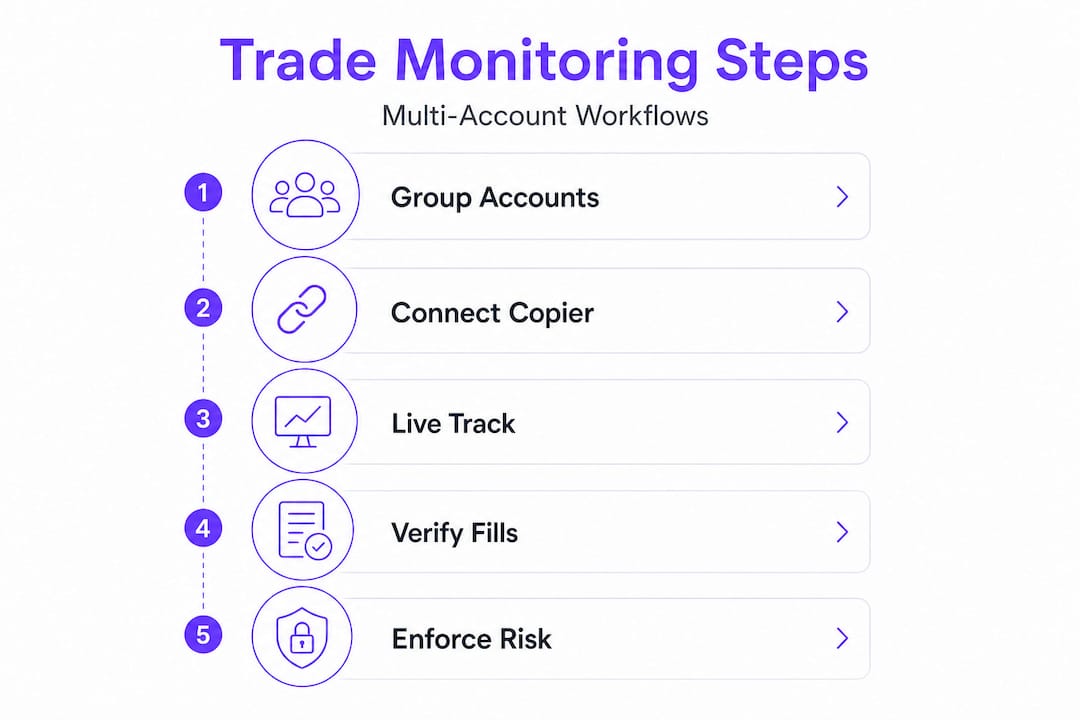
Post-trade verification is where most multi-account operations fall short. Sending orders is only half the job. Confirming that every follower executed correctly, within prop firm parameters, is what separates disciplined operations from ones that eventually blow accounts.
Post-trade verification steps:
- Pull execution reports for each follower account immediately after the trade closes on the leader. Compare fill price, fill size, and instrument against the leader's confirmed fill.
- Check timestamps. A fill gap of more than 500ms between leader and follower during normal market conditions warrants investigation.
- Verify that open position counts match across all accounts. Any discrepancy indicates a missed entry or exit that needs immediate manual correction.
- Log the reconciliation result. Over time, this creates an audit trail that helps identify systemic latency issues or recurring misconfigurations.
To build this into your workflow, consume execution and fill data per account through Tradovate's API and run automated comparisons against the leader's fill record after each trade cycle.
Prop risk parameter enforcement:
Most prop firms set daily loss limits between 2% and 5% of account value, with trailing or static drawdown thresholds that vary by firm and account tier. Your monitoring system must track these in real time, not just at end of day.
Automated vs manual reconciliation approaches:
- Automated: Script-based or SaaS-driven checks that pull fill data after every trade and flag deviations above a defined threshold. Best for teams managing five or more accounts.
- Manual: Spreadsheet-based end-of-day reconciliation. Viable for one to three accounts but introduces human error risk and misses intraday breaches.
- Hybrid: Automated intraday alerts for risk parameter breaches combined with a manual end-of-day audit for fill accuracy. This is the approach most professional prop desks use.
Real-time verification matters most during high-frequency sessions. An end-of-day check won't catch a follower that breached its daily loss limit at 10:30 AM and kept trading. Automated monitoring that alerts you the moment a follower crosses a risk threshold is the only reliable protection at scale. You can compare prop firm copiers to find tools that include built-in risk parameter monitoring alongside trade mirroring.
Our take: Why true trade synchronization is about more than mirroring
The market is full of advice that treats trade copying as a solved problem: install the copier, group your accounts, and let it run. That framing is dangerously incomplete.
Even the best prop copier tools are only as reliable as the verification and error-handling discipline built around them. A copier with 34ms median latency still fails silently if no one checks whether the follower's fill matched the leader's. The tool executes. The discipline confirms.
The most persistent myth in multi-account management is that a copied order equals an identical follower position. In calm markets, this is mostly true. In volatile markets, during news events, or when a follower account has a margin constraint the leader doesn't share, it breaks down quickly. Elite prop teams treat every trade as unverified until the fill reconciliation confirms otherwise.
What separates high-performing prop desks isn't the sophistication of their copier software alone. It's the culture of verification they've built around it. They run post-trade checks as a non-negotiable step, not an occasional audit. They treat a fill discrepancy as a process failure worth investigating, not a rounding error to ignore.
The actionable lesson: invest as much time designing your verification and reconciliation workflow as you do selecting your copier tool. The tool handles execution. Your process handles truth.
Next steps: Elevate your trade monitoring with the right tools
Ready to put this system into action? Here's how you can streamline and bulletproof your live trading operations across accounts.
Managing the nuances of live multi-account monitoring, from bracket order handling to per-account risk enforcement, is exactly what purpose-built platforms are designed for. TradeDupe handles real-time trade mirroring across Tradovate accounts with a median latency of 34ms, rogue-trade detection, auto-recovery, and per-account toggle controls that give you granular oversight without manual intervention.
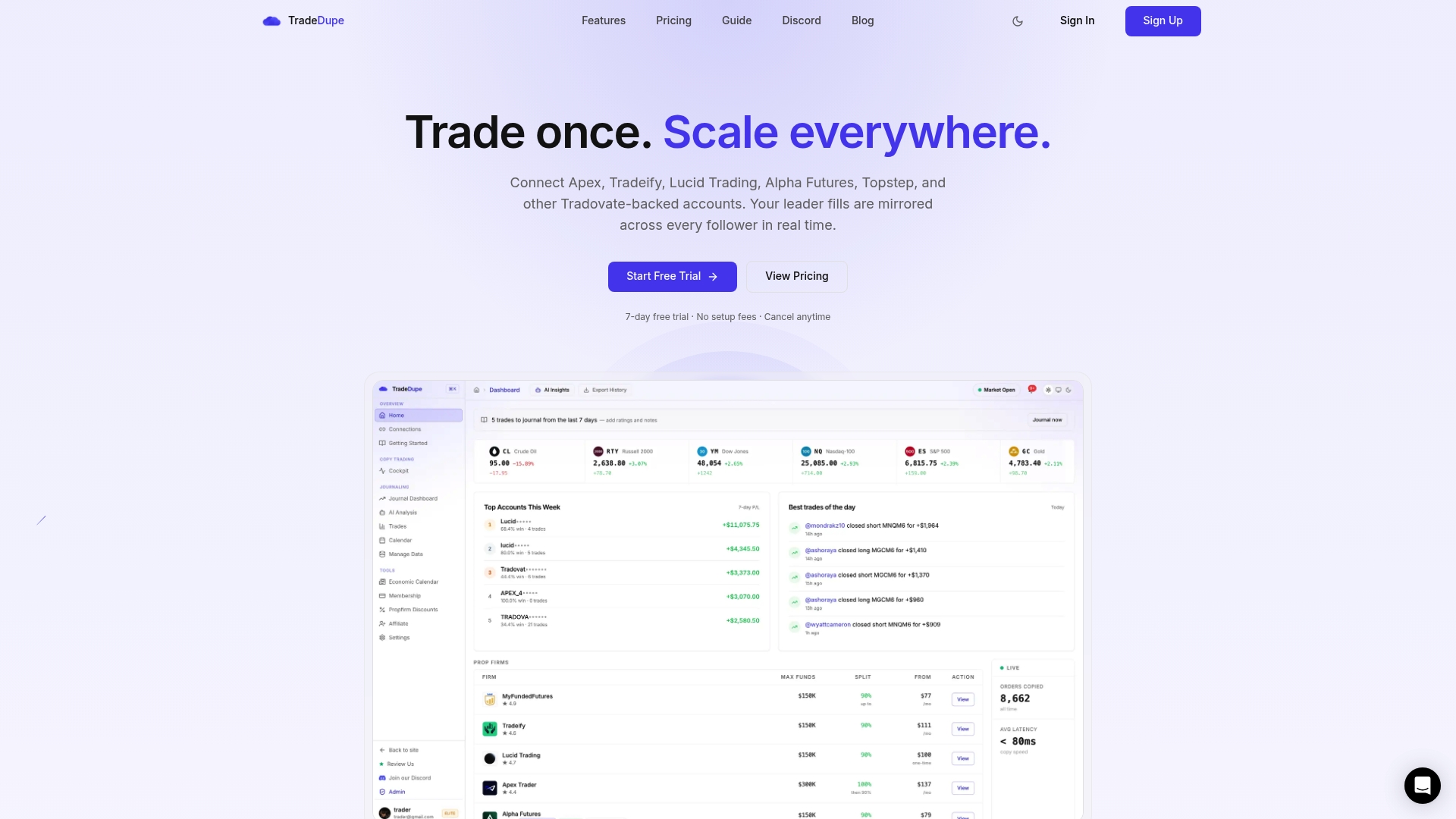
The Tradovate trade copier solution supports prop firm accounts including Apex, Topstep, Tradeify, Lucid Trading, and Alpha Futures, with a single dashboard for sync status, leader and follower activity, and risk parameter monitoring. Whether you're running three accounts or thirty, TradeDupe's tiered plans scale with your operation. Get started with Tradovate copy trading and build the verification-first workflow your prop operation requires.
Frequently asked questions
Can Tradovate's native trade copier handle stop-loss and take-profit orders?
No, native Tradovate copy trading only replicates market orders and does not automatically copy stop-loss, take-profit, or bracket orders to follower accounts.
How do I check if my follower accounts matched the master trade exactly?
Pull execution and fill data from each follower account and compare fill price, size, and timestamp against the leader's confirmed execution record.
What's the best way to enforce risk rules across all my prop accounts?
Set up automated monitoring that tracks daily loss limits and drawdown thresholds in real time and triggers alerts the moment any follower account approaches a breach.
Is live monitoring the same as just passively viewing all account statements?
No. True monitoring requires enforcing synchronization invariants at the execution level in real time, not reviewing consolidated statements after the trading session ends.