

Tradovate multi-account trading: Master your ecosystem
TradeDupe
12 min read
Unlock the power of multi-account trading! Discover what is Tradovate brokerage ecosystem and how it can boost your trading efficiency.
Tradovate has earned its reputation as a modern futures platform, but most prop traders barely scratch the surface of what its ecosystem actually supports. Beneath the clean interface and commission-free pricing sits a technically sophisticated infrastructure built to handle multi-account workflows, group order execution, and third-party automation integrations. If you are managing multiple prop firm accounts across Apex, Topstep, Tradeify, or similar firms, understanding Tradovate's full architecture is not optional. It is the difference between scaling efficiently and constantly fighting your own technology.
Table of Contents
- Tradovate at its core: Brokerage, pricing, and account structure
- Built-in trade duplication: Group trading mechanics explained
- Automation edge cases: Copier rules, trade logic, and firm requirements
- Built-in vs third-party: Native simplicity or pro-grade automation?
- Scaling multi-account trading: Prop firm strategies, risks, and real-world workflows
- What most traders miss about Tradovate's ecosystem
- Ready to automate and scale your Tradovate workflow?
- Frequently asked questions
Key Takeaways
| Point | Details |
|---|---|
| Advanced multi-account support | Tradovate enables efficient group trading and multi-account management but with nuanced limitations. |
| Manual exit handling required | Native copying does not auto-duplicate stop or target orders, demanding manual oversight for each account. |
| Compliance is crucial | Prop firm rules such as hedging bans and bracket order mandates shape how trade duplication operates. |
| Automation powers scaling | Third-party copiers unlock pro-grade automation for traders looking to scale operations and manage risk. |
| Feature selection matters | Choosing between native and API copiers depends on your firm's complexity, compliance, and workflow needs. |
Tradovate at its core: Brokerage, pricing, and account structure
Tradovate is a cloud-based futures brokerage platform acquired by NinjaTrader, offering commission-free or subscription-based pricing for futures trading. That cloud-first foundation is significant. Unlike legacy desktop brokerages that require local installations and frequent manual updates, Tradovate runs in-browser or through a lightweight desktop app, making it accessible across devices and environments without sacrificing execution quality.
Pricing model overview:
| Plan type | Best for | Key consideration |
|---|---|---|
| Commission-free (per trade) | Low-volume traders | Higher per-contract costs |
| Subscription (monthly) | Active scalpers and multi-account traders | Flat fee regardless of volume |
| Demo/simulation | Prop firm evaluation accounts | Same platform, no real capital at risk |
The subscription model is where serious prop traders typically land. If you are running three or more accounts simultaneously, the per-trade cost structure compounds quickly. Subscription pricing effectively removes that friction, letting you execute without thinking twice about fee drag on every fill.
Account structure key points:
- Individual accounts are personal funded or demo accounts linked to your Tradovate login
- Demo accounts serve double duty, supporting personal practice and prop firm evaluation environments
- Group trading accounts allow you to batch multiple accounts under a single order entry interface
- Prop firm accounts are provisioned through the firm's own portal but accessed and traded within Tradovate's platform
One detail that catches traders off guard: prop firm accounts are not always labeled or behave as you might expect. Funded accounts from firms like Apex Trader Funding often appear under the demo environment within Tradovate, which we will address in detail shortly. For a broader understanding of account structures and terminology, the futures trading glossary provides clear definitions of key concepts relevant to multi-account workflows.
> "Tradovate's cloud infrastructure is not a cosmetic upgrade. It is the enabling layer for real-time, multi-account trade execution that would be impractical on traditional desktop-only platforms."
Built-in trade duplication: Group trading mechanics explained
Once you understand what Tradovate offers at its core, it is crucial to master the group trading mechanics driving automated trade duplication. Tradovate's group trading feature is the platform's native answer to multi-account order entry, and it works through a straightforward but precise logic.
Setting up group trading step by step:
- Navigate to the account panel within Tradovate and select the accounts you want to group together
- Create a named group that appears as a unified account selector in your order ticket
- When entering a trade, input the total contract quantity as a multiple of your account count (three accounts trading one contract each requires an entry of three)
- The platform distributes fills proportionally across all accounts in the group
- Use the one-click exit all function to close all positions across the group simultaneously
The math here is straightforward but unforgiving. If you enter a quantity that is not evenly divisible by your account count, Tradovate's execution logic will fill accounts unevenly, which can create sizing inconsistency across your prop firm evaluations. Consistency rules are serious with most firms. Uneven sizing looks like intentional manipulation to a risk desk reviewing your account history.
What group trading handles well:
- Market order entry across multiple accounts simultaneously
- Proportional fill distribution with a single click
- Fast exits that reduce the manual burden of managing multiple positions
What group trading does not handle:
- Automatic copying of stop-loss or take-profit orders
- Bracket order duplication (critical for firms like Apex 4.0)
- Position-level tracking for exits on individual accounts
- Verification that each account received the correct fill at the correct price
Pro Tip: After every group entry, immediately confirm fills on each individual account before placing any exit orders. A partial fill on one account changes your sizing math and can violate daily drawdown limits faster than you expect.
The native group trading tool is genuinely useful for traders running two to four accounts with relatively simple entry and exit logic. Beyond that threshold, or when firm-specific rules introduce bracket mandates or specific exit requirements, you need to start thinking beyond Tradovate's built-in functionality. The Tradovate trade copier ecosystem offers structured alternatives purpose-built for that complexity.

Automation edge cases: Copier rules, trade logic, and firm requirements
Even with intuitive group trading, account duplication faces hidden pitfalls and regulatory constraints with copy-trading technology. The edge cases in Tradovate's native copier are well-documented but rarely discussed openly. Understanding them ahead of time protects your accounts.
Critical limitations of the built-in copier:
- No automatic SL/TP copying. Stop-loss and take-profit orders placed on the leader account do not propagate to follower accounts. Every exit must be placed manually per account.
- API trades bypass the copier. If you execute through a third-party API or algorithmic system, those orders may not trigger the native group trading logic at all.
- Demo environment for funded accounts. Prop firm accounts, even fully funded ones, operate under the demo environment designation within Tradovate. This is not a bug. It is a deliberate structural choice by the firms, but it surprises traders who expect a separate funded account environment.
- Hedging restrictions. Most prop firms using Tradovate explicitly prohibit hedging across accounts. Holding long and short positions simultaneously, even across different accounts, can trigger account review or termination.
- Apex 4.0 bracket mandates. Apex Trader Funding's current account structure requires that every order be placed with a bracket attached. Native group trading does not replicate brackets. This is a non-trivial compliance gap.
> Key stat: Firms like Apex enforce bracket order rules on every single trade entry. Failure to comply is not treated as a minor oversight. It is treated as a rule violation that can cost you your evaluation or funded account status.
The demo environment distinction deserves more attention. When your Apex or Topstep funded account shows up as a demo in Tradovate, it can create confusion around order types, position limits, and margin behavior. Some API-based tools behave differently depending on whether they detect a live or demo environment. Always confirm that your automation layer correctly identifies the account type before going live with any duplication workflow. The best trade copier for prop firms should handle this environment distinction gracefully, without requiring manual overrides.
Practically speaking, real-time account sync becomes essential when you need exits, brackets, and risk controls to propagate instantly across every account in your group. The latency tolerance for most prop firm rules is not forgiving. A missed stop on a single account can breach daily drawdown in a fast-moving session.
Built-in vs third-party: Native simplicity or pro-grade automation?
To optimize your workflow, it pays to understand how built-in solutions compare to third-party alternatives. The core contrast is not about one being "better." It is about matching the tool to your actual operational requirements.
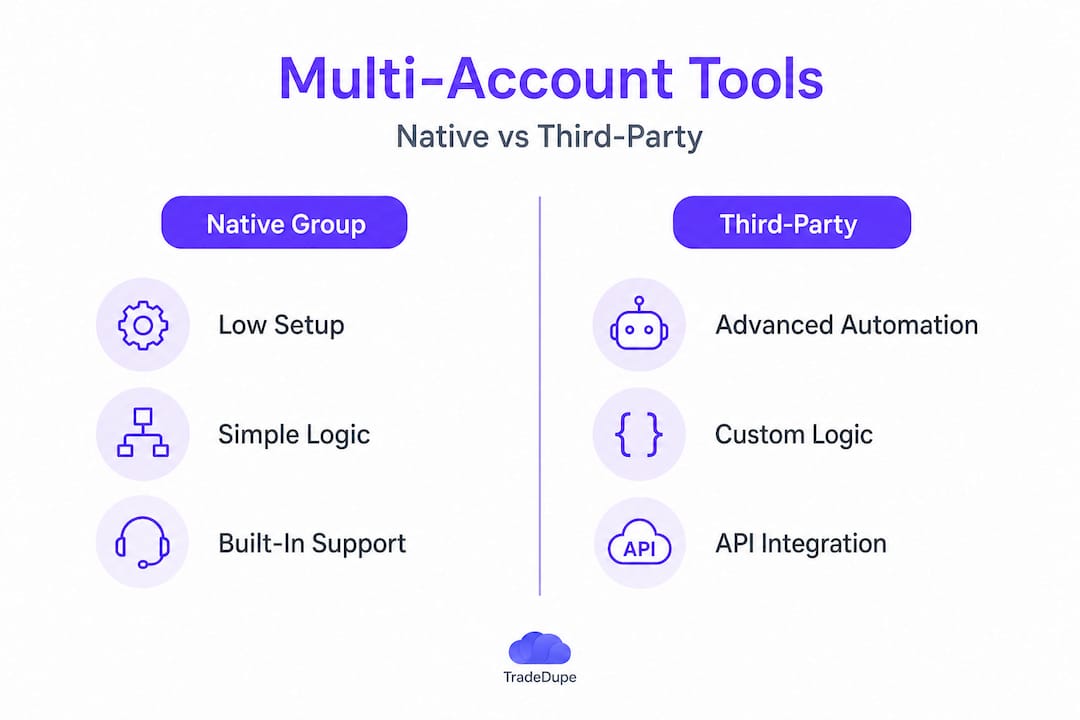
Head-to-head comparison:
| Feature | Tradovate native group trading | Third-party API copier |
|---|---|---|
| Setup complexity | Low | Moderate to high |
| Monthly cost | Included with Tradovate | Subscription or usage fees |
| SL/TP duplication | Manual | Automated |
| Bracket order support | None | Available |
| Real-time sync monitoring | Limited | Full dashboard |
| Python/API integration | No | Yes |
| Rogue trade detection | No | Yes (in advanced tools) |
Native group trading is simple and free but limited in ways that matter at scale. API copiers add cost and complexity, but they provide pro-grade real-time management and Python integration potential for traders who build custom execution logic.
When to stay with native group trading:
- You are running two to three accounts with simple long/short entries
- You use manual exits and do not rely on automated brackets
- Your prop firm does not mandate bracket orders or specific exit protocols
- You want zero additional software dependencies or costs
When to move to a third-party copier:
- You manage four or more accounts simultaneously
- Your firm requires bracket orders on every trade (Apex 4.0, for example)
- You need real-time monitoring of sync status across all accounts
- You want automated risk controls like per-account toggle or rogue-trade detection
Exploring options like a copy trader comparison between available platforms can clarify which solution fits your specific account structure and firm requirements. For context on how different third-party tools stack up, the TradeSyncer vs TradeCopia breakdown offers a useful structural framework for evaluating feature sets against your workflow.
Pro Tip: Before committing to any third-party copier, test it in a demo environment with your exact prop firm account setup. Demo environments surface integration quirks that production testing misses entirely.
Scaling multi-account trading: Prop firm strategies, risks, and real-world workflows
Having compared solutions, let us see how real prop traders implement scalable strategies in the Tradovate ecosystem. Multi-account scaling is where prop trading moves from a side operation to a structured business.
Prop firms encourage multi-account scaling, with some platforms allowing traders to hold ten to fifteen accounts simultaneously. But that scale introduces layered risks that purely technical solutions cannot address on their own. Correlated trading and hedging across accounts remain the most common compliance violations at scale.
Practical multi-account workflow principles:
- Size correctly from day one. Each account must be treated as an independent trading entity. Copy identical position sizing, not gross dollar amounts, across accounts.
- Avoid correlated exposure. Entering the same directional trade on ten accounts during a high-impact news event creates concentrated risk that violates the spirit of most prop firm consistency policies.
- Stagger entries when feasible. For accounts with slightly different drawdown levels, staggered entries can reduce simultaneous drawdown exposure.
- Monitor daily drawdown per account, not in aggregate. Prop firms evaluate each account independently. A single account breaching its daily limit is a termination event regardless of how the others perform.
- Document your workflow. If a firm's risk desk reviews your accounts, being able to explain your duplication logic clearly can be the difference between a warning and a termination.
> "Scaling is not just a technology problem. It is a risk management discipline. Traders who treat copiers as a shortcut without understanding firm rules are building on a fragile foundation."
Copiers unlock efficiency without violating consistency rules when sized properly. The key phrase there is "sized properly." A copier that blindly mirrors position sizes from a leader account to follower accounts of different sizes creates proportionality violations. For example, a three-contract entry on a fifty-thousand-dollar account is proportionally different from three contracts on a twenty-five-thousand-dollar account. Sophisticated platforms handle this with scaling logic. Simpler ones do not.
For context on how specific firms approach multi-account policies, resources like best copier for prop firms break down firm-specific rules and practical tool recommendations. If you are trading with MyFundedFutures specifically, the MFFU copy trading resource addresses that firm's unique requirements directly.
What most traders miss about Tradovate's ecosystem
Most traders approach Tradovate as a capable but simple brokerage. They open their chart, enter trades, and move on. That works for single-account retail trading. For prop firm operations at any meaningful scale, it fundamentally undersells what the platform can do and what it cannot do on its own.
The biggest missed opportunity is automation leverage. Tradovate's API and cloud architecture support third-party integrations that can transform a manual multi-account workflow into a near-automated system. Yet the majority of traders running three or more prop accounts still manage exits manually, place stops independently, and monitor account status in separate browser tabs. That is not a workflow. That is operational drag that compounds every day you trade.
The flip side of that missed opportunity is compliance naivety. Traders who do adopt automation sometimes treat the copier as a compliance solution rather than a tool. They assume that because orders are being copied, they must be correct. They do not verify that bracket orders are actually attaching. They do not confirm that the demo environment designation is being handled correctly by their API. They discover the gap when a firm reviews their account.
Strategic alignment between your technology stack and your firm's specific rules is the discipline that separates traders who scale successfully from those who get good at passing evaluations but keep losing funded accounts. The prop trading best practices framework is built around this alignment. Technology accelerates whatever behavior you already have. Make sure the underlying behavior is sound before you automate it.
Ready to automate and scale your Tradovate workflow?
If the mechanics in this article sound familiar from hard-won experience, you already understand why the right automation layer changes everything. Managing exits manually across six accounts during a volatile open is not sustainable. Neither is hoping your native group trading handles bracket requirements that your firm mandates on every single order.
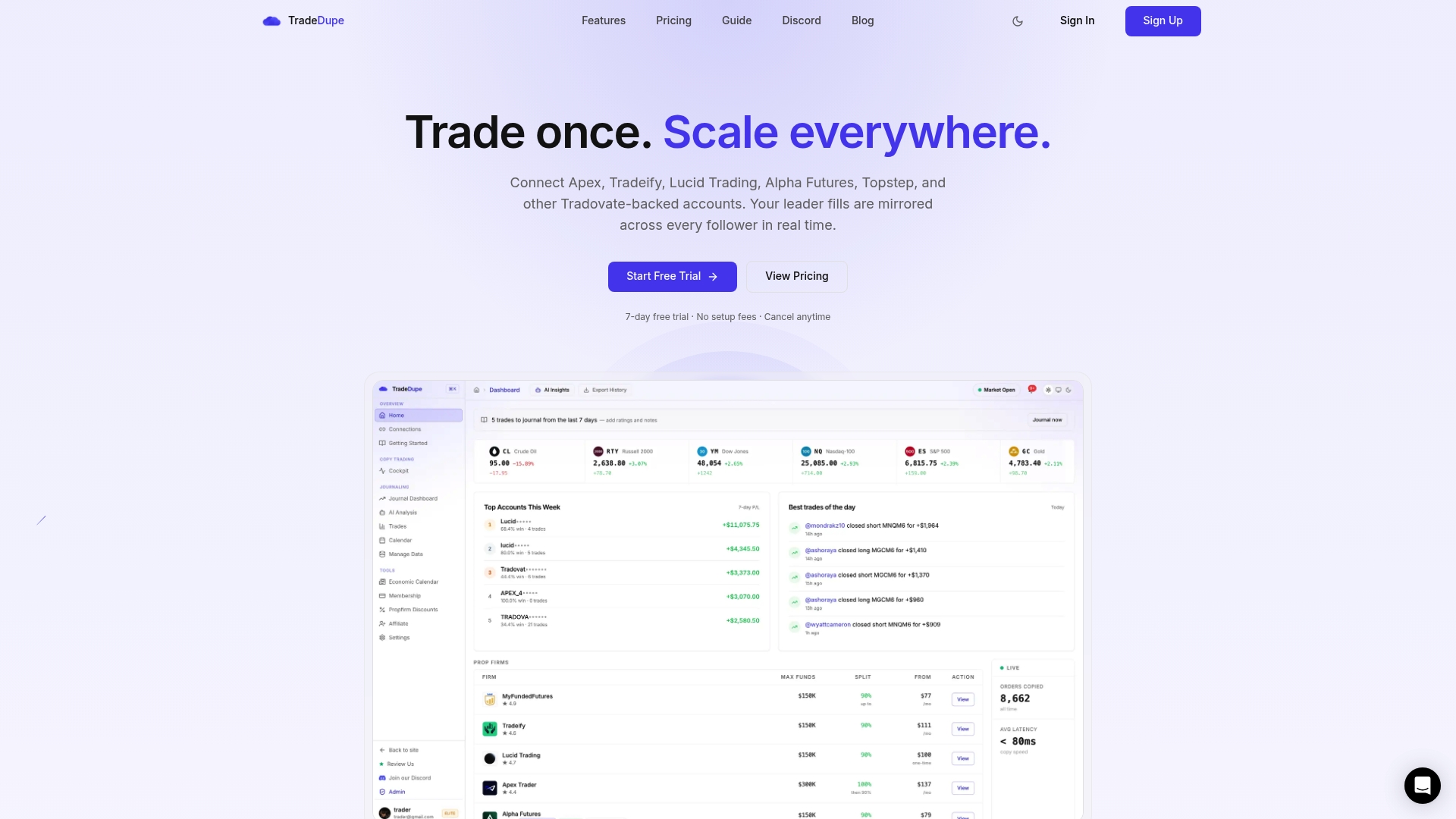
TradeDupe is built specifically for this operational reality. With Tradovate copy trading at its core, TradeDupe delivers real-time trade mirroring with a median latency of 34ms, rogue-trade detection, per-account toggle controls, and full dashboard monitoring of every leader and follower account in your setup. Whether you are scaling Apex copy trading across multiple evaluations or managing a full prop desk, the platform handles the complexity that native tools leave exposed. Explore trade copier software purpose-built for prop firm compliance and multi-account precision.
Frequently asked questions
How does Tradovate's group trading handle stops and targets for multiple accounts?
Built-in group trading does not copy stop-loss or take-profit orders automatically. Traders must manually place exit orders on each individual account within the group.
Can prop firm accounts use real or demo environments in Tradovate?
Even fully funded prop firm accounts operate under Tradovate's demo environment designation for risk and compliance structuring purposes.
Is hedging allowed across prop accounts in Tradovate?
Most prop firms using Tradovate explicitly prohibit hedging across accounts, and violating this rule typically results in account termination or disqualification from funded status.
What's the advantage of a third-party trade copier over Tradovate's native group trading?
API copiers provide pro-grade real-time management, automated bracket support, and custom exit logic that native group trading simply does not offer, making them essential for traders managing four or more accounts with firm-specific compliance requirements.