
Does Lucid Allow Copy Trading? Full 2026 Guide
TradeDupe
10 min read
Discover how does Lucid allow copy trading in 2026. Unlock powerful tools to manage multiple accounts and elevate your trading strategy!
Lucid Trading officially permits copy trading through both its native Tradovate Group Trading feature and a range of professional third-party trade copier software. Whether you're asking does Lucid allow copy trading because you want to scale across multiple prop firm evaluations or manage funded accounts more efficiently, the answer is yes, with conditions. Lucid's built-in tool supports up to 5 accounts without external software, while platforms like TradeSyncer and Affordable Indicators extend that capability across Rithmic, NinjaTrader, and TradingView, and PickMyTrade automates Lucid accounts on Tradovate and Rithmic from TradingView alerts. Compliance with Lucid's consistency rules, daily drawdown limits, and prohibited behavior policies remains your full responsibility regardless of which method you use.
Does Lucid allow copy trading, and what tools are available?
Copy trading on Lucid Trading is defined as the automated replication of trades from a master account to one or more follower accounts in real time. Lucid permits automated trading systems and third-party trade copiers, provided they comply with platform policies and avoid prohibited behaviors like latency arbitrage or rule evasion.

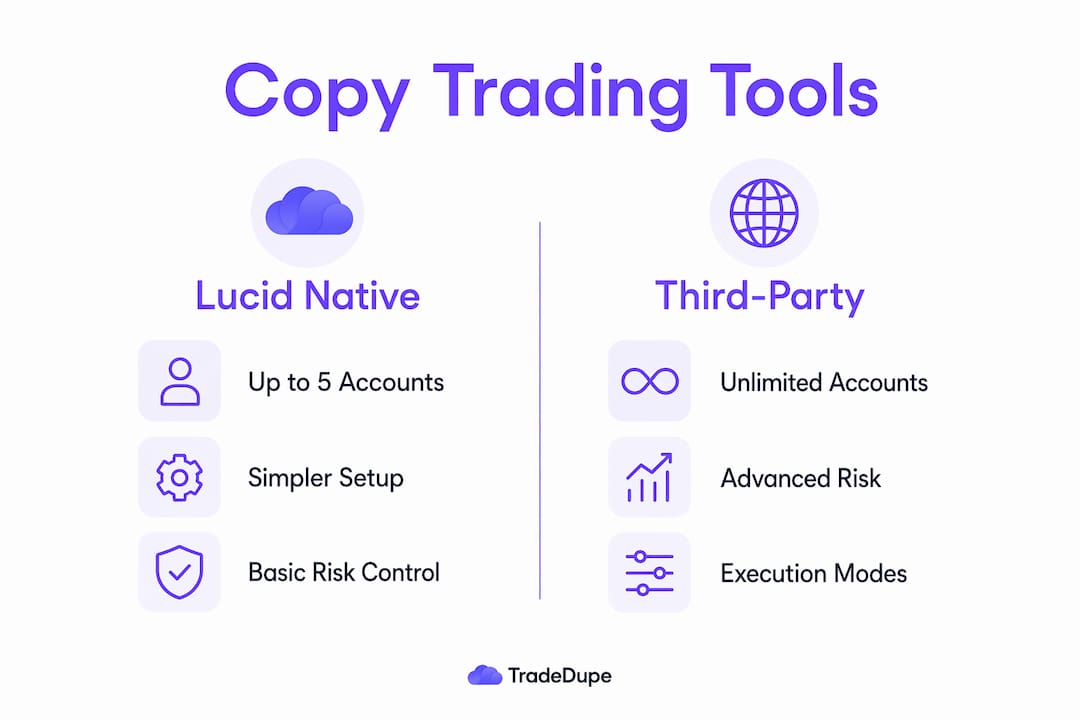
Lucid's native solution is Tradovate Group Trading, which allows you to copy trades across up to 5 accounts without installing any external software. This is the lowest-friction entry point for traders who operate entirely within the Tradovate ecosystem and need straightforward account mirroring.
For traders who need more accounts, cross-platform compatibility, or granular risk controls, third-party copiers operate with latency under 100ms and enable mirroring across Rithmic, Tradovate, NinjaTrader, and TradingView. The three most widely used options for Lucid accounts are:
- TradeSyncer: Cloud-based mirroring with a clean dashboard, suitable for traders managing multiple Lucid evaluations simultaneously.
- Affordable Indicators: Offers both Orders Mode and Executions Mode, giving you control over whether the copier mirrors live orders or confirmed fills.
- PickMyTrade: Automates TradingView alerts to Lucid accounts on Tradovate and Rithmic and offers a Manual Trade Copier for Tradovate, with unlimited accounts included per broker login.
In a master/follower setup, the master account executes trades manually or via an automated strategy. The copier detects those executions and replicates them on follower accounts within milliseconds. The follower accounts do not require any manual input once the copier is configured and running.
Pro Tip: If you are running Lucid evaluations on Tradovate and want to explore a dedicated solution built specifically for prop firm multi-account setups, review the Lucid copy trading options available through TradeDupe before committing to a third-party tool.
How does Lucid's trading policy affect copy trading?
Lucid's compliance framework does not carve out exceptions for automated trading. Copy trading does not exempt traders from compliance; you are fully responsible for losses or rule violations caused by copier use. This is the single most important policy point to internalize before configuring any mirroring setup.
The key rules that directly interact with copy trading setups include:
- Consistency percentages: LucidDirect accounts require that no single trading day accounts for more than 20% of total profits. LucidPro accounts apply a 40% threshold. Uniform lot sizes copied across accounts can breach these thresholds during volatility spikes if one account captures a disproportionate gain on a single session.
- Daily drawdown limits: Each account has a hard daily loss limit. A copier that fires identical position sizes across all follower accounts during a fast-moving market can hit multiple daily limits simultaneously.
- Withdrawal buffer: Traders must maintain a dollar buffer above the maximum loss level to remain withdrawal-eligible. Automated losses that erode this buffer without manual oversight can disqualify an otherwise profitable account.
- Prohibited behaviors: Lucid monitors automated copy trading for abuse patterns including latency arbitrage and rule evasion. Even permitted copiers can trigger account bans if suspicious behavior appears in the execution data.
Lucid holds the trader responsible for any software-related errors. Automated cancellations or re-submissions generated by a copier can trigger compliance issues if not carefully managed. The practical implication is that running a copier is not a set-and-forget operation on Lucid. You need active monitoring, especially during high-impact news events where order flow becomes erratic and copier behavior can diverge from intent.
Comparing built-in Lucid Group Trading vs. third-party copier software
Choosing between Lucid's native Tradovate Group Trading and a professional third-party copier depends on the scale of your operation and how much risk control granularity you need. The table below captures the functional differences that matter most for prop firm traders.
| Feature | Tradovate Group Trading | Third-Party Copiers (e.g. TradeSyncer, Affordable Indicators) |
|---|---|---|
| Account limit | Up to 5 accounts | Unlimited accounts (plan-dependent) |
| Platform compatibility | Tradovate only | Rithmic, Tradovate, NinjaTrader, TradingView |
| Per-account risk parameters | Limited | Full control: auto-close, loss limits, lot scaling |
| Execution mode options | Standard fill mirroring | Orders Mode and Executions Mode |
| Setup complexity | Low | Moderate to high |
| Real-time monitoring dashboard | Basic | Advanced analytics and sync status |
| Cost | Included with Tradovate | Subscription required |
Built-in tools support up to 5 accounts, but external copiers give more granular risk management. That distinction becomes critical when you are running accounts with different balance tiers or different consistency thresholds, since a one-size-fits-all lot size can put smaller accounts at disproportionate risk.
The execution mode choice deserves particular attention. Orders Mode demands sufficient server and connection capacity to avoid rejected or delayed orders, a particular risk when handling multiple connections across Rithmic and Tradovate simultaneously. Executions Mode, which mirrors confirmed fills rather than live orders, introduces slightly more latency but produces more reliable replication under congested market conditions.
Pro Tip: Start with Executions Mode when first configuring a third-party copier on Lucid. Switch to Orders Mode only after you have confirmed that your server infrastructure handles peak-hour order volume without rejections. Review the copier tool comparison from TradeDupe for a detailed breakdown of which mode suits different trading styles.
Best practices for effective copy trading with Lucid
Getting copy trading right on Lucid requires more than connecting a master account to followers. The configuration decisions you make upfront determine whether your setup supports consistent evaluation performance or creates compliance exposure across every account you run.
- Scale lot sizes by account balance, not uniformly. Applying identical contract sizes across accounts with different balances is the fastest way to breach consistency thresholds on smaller accounts during a strong trending session. Use your copier's lot scaling feature to set position sizes as a percentage of each account's available capital.
- Set per-account daily loss limits inside your copier. Professional third-party copiers enforce account-specific risk parameters including auto-close rules and loss limits. Configure these before your first live session so that a single bad trade on the master does not cascade into simultaneous daily limit breaches across all followers.
- Monitor consistency percentages weekly, not just at payout. Applying uniform lot sizes across accounts can risk violating strict thresholds during volatility spikes. Pull your per-account P&L breakdown at least once per week to catch any single-day outlier before it becomes a compliance problem.
- Pause the copier during scheduled high-impact news events. Order flow during Federal Reserve announcements, Non-Farm Payroll releases, and CPI prints can produce fills that diverge significantly between master and follower accounts due to slippage differences. Pausing the copier for a defined window around these events removes a major source of execution inconsistency.
- Test your setup on a demo or evaluation account before going live on funded accounts. Traders stacking multiple Lucid accounts cannot assume copy trading ensures safe evaluation passes; inconsistent performance may trigger compliance reviews due to atypical risk behaviors. A controlled test run surfaces configuration errors before real capital is at stake.
Pro Tip: Understanding how prop firm rules affect trade copying is as important as the technical setup. Lucid's consistency rules interact with copy trading in ways that are not immediately obvious until you run the numbers on a multi-account P&L.
Key takeaways
Lucid Trading supports copy trading through native Tradovate Group Trading for up to 5 accounts and third-party tools like TradeSyncer and Affordable Indicators for larger, cross-platform operations, but compliance responsibility stays entirely with the trader.
| Point | Details |
|---|---|
| Native tool limit | Tradovate Group Trading copies up to 5 accounts with no external software required. |
| Third-party copier advantage | Tools like TradeSyncer and Affordable Indicators add per-account risk controls and cross-platform support. |
| Compliance stays with you | Lucid holds traders fully responsible for rule violations caused by copier errors or misconfiguration. |
| Execution mode matters | Executions Mode is more reliable under congested conditions; Orders Mode requires strong server infrastructure. |
| Lot scaling is non-negotiable | Uniform position sizes across accounts with different balances risk breaching Lucid's consistency thresholds. |
Why copy trading on Lucid is more nuanced than most traders expect
The question of whether Lucid allows copy trading gets a clean yes, but the follow-up question of whether traders are using it correctly gets a much messier answer. From what I have observed across prop firm trading communities, the most common failure mode is not a technical one. It is the assumption that automation removes the need for active account management.
Traders who set up a copier, mirror their master account across five Lucid evaluations, and then walk away are treating copy trading as a compliance shortcut. It is not. The consistency rule, in particular, is a trap that catches traders who are profitable overall but whose single-day P&L distribution looks irregular across accounts. A copier that fires the same trade on all accounts does not guarantee the same outcome on all accounts, because fill prices, slippage, and execution timing vary by broker connection and account type.
The other misconception worth addressing directly is the idea that third-party copiers are inherently riskier than Lucid's built-in tool. That is backwards. A well-configured professional copier with per-account drawdown limits and auto-close rules gives you more protection than the native Group Trading feature, not less. The risk comes from misconfiguration, not from the category of tool itself.
My honest recommendation is to treat your copy trading setup as a risk management system first and an automation convenience second. The key benefits of copy trading multiple accounts are real, but they only materialize when the configuration reflects the specific rules of the firm you are trading with.
> — Andres
How TradeDupe powers your Lucid Trading copy trading setup
TradeDupe is built specifically for prop firm traders on Tradovate, including Lucid Trading account holders. Its real-time trade mirroring runs at a median latency of 34ms, with rogue-trade detection, auto-recovery, and per-account toggle controls that address the exact compliance risks this article covers.
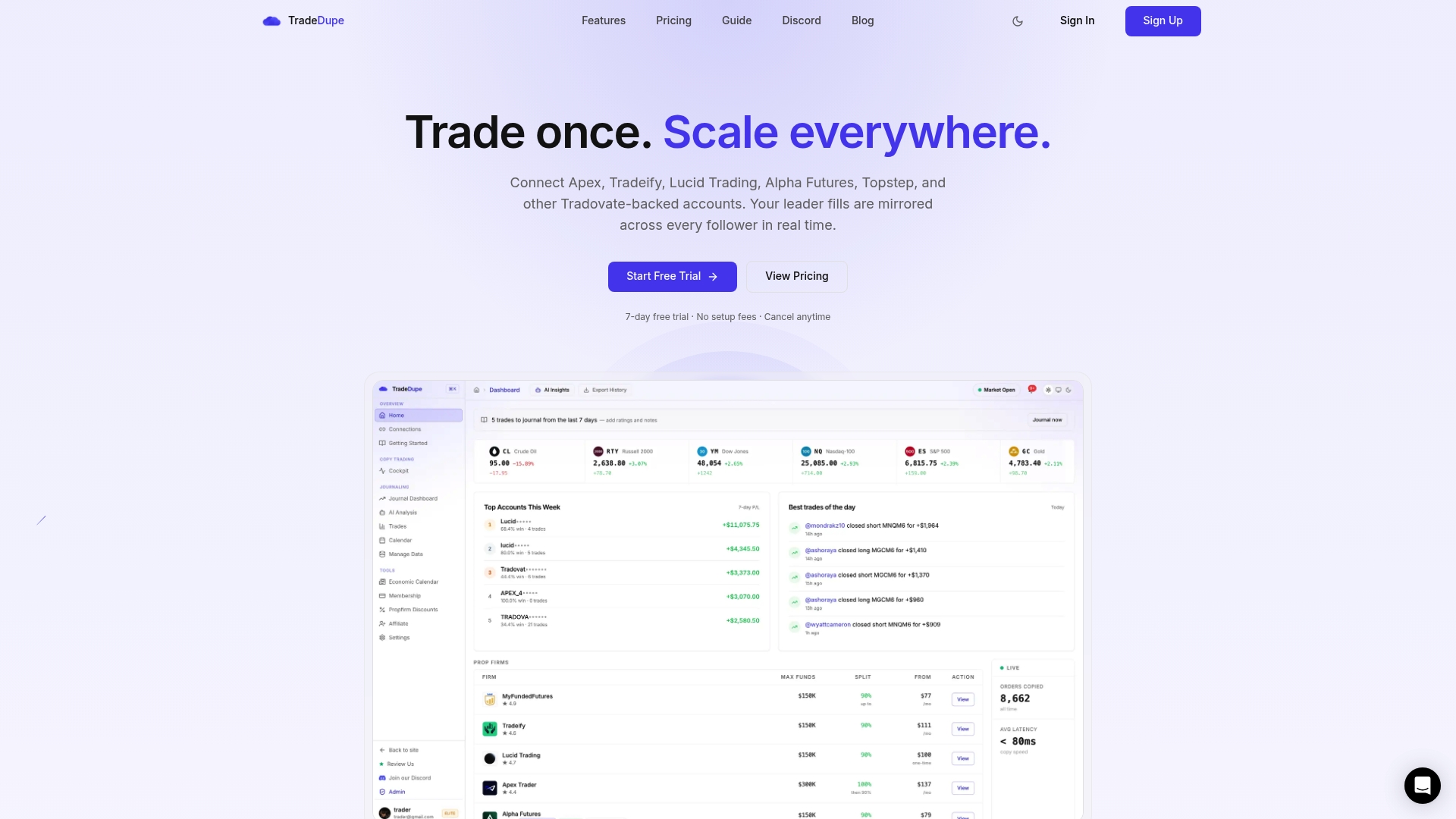
For traders managing multiple Lucid evaluations or funded accounts, TradeDupe's dashboard gives you live sync status, leader and follower activity, and risk monitoring in one place. The platform supports Lucid Trading natively alongside Apex, Tradeify, Alpha Futures, and Topstep, making it a practical fit for traders who run accounts across multiple prop firms. If you are ready to build a compliant, scalable copy trading operation on Lucid, start with TradeDupe and see how the setup process works for your account structure.
FAQ
Does Lucid Trading allow copy trading?
Yes. Lucid permits automated trading systems and third-party trade copiers provided they comply with platform policies and avoid prohibited behaviors like latency arbitrage. The native Tradovate Group Trading feature supports up to 5 accounts without external software.
What third-party copiers work with Lucid Trading?
TradeSyncer and Affordable Indicators are the most widely used third-party copiers for Lucid accounts. These tools operate with latency under 100ms and support cross-platform mirroring across Rithmic, Tradovate, NinjaTrader, and TradingView. PickMyTrade also supports Lucid accounts on Tradovate and Rithmic, automating TradingView alerts with order processing under 200ms on its side, according to the vendor.
Does copy trading guarantee passing a Lucid evaluation?
No. Inconsistent performance across copied accounts may trigger compliance reviews due to atypical risk behaviors. Copy trading replicates your trading decisions but does not guarantee consistent outcomes across accounts with different balance tiers or execution environments.
What is the difference between Orders Mode and Executions Mode?
Orders Mode mirrors live orders in real time and requires strong server capacity to avoid rejections, while Executions Mode mirrors confirmed fills and is more reliable under congested market conditions. Most traders starting with copy trading on Lucid should begin with Executions Mode.
Who is responsible if a copier causes a rule violation on Lucid?
The trader is fully responsible. Lucid holds traders accountable for software-related errors, including automated cancellations or re-submissions that trigger compliance issues. Active monitoring of all accounts is required regardless of which copy trading method you use.