

How to Sync Multiple Tradovate Accounts Simultaneously
TradeDupe
10 min read
Discover how to sync multiple Tradovate accounts simultaneously with ease. Streamline your trading operations and save time using advanced tools!
Managing one Tradovate account is straightforward. Managing three, five, or ten simultaneously is a fundamentally different problem. When you try to sync multiple Tradovate accounts simultaneously without the right tools, you are manually entering the same trade across every account, wrestling with execution timing gaps, and hoping your risk parameters stay consistent under pressure. The industry term for this process is multi-account trade copying or trade mirroring, and the gap between doing it manually versus using dedicated software is the gap between a scalable trading operation and a full-time administrative job.
Table of Contents
- Key Takeaways
- What you need to sync multiple Tradovate accounts simultaneously
- Step-by-step process for syncing accounts
- Troubleshooting common sync issues
- Best practices after setup is complete
- My honest take on syncing multiple Tradovate accounts
- Sync your Tradovate accounts with TradeDupe
- FAQ
Key Takeaways
| Point | Details |
|---|---|
| Prep your account structure first | Confirm API credentials, account hierarchy, and per-account risk settings before connecting any sync tool. |
| Use purpose-built copy trading software | Tools like TradeDupe mirror trades in real time with per-follower risk controls, reducing manual errors across accounts. |
| Authentication is the critical first step | OAuth-based login and API code entry are required to link multiple Tradovate accounts to any sync platform. |
| Monitor sync status continuously | Disconnected accounts trigger position mismatches, so active dashboard monitoring is non-negotiable during live trading. |
| Audit your setup regularly | Routine checks on fill accuracy, latency, and order scaling catch configuration drift before it becomes a costly mistake. |
What you need to sync multiple Tradovate accounts simultaneously
Before you connect a single account, get your foundation right. Rushing into a multi-account setup without a clear account structure is one of the most common reasons traders end up with duplicate orders, mismatched positions, and compliance headaches during prop firm evaluations.
Here is what you need in place before you begin:
- Tradovate login credentials for every account you plan to sync, including any Apex, Topstep, Tradeify, or Lucid Trading accounts running on the Tradovate platform.
- API credentials or OAuth access tokens specific to each account. Most sync platforms authenticate via Tradovate's OAuth flow, so you will need each account accessible through a distinct login.
- A defined account hierarchy. Identify which account is the lead (the one you trade from actively) and which accounts are followers (the ones that replicate those trades). This leader/follower structure is the backbone of any Tradovate multi-account setup.
- Per-account risk parameters. Each follower account may have different contract limits, drawdown thresholds, or position size rules, especially if you are running multiple prop firm evaluations simultaneously.
- A sync tool that fits your workflow. The three most commonly used platforms are Tradolyze, PFACopySuite, and TradeDupe.
| Tool | Primary Use | Multi-Account Support | Key Feature |
|---|---|---|---|
| Tradolyze | Trade journaling and analytics | Yes, via OAuth | Auto-sync trade import throughout the trading day |
| PFACopySuite | Live trade copying via NinjaTrader | Yes, multi-broker | Cross-broker trade replication with risk controls |
| TradeDupe | Real-time trade mirroring for prop firms | Yes, unlimited followers | Orders Mode with per-account stop loss and profit target |
Pro Tip: Before adding follower accounts, test your sync with a single paper account first. This lets you confirm that order routing, lot sizing, and latency are all behaving as expected before real capital is involved.
Step-by-step process for syncing accounts
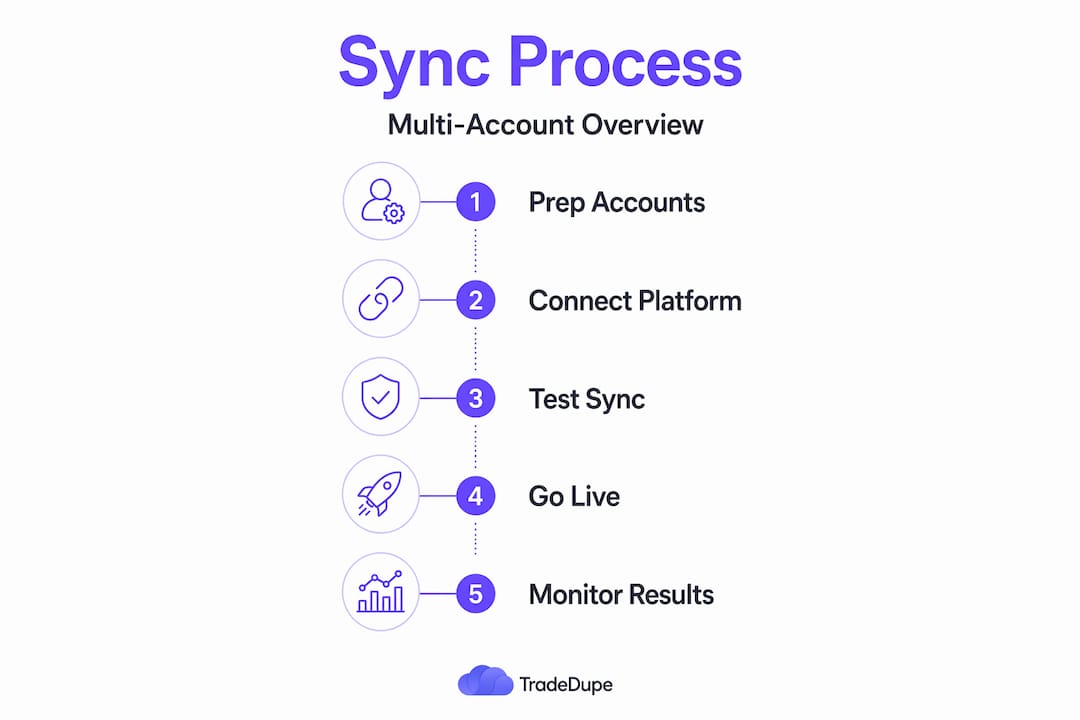
Once your accounts, credentials, and hierarchy are established, the actual setup process is methodical. Here is how it works across the most widely used workflows.
Connecting accounts via OAuth
- Open your chosen sync platform and navigate to the broker connection or account linking section.
- Select Tradovate as your broker.
- Click to authenticate. You will be redirected to a Tradovate login prompt for each account you want to connect.
- After completing OAuth for your lead account, repeat the process for each follower account. TradesViz, for example, allows selecting multiple accounts simultaneously via API code, keeping all connections refreshed at the same time.
- Once authenticated, confirm that each account appears in your dashboard with an active connection status.
Enabling live trade mirroring
- In platforms with an auto-sync toggle, such as Tradolyze, select all target accounts and switch Auto Sync to ON. This activates continuous trade import throughout the session.
- For real-time mirroring with risk controls, configure your lead account in TradeDupe and assign follower accounts individually. Set independent stop loss and profit target parameters per follower to match each account's specific rules.
- If you are using PFACopySuite inside NinjaTrader, map your TradingView entries to your NinjaTrader instance, then assign each Tradovate account as a copy destination. Orders placed on your chart will propagate across all linked accounts automatically.
Verifying the setup before going live
- Place a test order on the lead account and confirm it appears on all follower accounts within expected latency. TradeDupe operates at a median of 34ms replication speed.
- Check position sizes on each follower account against your configured scaling rules. A two-contract lead trade should result in the correct scaled size on each follower, not a flat one-to-one copy unless that is your intention.
| Step | Action | Expected Outcome |
|---|---|---|
| OAuth authentication | Log into each Tradovate account via the sync platform | All accounts appear connected in the dashboard |
| Auto-sync toggle | Enable continuous import or live mirroring | Trades flow from lead to all followers automatically |
| Risk parameter setup | Assign per-follower contract limits and drawdown caps | Each account respects its own risk rules independently |
| Test order verification | Place a small test trade on the lead account | Follower accounts replicate within expected latency |
| Live monitoring | Watch the unified dashboard during the first live session | Sync status stays green, no position mismatches detected |
Pro Tip: Run your first live session during lower-volatility hours. High-impact news events create order flow spikes that stress-test your sync setup in ways a quiet market never will. Get comfortable with the tools before you face a CPI release.
Troubleshooting common sync issues
Even a well-configured setup will encounter problems. Knowing what to look for, and how to fix it quickly, is what separates traders who scale smoothly from those who get burned by a sync error during a live position.
- Authentication timeouts. OAuth tokens expire. If a follower account shows as disconnected, re-authenticate immediately. Most platforms flag the account with a status indicator, but you need to be watching the dashboard actively.
- Duplicated orders. This usually happens when the sync tool is running alongside a manual order entry in the same account. Pick one method and stick to it. Duplicated orders and risk scaling mismatches are among the most common errors traders report in multi-account setups.
- Position mismatches after reconnect. If a follower account drops and reconnects mid-trade, the sync tool may not automatically reconcile the open position. Check the dashboard for a position alignment warning and manually verify the follower's open contracts before the lead account takes another trade.
- Latency-driven fill gaps. High-latency environments can cause follower accounts to fill at slightly different prices than the lead. This is usually negligible in futures, but it becomes material during fast-moving order flow events. Monitor connection stability and order latency closely, especially around major economic releases.
- Scaling errors. If your lead account trades two contracts but a follower account is only approved for one, the sync tool needs a hard cap configured. Without it, you risk a rule violation in a prop firm evaluation.
> Prop firm account violations caused by sync errors are almost never reversed. If your Apex or Topstep account gets flagged for an oversized position because a scaling rule was misconfigured, the firm will not distinguish between a manual error and a software error. The responsibility is yours. Test thoroughly and audit your risk caps before every trading session.
Best practices after setup is complete
Getting the sync running is step one. Keeping it running accurately, session after session, is the real work.
- Perform a pre-session checklist. Before the open, confirm that all accounts show a connected status, that risk parameters are set correctly, and that your lead account is properly designated.
- Review the audit trail after each session. A dedicated audit trail for multiple accounts helps you catch fill discrepancies, missed copies, or scaling drift before they compound over multiple sessions.
- Update configurations when your trading changes. If you add a new follower account, change your contract sizing, or switch prop firms, update your sync settings the same day. Stale configurations are a slow-building risk.
- Combine sync data with analytics. Syncing trades is the mechanical layer. The analytical layer is where you identify patterns, optimize sizing across accounts, and track your multi-account performance over time.
Pro Tip: Use an economic calendar during live sessions to flag high-impact events in advance. Coordinating your account positions around data releases is far easier when you have a real-time view of what is coming.
The measurable benefits of a properly configured sync are significant. Traders who automate trade replication across multiple prop firm accounts report substantially reduced execution errors, consistent strategy application, and more time focused on trade analysis rather than mechanical order entry. The setup investment pays for itself quickly once you are running three or more accounts simultaneously.

My honest take on syncing multiple Tradovate accounts
I have worked with a lot of traders who approached multi-account setup assuming that connecting accounts was the hard part. It is not. The hard part is maintaining sync health when markets move fast and your attention is on order flow, not on whether a follower account just lost its connection.
What I have learned is that the default features built into most trading platforms were designed for single-account use. They were not built to replicate order flow across five Apex evaluation accounts in real time while respecting independent drawdown rules for each. When traders rely on platform defaults for this kind of operation, they almost always run into the edge cases: the missed fill, the duplicated entry, the scaling error that triggers a rule violation.
My honest recommendation is to treat your sync infrastructure as seriously as your trading strategy. The tool you pick matters. The configuration you set matters. And the monitoring you do during live sessions matters more than most traders want to admit. I have seen traders with genuinely strong strategies lose prop firm accounts because their sync setup was sloppy.
The traders who get this right share one habit: they audit relentlessly. They check their fill logs after every session. They test configuration changes before going live with real capital. They treat a sync error as information, not bad luck.
> — Andres
Sync your Tradovate accounts with TradeDupe
Managing multiple Tradovate accounts across prop firm evaluations and funded accounts demands infrastructure that keeps pace with professional trading. TradeDupe was built specifically for this.

TradeDupe mirrors trades in real time from a single lead account to unlimited follower accounts, with median latency of 34ms and independent risk controls for every follower. Whether you are running Apex, Topstep, Lucid Trading, or Tradeify accounts, TradeDupe connects them all under one dashboard with rogue-trade detection, auto-recovery, and per-account toggle controls. Setup takes under 10 minutes, and the platform walks you through desktop authentication and account linking without requiring technical expertise. For prop traders who need to compare options before committing, the TradeDupe vs TradeSyncer breakdown provides a direct feature comparison. When you are ready to build a professional multi-account operation on Tradovate, TradeDupe gives you the architecture to do it reliably.
FAQ
How do you sync multiple Tradovate accounts simultaneously?
You connect each account to a trade mirroring platform using OAuth authentication, designate one as the lead account, and configure the remaining accounts as followers. The platform then replicates every trade from the lead to all follower accounts in real time.
What tools support Tradovate multi-account synchronization?
TradeDupe, Tradolyze, and PFACopySuite all support multi-account Tradovate synchronization, each with different approaches ranging from journaling auto-sync to live trade copying with per-account risk controls.
Can you sync Tradovate accounts across different prop firms?
Yes. Platforms like TradeDupe support simultaneous syncing across Apex, Topstep, Tradeify, and Lucid Trading accounts, all running on the Tradovate infrastructure, with independent risk settings per account.
What causes sync errors between Tradovate accounts?
The most common causes are expired OAuth tokens, position mismatches after reconnect, and misconfigured scaling rules. Active dashboard monitoring during live sessions catches most of these before they affect open positions.
How long does it take to set up Tradovate account synchronization?
With a platform like TradeDupe, the initial setup takes approximately 10 minutes, covering desktop authentication, account linking, and basic risk configuration for each follower account.