Tradovate Copy Trading: Pro Setups for Multi-Account Traders
TradeDupe
9 min read
Discover effective tradovate copy trading strategies for multi-account traders. Learn when to use Group Trade vs. dedicated SaaS tools.
For most professional prop traders running multiple Tradovate accounts, the right answer depends on what you need to replicate. Tradovate's native Group Trade handles simultaneous market-order entry across same-brokerage accounts with no additional cost, making it acceptable for simple, market-only workflows. The moment you need SL/TP replication, bracket/ATM support, cross-account logging, or production-grade reliability on funded accounts, a dedicated SaaS copier like Tradedupe is the correct tool.
Three quick decision triggers:
- You need bracket orders, ATM strategies, or SL/TP mirrored automatically → native Group Trade cannot do this; use a third-party SaaS.
- You manage accounts across multiple prop firms or need per-account toggle controls and rogue-trade detection → Group Trade's same-brokerage constraint rules it out.
- You want audit logs, auto-recovery, and real-time sync monitoring on funded capital → that requires a production-grade platform, not a native UI feature.
TL;DR: If you're running a prop desk with funded accounts and need reliable, full-feature replication, start your Tradedupe trial rather than patching around Group Trade's limits.
*
Table of Contents
- How to set up and configure Group Trade in Tradovate
- What are the real limitations of native Group Trade for prop traders?
- What third-party architectures extend Tradovate's copy trading capabilities?
- How does Tradedupe solve native Group Trade's limits for prop firms?
- Pre-deployment checklist for safe multi-account replication
- Key Takeaways
- Why the native vs. SaaS tradeoff matters more than most traders realize
- Tradedupe: the production-grade option for prop desks running Tradovate
- Useful sources and official documentation
How to set up and configure Group Trade in Tradovate
Setup takes under five minutes, but the contract-multiple math deserves a dry run before you go live.
- Validate in Simulation mode. Before touching live capital, switch all accounts to Simulation at trader.tradovate.com and run several market orders. Confirm fill counts, quantities, and account-level responses match your expectations.
Pro Tip: Run your contract-multiple math on paper first. If your leader trades 3 contracts and a follower is set to 1.5x, the follower needs margin for 4.5 contracts rounded to 5. Margin shortfalls on followers cause silent rejects that won't alert you in real time.
The Apex Trader Funding help center documents these same activation steps and explicitly flags that bracket and ATM orders are not supported, a point worth confirming before you build any strategy around Group Trade.
*
What are the real limitations of native Group Trade for prop traders?
The functional gaps are specific and consequential on funded accounts.
Hard functional limits:
- No bracket or ATM strategy support. Stop-loss and take-profit orders attached to the leader's position do not replicate to followers.
- Pending limit and stop orders become market orders on followers. A limit entry at a specific price on the leader triggers a market fill on followers, often at a worse price.
- Single net position per instrument per account (netting mode). Scaling into a position with separate entries works, but the follower's position is always a single net quantity, not a stack of discrete entries.
- Same-brokerage accounts only. You cannot group a Tradovate live account with a Tradovate sim account, or accounts held under different prop-firm entities.
Operational implications for prop desks:
- Exit management is entirely manual. Every SL and TP must be placed individually on each follower account after the leader's entry fills.
- Fill mismatches accumulate. Community threads on the Tradovate forum document cases where followers receive fills several ticks away from the leader during fast markets, creating P&L divergence across accounts.
- Quantity-divisibility errors. Non-integer multiples round unpredictably. A 1.5x multiple on a 1-contract leader trade sends 1 or 2 contracts depending on platform rounding, not always what you intend.
- Prop-firm account blocks. Some funded-account configurations reject orders above certain contract thresholds or during specific market conditions, and Group Trade provides no per-account error logging to surface these rejects.
Pro Tip: If you're running funded evals alongside live accounts, keep them in separate groups and test each group's behavior independently. A reject on one eval account during a fast-moving market can cascade into a position mismatch you won't catch until reconciliation.
The practical gap is clear: Group Trade covers market-entry replication well but leaves exit management and advanced order types entirely to manual processes or external tools.
*
What third-party architectures extend Tradovate's copy trading capabilities?
When Group Trade's limits become operational liabilities, three external patterns are commonly deployed.
| Architecture | Order types | Latency profile | Prop-firm compatibility | Setup complexity | Safety controls |
|---|---|---|---|---|---|
| Server-side SaaS (OAuth/API) | Market, limit, SL/TP, OCO | Low (server-to-server) | Multi-firm capable | Low (UI-driven) | Rogue-trade detection, per-account toggles, auto-recovery |
| Webhook bridge (TradingView → copier) | Market, limit (alert-triggered) | Medium (alert delay) | Depends on copier | Medium (alert config) | Limited; depends on copier |
| Platform-stacking (NinjaTrader + Rithmic) | Market, limit, ATM/bracket, OCO | Medium (platform hop) | Same-broker constraint | High (two platforms) | Manual; NinjaTrader-side controls only |
| Hybrid (NinjaTrader signals → SaaS copier) | Full order type coverage | Medium-high | Multi-firm capable | High | Shared between platforms |
Server-side SaaS is the cleanest architecture for prop-firm workflows. The copier authenticates via OAuth, runs on cloud infrastructure, and mirrors orders without requiring a local machine to stay online. Tools in this category typically offer per-account sizing, reject containment, and real-time sync dashboards.

Webhook bridges from TradingView work well for alert-driven strategies. A strategy fires an alert, TradingView sends a webhook payload to the copier, and the copier submits the order. The TradingView chart trading ecosystem supports this pattern natively, but alert-to-fill latency adds a variable delay that can be problematic in fast futures markets.
Platform-stacking via NinjaTrader is the standard workaround for ATM and bracket order needs. NinjaTrader provides ATM strategy support that Tradovate's native tools lack, and some desks route signals through NinjaTrader before copying to Tradovate accounts. The NinjaTrader Chart Trader covers this workflow in detail. The tradeoff is real: adding a second platform multiplies the fault surface, configuration steps, and monitoring overhead.
Pro Tip: Webhook bridges introduce alert-to-fill latency that compounds with exchange queue time. For scalping or order-flow strategies where entry timing matters by the tick, server-side SaaS execution is materially more reliable.
Tools like Copygram.app and Tradesyncer each address parts of this gap with varying levels of prop-firm compatibility and order-type coverage. The best copy trading tools for Tradovate comparison covers the current field in detail.
*
How does Tradedupe solve native Group Trade's limits for prop firms?
Tradedupe is built specifically for the Tradovate prop-firm use case. Its server-side architecture means the copier runs independently of your local machine, and its feature set directly addresses the gaps that make native Group Trade unsuitable for funded-account production use.
Core capabilities:
- Per-follower contract sizing with full SL/TP and ATM strategy replication
- Rogue-trade detection that flags and contains orders outside expected parameters
- Auto-recovery that reconnects and resynchronizes follower accounts after a disconnect
- Per-account toggle controls to enable or disable individual followers without stopping the group
- Comprehensive analytics, trade logs, and real-time sync status dashboard
- Server-side execution with a median latency of 34ms for leader-to-follower replication
- Native integrations with Apex, Tradeify, Lucid Trading, and Alpha Futures prop firm accounts
Deployment at a glance:
- Create your Tradedupe account and select a subscription tier.
- Authenticate your leader account via desktop auth / OAuth.
- Connect follower accounts and verify prop-firm account credentials via admin verification.
- Configure per-account sizing, enable auto-mini conversions if your prop firm requires micro contracts, and set per-account toggles.
- Run a simulation session to confirm end-to-end replication before enabling live trading.
Tiered subscription plans cover individual traders through enterprise prop desks, with a trial available for initial evaluation. The getting-started guide walks through the full onboarding flow in approximately ten minutes.
Native Group Trade remains acceptable for traders running two or three same-brokerage accounts with market-only strategies and manual exit discipline. For anything involving funded evals, multiple prop firms, or bracket-dependent strategies, Tradedupe's production-grade controls are the appropriate choice.
*
Pre-deployment checklist for safe multi-account replication
Before any copy-trading setup touches live prop-firm capital, run through this sequence.
- Test in Simulation mode — Execute at least 10 round-trip trades in paper accounts at trader.tradovate.com and confirm all followers receive correct fills.
Pro Tip: Run your first live session with reduced sizing on all followers — half your intended contract multiples. Confirm the full replication chain works as expected before scaling to production quantities.
*
Key Takeaways
For prop traders managing multiple Tradovate accounts, native Group Trade covers market-entry replication but leaves SL/TP, bracket orders, and production-grade safety controls entirely to external tools or manual processes.
| Point | Details |
|---|---|
| Native Group Trade scope | Mirrors market orders only; SL/TP and ATM strategies do not replicate to followers. |
| Same-brokerage constraint | Group Trade requires all accounts on the same Tradovate brokerage; cross-firm setups need a third-party SaaS. |
| Mandatory simulation testing | Always validate contract-multiple math and fill behavior in paper mode before live funded-account use. |
| Median latency benchmark | Tradedupe reports a median leader-to-follower replication latency of 34ms with server-side execution. |
| Tradedupe for production use | Tradedupe is the recommended SaaS for prop-firm multi-account replication with SL/TP, rogue-trade detection, and auto-recovery. |
*
Why the native vs. SaaS tradeoff matters more than most traders realize
The conventional framing treats native Group Trade as "good enough for most traders" and third-party SaaS as an upgrade for power users. That framing misses the actual risk profile of prop-firm trading.
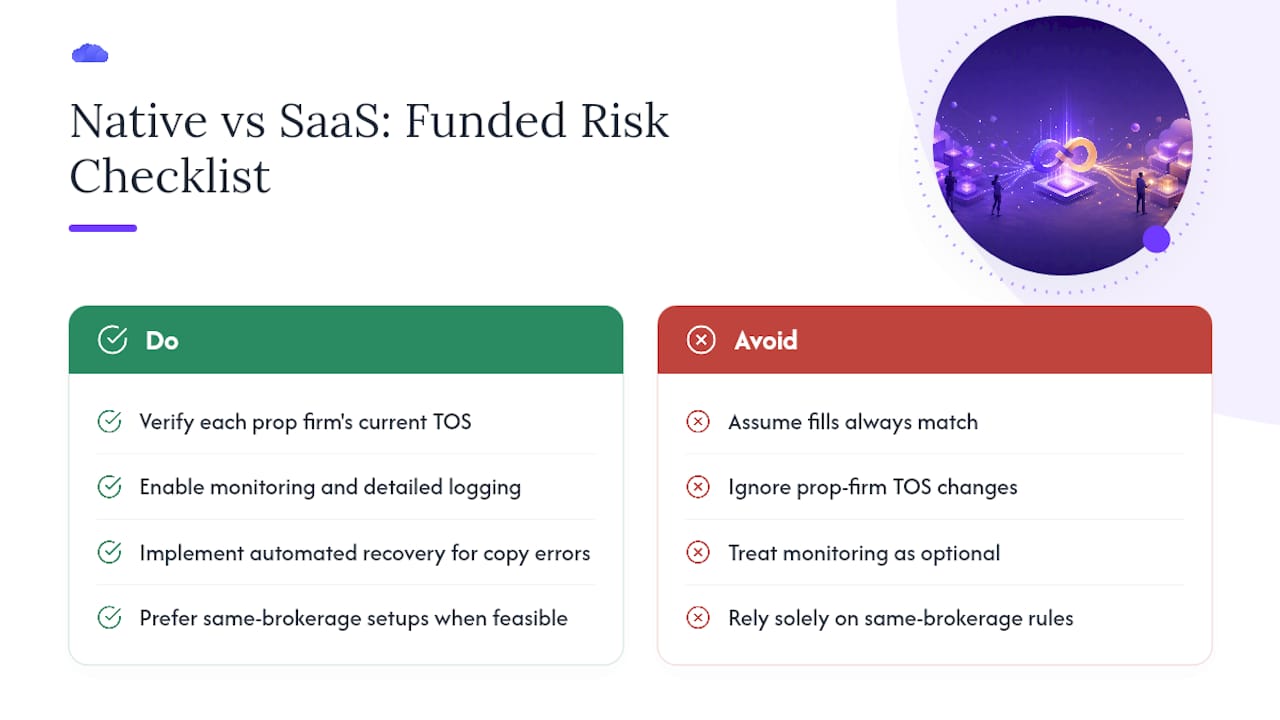
On a personal account, a fill mismatch or a missed SL costs you money. On a funded eval account, the same event can breach a drawdown rule and invalidate the account entirely. The asymmetry is severe. Monitoring, logging, and auto-recovery aren't convenience features on funded capital; they're the difference between a recoverable error and a terminated account.
The other underappreciated point: prop-firm TOS varies by firm and changes periodically. Some firms explicitly restrict automated copying tools or require specific account configurations. Before deploying any copy-trading setup, verify the current TOS for each prop firm whose accounts you plan to include. Group Trade's same-brokerage constraint sidesteps some of this complexity, but it doesn't eliminate it.
*
Tradedupe: the production-grade option for prop desks running Tradovate
Running multiple funded accounts on Tradovate without a proper replication layer means manual exits, no audit trail, and zero protection against a rogue fill cascading across your entire account stack. Tradedupe closes that gap directly: server-side execution at a median 34ms latency, full SL/TP and ATM replication, per-account toggles, and native integrations with Apex, Tradeify, Lucid Trading, and Alpha Futures.

The trial is available now. Connect your leader and follower accounts in under ten minutes using the getting-started guide, or go straight to desktop authentication to begin the OAuth setup. For prop desks evaluating enterprise tiers, the futures trade copier product page covers plan details and feature comparisons.
*
Useful sources and official documentation
- Tradovate Group Trade
- How To Copy Trade On Tradovate - TradingBrokers.com
- Tradovate Trade Copier –Apex Trader Funding
- Copy Trading Multiple Prop Firm Accounts on Tradovate (community thread)
- trader.tradovate.com
- Tradovate Trade Copier | Real-Time Account Sync | TradeDupe
- Getting Started with TradeDupe: Set Up Tradovate Copy Trading in 10 Minutes
- ninjatrader.com