
Tiered Plan Setup Guide for Prop Firm Operators
TradeDupe
11 min read
Learn how to efficiently configure tiered plans for prop firm operators, ensuring optimal broker connections and follower-account management.
For most Tradovate-based prop desks, the right move is to start with the smallest Tradedupe tier that covers your broker connections and follower-account count, then scale up only when you hit a hard limit. Here is the fast verdict by desk size:
- Solo operator (1–2 accounts): Individual tier. One broker connection, up to 10 follower accounts, server-side execution, and rogue-trade detection included. Enough for a single-firm evaluation runner.
- Small prop desk (3–8 traders): Team or Professional tier. Three to five broker connections, 20–50 follower accounts, dedicated onboarding hours, and access to AI analytics.
- Enterprise desk (8+ traders, multiple firms): Enterprise tier. Unlimited broker connections, a custom integration path, a dedicated account engineer, and the strictest latency SLA.
Three reasons these tiers hold up: account limits scale with your actual follower count rather than forcing you to overpay; server-side execution at a median 34ms latency removes the 10–50ms penalty of local copier setups; and built-in rogue-trade detection with auto-recovery keeps multi-account operations recoverable without manual intervention.
Upgrade immediately if you need more than five broker connections, are onboarding multiple integration teams simultaneously, or require a sub-50ms latency SLA for near-HFT execution.
*
Key Takeaways
Choosing the right Tradedupe tier comes down to three hard numbers: broker connections needed, follower-account count at 90-day projection, and whether your desk requires a sub-50ms latency SLA or a dedicated account engineer.
| Point | Details |
|---|---|
| Start with the smallest tier that fits | Match your tier to 90-day projected broker connections and follower-account count, not current usage. |
| Server-side execution is baseline | Local copiers add 10–50ms per fill; Tradedupe's server-side setup runs at a median 34ms across all tiers. |
| Test trades are mandatory | Run a minimum-lot test across every follower account to confirm contract sizing and instrument mapping before going live. |
| Avoid pricing cliff effects | Prefer graduated volume discounts or negotiate enterprise terms rather than accepting hard usage caps. |
| Tradedupe covers all desk sizes | From solo Individual tier to Enterprise with unlimited connections, Tradedupe scales with Apex, Tradeify, Lucid Trading, and Alpha Futures integrations. |
*
Table of Contents
- What does each Tradedupe tier actually include?
- How do you choose the right tier for your desk?
- Configuring your leader-to-follower copy workflow
- What drives price, and which add-ons are worth it?
- What does a realistic go-live timeline look like?
- What security and risk controls do you need to enable?
- What does configuration look like for common firm sizes?
- What operators consistently get wrong when scaling
- Tradedupe is built for exactly this workflow
- Sources
What does each Tradedupe tier actually include?
The table below maps four representative plan levels to the operational limits that matter most for prop desk operators. Exact pricing is available on the Tradedupe product page; the structure below reflects the platform's published tier logic.
| Tier | Broker Connections | Max Follower Accounts | Admin Seats | Latency SLA | Auto-Recovery | Analytics |
|---|---|---|---|---|---|---|
| Individual | 1 | Up to 10 | 1 | Median 34ms | Included | Standard |
| Team | 3–5 | Up to 50 | 3 | Median 34ms | Included | Standard + AI alerts |
| Professional | 5–10 | Up to 50 | 5 | Priority SLA | Included + circuit-breakers | Advanced AI |
| Enterprise | Unlimited | Unlimited | Custom | Custom SLA | Full suite + custom rules | Full AI + custom |
Tradedupe's median 34ms execution applies across all tiers because the platform runs server-side on Tradovate's infrastructure. Supported prop firm integrations — Apex, Tradeify, Lucid Trading, and Alpha Futures — are available at every level, not locked behind the top tier.
Common triggers for moving up one tier:
- You need more than your current broker-connection cap within 90 days.
- Your follower-account count is within 20% of the tier ceiling.
- You require 24/7 support SLA or a named account engineer for audit readiness.
- A prop firm integration your desk uses needs a custom API path.
*
How do you choose the right tier for your desk?
Run through this checklist before you commit to a plan. It takes about 15 minutes and prevents the most common sizing mistake: buying on current account count instead of 90-day projected count.
- Count hard limits first. How many broker connections do you need right now? How many follower accounts? Write both numbers down, then add 25% for growth over the next quarter.
- Assess execution requirements. Does your strategy tolerate up to 200ms latency, or do you need a guaranteed sub-50ms path? Server-side execution is non-negotiable for any desk running more than five follower accounts simultaneously.
- Define support requirements. Will your team self-onboard, or do you need guided setup hours? Enterprise desks almost always need a named account engineer for payout-audit readiness.
- Model the billing structure. Monthly billing gives flexibility during a trial phase; annual billing typically reduces the effective monthly rate. Check whether the tier charges per account or offers an unlimited-account bundle, and calculate your cost per follower account at projected scale.
Pro Tip: *Size your lot multipliers by account equity percentage rather than a fixed contract count.
*
Configuring your leader-to-follower copy workflow
A professional multi-account copier requires server-side reliability to avoid execution gaps. Local setups add 10–50ms in delays compared with optimized server-side configurations. Here is the exact sequence for a Tradovate-based desk:
- Connect the leader account. Authenticate your master Tradovate account through Tradedupe's desktop auth flow. Confirm the account label matches your internal naming convention (firm name, account size, sequential number).
- Add follower accounts. Add each follower one at a time. Label them consistently: `APEX-100K-01`, `TRADEIFY-50K-01`, and so on. A clear naming convention is the single biggest readability gain as your account count grows.
- Map instruments and set multipliers. Assign lot multipliers by account equity percentage rather than fixed contracts. For a $50K follower mirroring a $100K leader, a 0.5x multiplier is the baseline; adjust for each firm's drawdown rules.
- Enable per-account toggles. Switch each follower account on individually and verify the sync status in the real-time dashboard before enabling the next one.
- Run a minimum-lot test trade. Execute a 0.01-lot test on the leader and confirm the fill propagates correctly to every follower. Review contract-size differences across broker conventions before going live.
- Configure rogue-trade detection thresholds. Set the maximum position size and drawdown threshold per account. Define your auto-recovery policy: whether the system pauses the follower, closes the position, or alerts the admin first.
- Randomize comment fields or magic numbers across follower accounts to reduce the risk of firm-side flags during payout audits.
- Keep a manual rollback procedure documented: which admin can disable all followers simultaneously, and what the escalation path is if auto-recovery does not trigger.
Pro Tip: Before your first live session, verify that each follower account's ownership and IP address are logged and match the documentation you submitted to the prop firm. Payout requests that fail ownership checks are the most common preventable delay operators face.
*
What drives price, and which add-ons are worth it?
Trading SaaS providers commonly use hybrid pricing — a base subscription plus volume-tiered transaction fees. Enterprise customers often negotiate per-seat or custom price fences to avoid unexpected cost cliffs. For prop desk operators, the primary levers are:
- Broker connections: The most direct cost driver. Each additional connection tier unlocks more simultaneous firm integrations.
- Follower-account caps: Unlimited-account bundles cost more upfront but eliminate per-account fees that compound quickly at scale.
- Support SLA: Moving from standard to priority or 24/7 SLA adds cost but is worth it for desks that cannot tolerate unresolved sync failures during trading hours.
- AI analytics: Strategy-level alerts and performance attribution are useful for desks running multiple strategies across follower accounts; less valuable for single-strategy operators.
Flat credit models can produce sharp cliff effects for high-volume users. Prefer plans with graduated volume discounts, or negotiate enterprise terms that include a larger capacity package before you hit the ceiling. A hard break in benefits at a usage boundary is a structural cost risk, not just an inconvenience.
*
What does a realistic go-live timeline look like?
- Days 0–3: Activate your free trial. Connect the leader account, add two or three follower accounts, and run minimum-lot test trades. Confirm latency and slippage behavior.
- Days 3–7: Full configuration. Add all follower accounts, set multipliers, configure rogue-trade detection thresholds, and complete the admin verification step for ownership and KYC readiness.
- Days 7–14: Parallel dry run. Mirror live leader trades without risk capital on followers. Monitor the dashboard for sync failures, latency spikes, and instrument-mapping errors.
- Days 14–30: Go-live and tuning. Run daily reconciliation for the first seven days. Pull a latency and slippage report at day 7 and day 30. Schedule a support touchpoint to review any anomalies before the first payout request.
The Tradedupe getting-started guide covers the initial Tradovate copy setup in approximately 10 minutes, which makes the trial-to-configuration window realistic even for operators new to server-side copiers.
*
What security and risk controls do you need to enable?
Multi-account copy operations carry compliance exposure that grows with account count. These are the controls to activate before going live:
- Per-account toggles: Enable and disable individual follower accounts without touching the leader. This is the fastest circuit-breaker when a firm flags an account.
- Role-based permissions: Restrict which admin seats can modify multipliers, add follower accounts, or change rogue-trade thresholds.
- Audit logs and immutable trade records: Required for payout audits. Confirm logs capture timestamps, account IDs, and fill prices for every mirrored order.
- Rogue-trade detection thresholds: Set maximum position size and per-account drawdown limits. The platform's auto-recovery rules trigger position closure or admin alerts when thresholds are breached.
- IP and ownership verification: Prop firms enforce simultaneous-account limits and strict ownership checks. Keep documentation current and ensure your copier's IP footprint matches what you submitted during account registration.
- Comment and magic-number randomization: Reduces the likelihood of pattern-based flags across follower accounts during firm-side audits.
> Tradedupe's median 34ms server-side latency is the operational baseline that makes these controls practical at scale. A slow copier that misses fills creates reconciliation gaps that no audit log can fully recover.
The prop firm consistency rule guide on Tradedupe's blog covers firm-specific rules for Apex, Tradeify, and others — worth reviewing before you finalize your rogue-trade thresholds.
*
What does configuration look like for common firm sizes?
Example A — Solo operator. Individual tier, one broker connection, fewer than 10 follower accounts. Run the minimum-lot test trade protocol before any live session. This setup suits a single-firm evaluation runner managing two to four accounts simultaneously.
Example B — Small prop desk (3–8 traders). Team or Professional tier, three to five broker connections, 20–50 follower accounts across Apex and Tradeify. Assign dedicated onboarding hours in the first week. Run weekly reconciliations and review the AI analytics alerts for strategy-level drift. The prop-firm growth context for desks at this scale increasingly demands audit-ready documentation from day one.
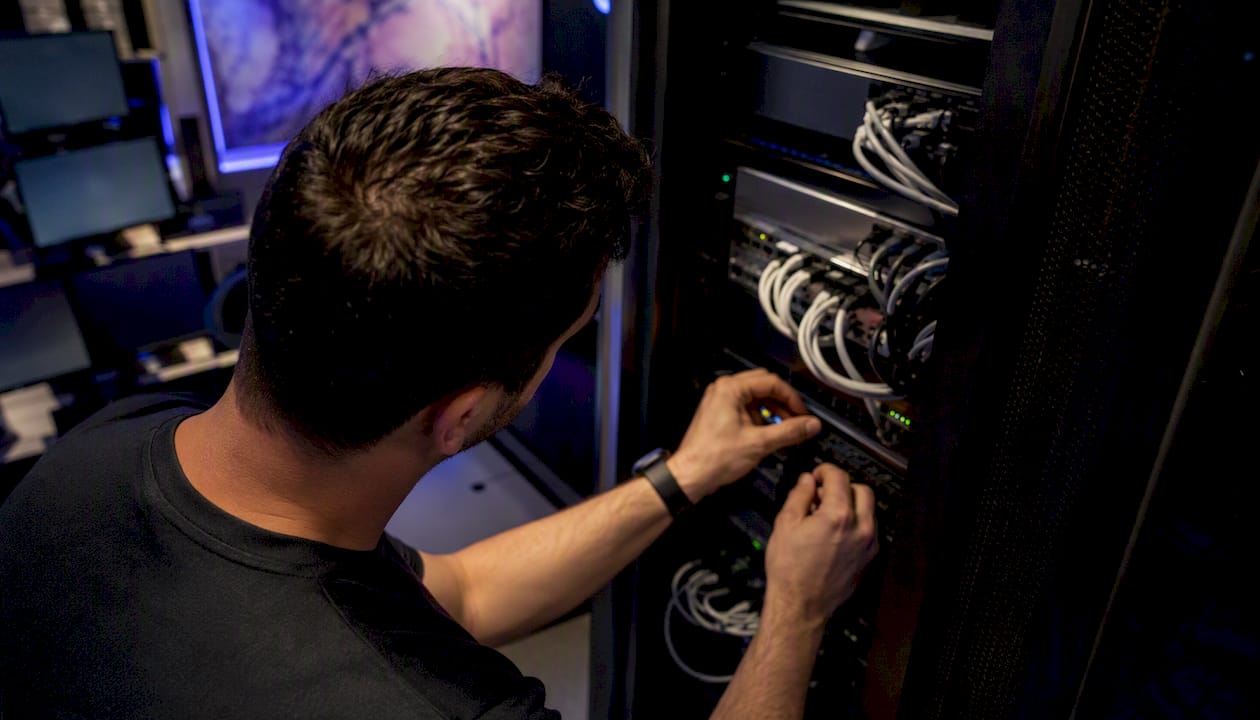
Example C — Enterprise desk. Enterprise tier, unlimited connections, a custom integration for Alpha Futures or Lucid Trading, and a dedicated account engineer. Stricter latency SLA and advanced auto-recovery rules with custom circuit-breaker logic. Daily reconciliation is non-negotiable; payout audits at this scale require immutable logs and verified IP documentation for every account.
*
What operators consistently get wrong when scaling
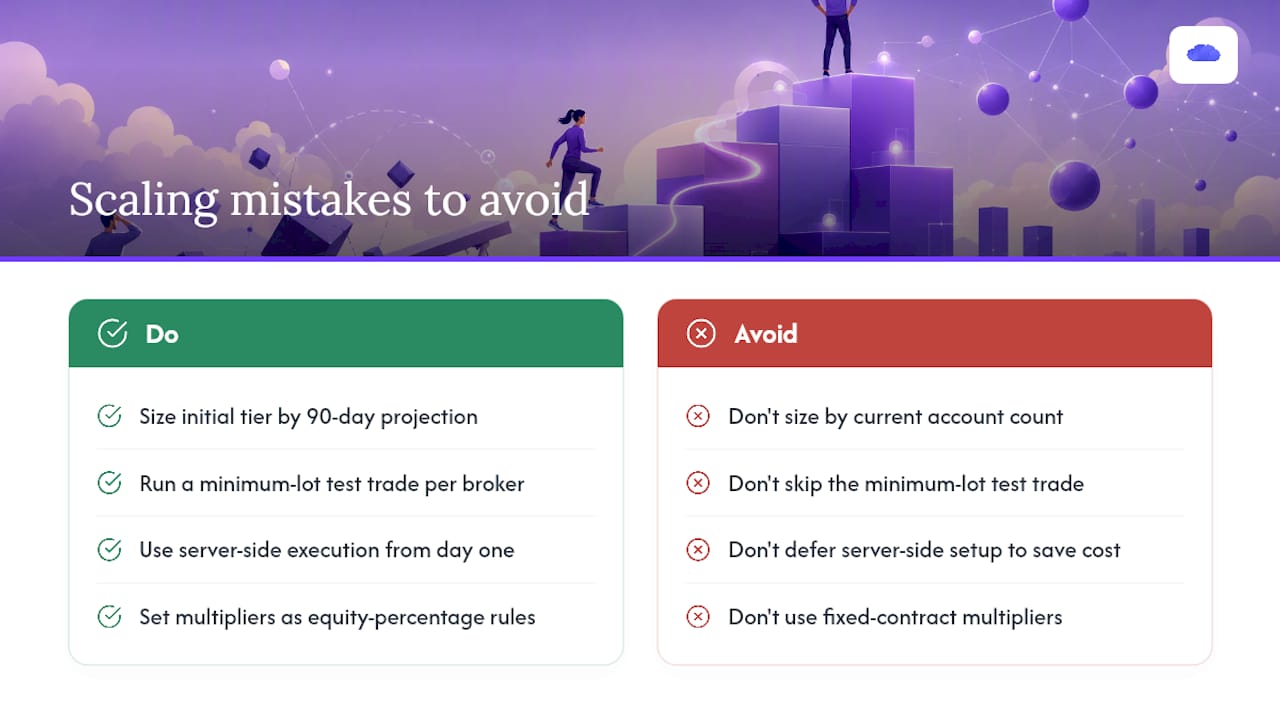
Most operators who struggle with multi-account copy setups make the same two mistakes: they size their initial tier by current account count rather than 90-day projected count, and they skip the minimum-lot test trade because the dashboard shows a green sync status.
A green sync light confirms the connection is live. It does not confirm that contract sizing, instrument mapping, and multiplier math are correct across every follower account. Those errors surface on the first live trade, not during setup. The test-trade protocol exists precisely because broker conventions differ — a 1-lot on Apex does not always map to a 1-lot on Tradeify without explicit instrument configuration.
Server-side execution is not a premium feature to unlock later. It is the baseline requirement for any desk running more than a handful of follower accounts. The latency gap between a local copier and a server-side solution compounds across every fill, every session, every payout cycle. Operators who defer server-side setup to save cost in the first month almost always pay more in reconciliation time and missed fills before the second month ends.
Size multipliers by equity percentage from the start. A fixed-contract multiplier that works at $50K per account breaks when accounts scale to $100K or $200K without reconfiguration. An equity-percentage rule scales automatically.
*
Tradedupe is built for exactly this workflow
Prop desks running multiple Tradovate accounts need a copier that handles the operational complexity without adding administrative overhead. Tradedupe's futures trade copier mirrors a single leader account across unlimited follower accounts with a median 34ms latency, server-side execution, rogue-trade detection, auto-recovery, and a real-time monitoring dashboard — all within a tiered subscription that scales from solo operators to enterprise desks.

Supported integrations cover Apex, Tradeify, Lucid Trading, and Alpha Futures out of the box. A free trial lets you connect your first accounts, run the test-trade protocol, and verify latency before committing to a paid plan. Start the trial at Tradedupe and have your first leader-to-follower workflow live within 10 minutes.
*
Sources
Tradedupe documentation (internal):
- How to Manage Multiple Funded Accounts with a Trade Copier
- Which Pricing Metric Fits Trading Platforms SaaS Best: Per Seat, Per Transaction, or Per Outcome?
- Can Tiered On-Demand Pricing Based on Subscription Plan Give Quants an Edge in Algorithmic Trading? A Complete Step-by-Step Guide for Beginners - Dre Dyson
Industry references:
Recommended
- Prop Firm Profit Calculator | TradeDupe
- What Happens After You Get Funded? Scaling a Prop Firm Account the Right Way | TradeDupe Blog
- How to Trade Prop Firms (2026): A Practical Playbook to Pass and Keep a Funded Account | TradeDupe Blog
- Prop Firm Consistency Rule Guide (2026): Topstep, Apex, Tradeify, MFFU Rules Explained | TradeDupe Blog