Futures Symbol Mapping for Copy Trading Ops: Test 5 High Risk Symbols
TradeDupe
10 min read
Avoid copy trading cascades with correct futures symbol mapping. Follow a platform agnostic checklist; test a minimum size order per broker.
Symbol mapping translates the ticker you see on your chart into the exact tradeable contract string your broker expects. Get the root, month code, or year wrong and you can end up flat when you meant to be long, or holding ten times the position size you intended. Before you trade live, pick your five highest-risk symbols and run one minimum-size test order per broker or account to confirm the mapping resolves correctly.
*
> TL;DR: > > - Ensuring accurate symbol mapping requires matching the exact broker-specific tradeable string, including root, month code, and year format, to prevent trade errors. > - Common mapping failures stem from data feed and broker string mismatches, incorrect handling of continuous vs. front-month contracts, or confusing micro and standard roots. > - Always verify symbol strings directly from your broker's list, run a minimum-order test, and keep logs of raw vendor strings and resolution rules for troubleshooting. > - Automating symbol validation through tools like TradeDupe reduces risks in copy trading by catching mapping errors before they affect multiple accounts. > - Regularly review and update mappings before rollovers, involve a second signoff for changes, and escalate ambiguities promptly to avoid costly trading mistakes.
*
Table of Contents
- How Are Futures Symbols Structured?
- Data Feed vs. Broker: Where Symbol Mapping Goes Wrong
- Step-by-Step: Building a Reliable Symbol Map
- What Should Be on Your Symbol Mapping Checklist?
- Why Do Mapped Symbols Get Rejected or Fill Wrong?
- Why Mapping Accuracy Matters for Multi-Account Copy Trading
- An Operator's Daily Rules for Symbol Mapping
- Run Copy Trading With Mapping Safeguards Built In
- Sources
- FAQ
How Are Futures Symbols Structured?
Every futures symbol follows the same skeleton: a root (the product), a month code (a single letter), and a year (one or two digits, depending on the vendor). CME's E-mini S&P 500 root is ES; add a month letter and year digit and you get a specific, tradeable contract.
The month-code alphabet has been standardized across the industry for decades:
- F = January, G = February, H = March, J = April
- K = May, M = June, N = July, Q = August
- U = September, V = October, X = November, Z = December
Pro Tip: Memorize F, G, H, J and Z first. They cover the January, February, March, and December quarterly-cycle contracts that dominate trading volume in most futures markets.
Take ESZ6: ES (root) + Z (December) + 6 (2026). That's the December 2026 E-mini S&P contract, and it's exactly how the Strasmore parsing guide breaks it down. The trouble starts when vendors format the same contract differently. One platform writes `@ES`, another writes `ES.M25`, a third writes `ESZ26` with a two-digit year. According to the Optimus Futures primer on symbol structure, the underlying alphabet (F, G, H, J, K, M, N, Q, U, V, X, Z) never changes, but the surrounding formatting does. Your mapping has to match the exact string your broker's order-entry system requires, not just the logical contract.
Data Feed vs. Broker: Where Symbol Mapping Goes Wrong
Most mapping problems fall into one of three recurring patterns, and knowing which one applies to your setup determines how you fix it.
- Data feed vs. broker mismatch. Your charting or signal source names a contract one way; your broker's order book names it another. The SignalBots trading glossary identifies this gap as a leading cause of rejected orders, because the request never matches an instrument the broker recognizes.
- Continuous vs. front-month contracts. Tickers like `@ES` or `ES1!` are charting conveniences, not tradeable instruments. TradingView's own documentation on continuous contracts confirms these symbols must map to a specific front-month contract, such as ESM6, before an order can execute.
- Micro vs. standard roots. MES (Micro E-mini S&P) and ES (standard E-mini) are different products with different multipliers. Confuse the two in a mapping table and you can trade ten times the size you intended.
- Case sensitivity and demo/live suffixes. Some platforms treat `es` and `ES` as different strings; others append different suffixes on demo accounts versus live accounts. Check both before trusting a mapping that "worked" in testing.
Step-by-Step: Building a Reliable Symbol Map
Every platform names its menus differently, but the underlying workflow for futures symbol mapping is consistent. Follow this pattern regardless of which trading software or broker you're connecting.
- Open the mapping or symbol settings panel. This usually sits under data configuration or instrument setup.
- Add a new mapping row. Most platforms offer a simple one-to-one mode and a custom mode that lets you assign separate symbols for historical data versus live level 1 or level 2 quotes.
- Choose the chart or data symbol. This is the string your data vendor uses, for example `@ES` for the continuous E-mini S&P series.
- Choose the broker symbol. This is the exact tradeable string, for example `ESM6` for the June 2026 contract. Copy it directly from your broker's instrument list rather than retyping it from memory.
- Resolve year format explicitly. If your data feed uses one digit and your broker uses two, decide the pivot rule now (a one-digit "6" resolves to 2026, not 2016 or 2036) and apply it consistently.
- Save and activate the mapping, then keep the raw vendor string logged alongside the resolved contract for audit purposes.
Pro Tip: Never overwrite the raw vendor string once you resolve it. If a rollover or a vendor formatting change breaks your mapping later, that original string is the only clean record of what the system actually received.
This pattern applies whether you're mapping one instrument by hand or building an automated resolver that handles dozens of symbols across several futures contract types.
What Should Be on Your Symbol Mapping Checklist?
Testing a mapping before you trade it live takes minutes and can save you from a costly execution error. Work through this checklist for every new or changed mapping:
- Look up the instrument directly in your broker's symbol list. Copy the exact string; don't reconstruct it from a pattern you assume is correct.
- Place one minimum-size test order per mapped instrument, first on demo, then again on live, and confirm the filled contract matches what you intended.
- Verify tick size, contract multiplier, session times, and margin requirement against the specification your broker publishes. The Clearedge guide to contract specifications notes that even a correctly mapped symbol can execute with the wrong leverage if the underlying specs were never confirmed.
- Log the raw vendor string next to the resolved four-digit year and the pivot rule used. If volume or tick behavior looks unusual after a rollover, that log is where you'll find the discrepancy first.
Running this checklist against a position size calculator before committing real capital catches sizing errors that a mapping test alone might miss.
Why Do Mapped Symbols Get Rejected or Fill Wrong?
Most mapping failures announce themselves in one of three ways, and each has a specific fix.
- Generic "invalid request" rejections usually mean the broker string is wrong or the symbol isn't enabled on that specific account. Recheck the exact string against the broker's own list.
- Orders that fill on the wrong contract typically trace back to a suffix or case mismatch between demo and live environments, or a root confused with its micro or standard counterpart.
- Silent size errors happen when the mapping resolves to the right root and month but the wrong contract multiplier, often because a micro root was mapped to a standard symbol's specifications.
Keep the raw string, the resolved mapping, and your test-order confirmation together in one log. When something breaks, that record turns a guessing exercise into a two-minute diagnosis.
Why Mapping Accuracy Matters for Multi-Account Copy Trading
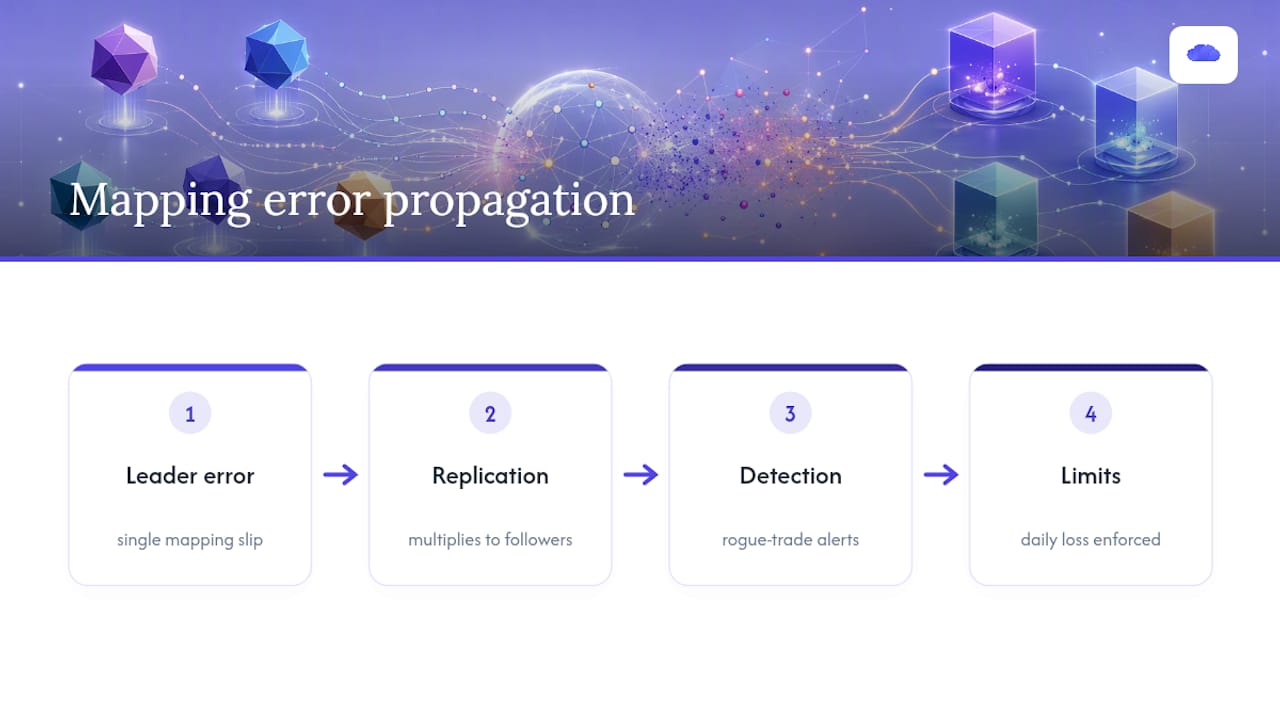
When one leader account replicates trades to several follower accounts, a single mapping error doesn't just cost one trade. It multiplies across every connected account. Industry analysis on how symbol mapping works describes accurate mapping as a kind of data passport: the mechanism that keeps every account referencing the same actual contract instead of a lookalike.
TradeDupe connects to Tradovate through its official OAuth flow, so credentials are never stored and every fill mirrors to enabled followers over a live WebSocket connection. Per-account copy toggles and rogue-trade detection catch fills that don't match what the leader placed, and daily loss limits get enforced directly by Tradovate. None of that replaces careful symbol mapping. It's the operational layer that limits the damage when a mapping slip happens anyway.
An Operator's Daily Rules for Symbol Mapping
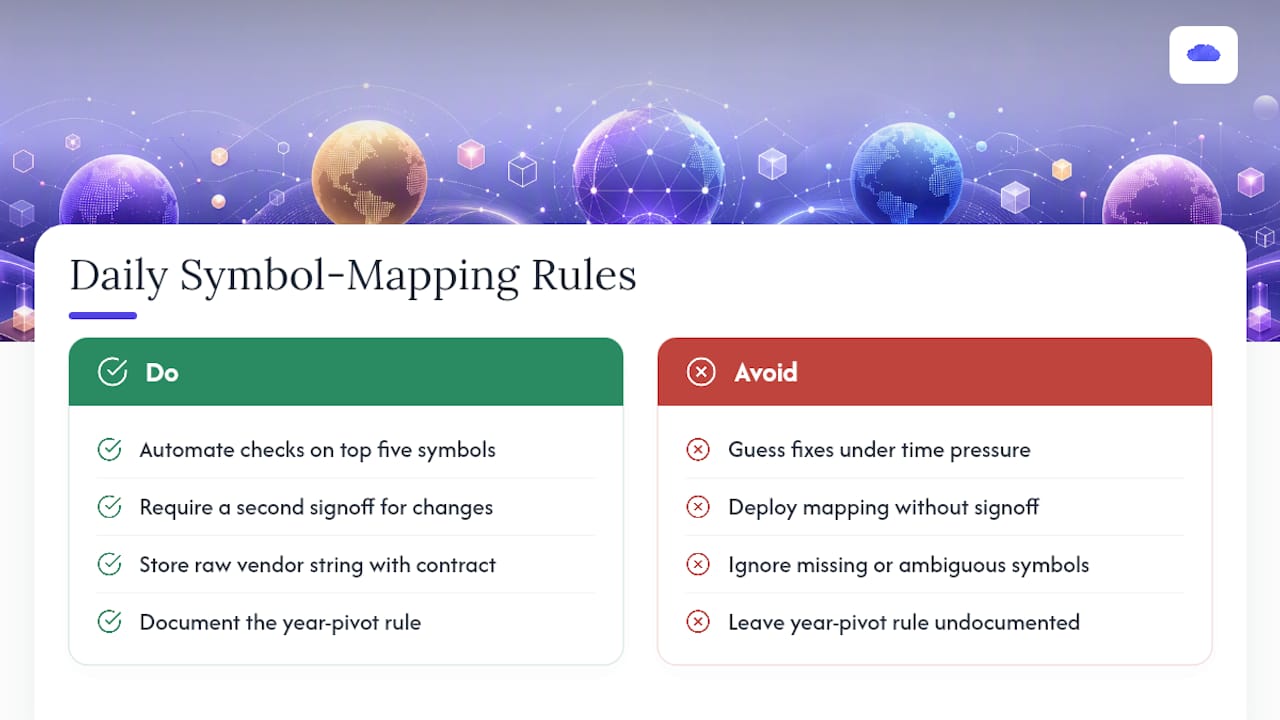
Automate the checks on your five highest-volume symbols and require a second signoff before any mapping change goes live. Keep the raw vendor string next to the resolved contract, and write down your year-pivot rule so nobody has to guess whether a single digit means this decade or the next.
Escalate to your broker or data provider the moment a symbol is missing or a root looks ambiguous. Guessing at a fix under time pressure is how a five-minute problem becomes a five-figure one.
> — Andres
Run Copy Trading With Mapping Safeguards Built In
TradeDupe is the alternative to running mapping checks manually across every follower account. Once your leader and follower accounts connect through Tradovate's official OAuth flow, per-account toggles and rogue-trade detection watch every mirrored fill in real time, so a mapping slip on one account doesn't cascade silently across the rest of your desk.

Instead of building your own resolver and audit log from scratch, run the validation checklist from this guide against a live TradeDupe trial: connect your accounts, enable a few followers, and confirm each mirrored fill lands on the exact contract you expect. Plans start at a monthly fee (billed yearly), and every plan includes a 7-day free trial with one-click cancellation. Learn more about how copy trading works on Tradovate or head straight to TradeDupe to start your trial.
Sources
For the month-code alphabet, see the Optimus Futures primer. For worked parsing examples, see the Strasmore guide. Keep your broker's own symbol list on hand as the final authority.
- Understanding Futures Symbols
- How to Read a Futures Symbol (ESZ6, CLF27)
- What is Symbol Mapping? | SignalBots Trading Glossary
FAQ
What Are the Symbols for Futures Contracts?
A futures symbol combines a product root, a single-letter month code, and a one or two-digit year, such as ESZ6 for the December 2026 E-mini S&P. The exact letter alphabet runs F, G, H, J, K, M, N, Q, U, V, X, Z for January through December.
What Is the Best Symbol to Trade?
There's no single best symbol. It depends on your strategy, account size, and the liquidity you need. Traders sizing smaller accounts often start with micro contracts like MES instead of the standard ES root to reduce per-contract risk.
What Are the Month Codes for Futures?
Each month has one fixed letter: F (January), G (February), H (March), J (April), K (May), M (June), N (July), Q (August), U (September), V (October), X (November), and Z (December). This alphabet is consistent across CME, ICE, and Eurex, though vendor formatting around it varies.
How Do I Map a Continuous Symbol to a Front-Month Contract?
Continuous tickers like `@ES` or `ES1!` exist for charting only and can't be traded directly, according to TradingView's own documentation. Map the continuous symbol to the current front-month contract, such as ESM6, in your platform's symbol settings, and update that mapping at each rollover.
Does TradeDupe Handle Symbol Mapping for Copy Trading?
TradeDupe mirrors fills between Tradovate accounts once you've connected them through Tradovate's official OAuth flow, with per-account toggles and rogue-trade detection watching for mismatches. Current pricing and plan details are available on the TradeDupe site.
Recommended
- 3 Safeguards Prop Firm Traders Need for Futures Copy Trading Security
- Best Futures Trading Strategy for Copy Trading (2026): Order Flow vs ICT Concepts
- Futures Trade Copier for Prop Firms (2026): Mirror One Account to Many on Tradovate
- TradingView Trade Copier | Automate Follower Accounts
For educational purposes only. Not financial advice. Futures trading involves substantial risk of loss and is not suitable for every investor.