
How Many Apex Accounts Can You Have? 2026 Limit Explained
TradeDupe
12 min read
You can hold up to 20 active funded Apex PA accounts, with no cap on evaluations. See what counts toward the limit, what breaks it, and how to plan.
You can hold up to 20 active funded accounts (Performance Accounts, or PAs) at Apex Trader Funding, and Apex's help center says there is no limit on Evaluation accounts. The 20 is counted across everyone in your household, your companies and all your platform connections, not per login. That makes the number simple on paper and easy to break by accident once you are running a pile of evals at once.
This guide covers what counts toward the 20, what happens if you go over, how the March 2026 product change affects your count, and the trading rules that matter most once you run many accounts at the same time. The rules below reflect Apex Help Center pages last updated April 15 and July 31, 2026, as reviewed in November 2026. Apex changes its rules often, so confirm anything that affects a payout with Apex before you act.
TL;DR
- Funded limit: 20 active PA accounts in total, across your household, companies and connections (Rithmic, Tradovate or WealthCharts).
- Evaluations: Apex's help center states there are no limits on Evaluation accounts, so only funded accounts count toward the cap.
- Going over 20: Apex says it makes you ineligible for payouts and can lead to forfeiture, closure or a permanent ban.
- Many accounts, one direction: all your PAs must trade the same direction, with no hedging between them, and no positions held through market close.
- Copying: Apex's own pages read differently on copy trading, so get Apex's answer in writing before you mirror trades.
Table of Contents
- The Apex account limit: 20 active PAs
- What happens if you exceed 20
- A worked example: when evals pass faster than you planned
- What changed in March 2026
- Trading many Apex accounts: the rules that bite
- Copy trading across your own Apex accounts
- Payouts and consistency across many accounts
- Planning your own account count
- Perspective: why one account should drive the rest
- Run your Tradovate accounts from one
- FAQ
- Sources
The Apex account limit: 20 active PAs
Apex's official help center states the total limit is 20 active PA accounts across all people in the same house, companies and connections, whether the accounts run on Rithmic, Tradovate or WealthCharts. The same page says there are no limits on Evaluation accounts.
Three details in that sentence trip people up:
- "Active" matters. The cap is on live funded accounts, not on every account you have ever bought. Check Apex's help center for how closed or breached accounts are treated before you plan around freeing up slots.
- The cap is shared. If a family member in your household also trades Apex, their PAs count toward the same 20. The same goes for a company you own.
- The platform does not split it. Ten PAs on Tradovate and ten on Rithmic is 20, not 10 per platform.
The PA is the account where payouts happen, which is why Apex polices this number rather than the evaluation count.
Evaluation vs. funded accounts at a glance
| Evaluation account | Performance Account (PA) | |
|---|---|---|
| What it is | The test you must pass | The funded account that can earn payouts |
| Count limit | None stated by Apex | 20 active, across household, companies and connections |
| Platforms | Rithmic, Tradovate, WealthCharts | Rithmic, Tradovate, WealthCharts |
| Risk if mismanaged | Failed eval, lost fee | Payout ineligibility, closure, possible permanent ban |
Because evaluations are uncapped, the real constraint is what happens when many of them pass in the same week. We work through that below.
What happens if you exceed 20
The help center is blunt about it. Exceeding 20 PAs makes you ineligible for payout and risks forfeiture, account closure and a permanent ban. That is a far bigger loss than the cost of one extra activation, so treat 20 as a hard ceiling.
Apex's prohibited activities page adds related rules that matter if you are tempted to work around the number:
- Creating multiple user accounts is prohibited and is a bannable offense.
- Creating additional household or associated-party accounts to get around an existing account's evaluation restriction or probation is banned.
- Sharing MAC addresses, computers, IPs or credit cards with other traders is prohibited.
The practical reading: one person, one Apex user profile, no more than 20 active PAs in total. Do not open a second profile or use someone else's to get more.
A worked example: when evals pass faster than you planned
Because evaluations are unlimited, a common plan is to buy a batch and run them together. The risk is arithmetic, not trading.
Say you already have 12 active PAs and you buy 30 evaluations. If 10 of them pass, activating all 10 would put you at 22 PAs, which is over the cap. You can only activate 8 and stay at 20.

SafePropFirms' 2026 review notes you have 7 calendar days to activate a PA after passing, and that the evaluation period is 30 calendar days with no extensions. So passes can arrive on a clock, and the decision about which to activate has a deadline too. Check Apex's help center for what happens to a passed evaluation you do not activate.
A few habits keep you under the line:
- Keep a live count. A simple note listing active PAs by platform, plus any PAs held by your household or companies.
- Size evaluation batches to your open slots. Buying far more evals than you have free PA slots creates a bottleneck at the exact moment you pass.
- Recount before every activation. Make the check part of activating, not something you do monthly.
What changed in March 2026
Much of what ranks for this topic still describes the old product. JoinProp's November 2026 update says Apex replaced its entire product line on March 1, 2026: the monthly subscription, the old 90/10 split and the 5:1 risk/reward rule moved to "Legacy," and everything on sale now is a one-time fee. Treat any guide that talks about monthly resets as out of date.
TrackyTrade's 2026 guide describes the same overhaul and adds that traders now choose an end-of-day or intraday drawdown at checkout, with up to 20 accounts, a 50% consistency rule on funded accounts and a six-step payout ladder. The 20-account figure did not change with the overhaul. What changed is how you buy and run the accounts, so older rule tables and screenshots are unreliable.

Trading many Apex accounts: the rules that bite
Holding 20 accounts is allowed. Trading them badly is where traders lose them. Apex's help center is specific.
Same direction, no hedging
All PAs must trade in the same direction, and you cannot hedge against correlated assets. The prohibited activities page bars hedging long and short positions on the same or correlated instruments. In plain terms: if one of your accounts is long Micro E-mini Nasdaq, none of your other accounts can be short Nasdaq or a correlated index future. Splitting risk by running opposite trades across accounts is the pattern this rule targets.
No positions through the close
The same page prohibits holding open positions through market close. With many accounts, the failure mode is not a bad idea but a forgotten position on one of twenty accounts. Check that every account is flat before the session ends.
Inactivity
JoinProp's review lists an inactivity rule: two trading days with $50 or more in profit in every rolling 30-day period, or the account closes with rewards forfeited. Confirm the current wording with Apex. If you hold many PAs, a parked account is a risk, not a spare slot.
Copy trading across your own Apex accounts
If you trade several accounts, you will need a way to place the same trade on all of them. Apex's help center says copy trading is allowed across PA accounts under your personal name and business name, provided every PA trades the same direction and does not hedge. The prohibited activities page, by contrast, bars trade copying with other traders. Read together, the line is clear: your own accounts, your own trades, never someone else's signals or shared access.
PropChamps' October 2026 comparison points out that Apex's pages appear to conflict on copy trading, and advises asking Apex support in writing first. That is sound practice for any rule that could affect payouts: ask, keep the reply, and file it with your account records. If you want a broader view of how the same question plays out across firms, our list of prop firms that allow copy trading is a good next stop, and our detailed Apex copy trading rules page goes deeper on compliance.
Traders who rely on a morning routine often also use AI market briefs for traders to pull together the overnight picture before they decide direction. Whatever you use to form a view, the direction rule means one view has to drive every PA, so do that thinking once, before the open.
Why the same-direction rule shapes your setup
When the same entry has to land on up to 20 accounts at nearly the same moment, doing it by hand means placing 20 orders, with the risk of one going the wrong way or being missed. Tradovate-native ways of grouping accounts exist, and our Apex copy trading guide walks through how copying on Tradovate fits within your own accounts and no shared access. Whichever route you take, test on simulation first and confirm with Apex before going live.
Payouts and consistency across many accounts
Every PA you add multiplies the number of payout conditions you track. The research on current rules points to these, which you should verify against Apex's help center:
- Consistency: SafePropFirms states the 50% consistency rule applies to funded accounts until the sixth payout or a transfer to a Live account, and TrackyTrade's guide puts the same 50% figure on funded accounts.
- Qualifying days: SafePropFirms lists 5 winning days per payout cycle, at $100 or more (25K), $250 or more (50K), $300 or more (100K) or $350 or more (150K).
- Minimum request: the payout rules guides you will find quote a $500 minimum per request. Confirm it on Apex's payout page.
Copying makes this easier in one way: if every account takes the same trades, the daily profit pattern is the same, so one account's consistency check tells you about the rest. Our Apex consistency rule explainer shows the math in detail, and the Apex prop firm guide covers payouts and multiple accounts together.
Planning your own account count
Before you buy anything, answer these four questions:
- How many PAs are active now, including any in your household or companies?
- How many evals are in progress, and when does each 30-day window end?
- How many slots will be free if some PAs are closed or breached?
- Can you manage that number safely? The cap is 20, but your ability to keep 20 accounts flat, same-direction and within the drawdown is the real limit.
Many traders do better at 5 to 10 accounts they can watch than at 20 they cannot. The size of each account matters too: Apex's current sizes, per CompleteTraderEdge's June 2026 review, are $25K, $50K, $100K and $150K, with the 250K and 300K sizes discontinued for new purchases. Older articles that multiply 20 accounts by $300K describe a size you can no longer buy.
If you also hold accounts at other Tradovate-based firms, such as Tradeify, Lucid Trading, MyFundedFutures or TakeProfit Trader, those firms set their own limits and copy rules. Do not assume Apex's 20 applies to them, and check each firm's own help center.
Perspective: why one account should drive the rest
> We built TradeDupe for one kind of trader: someone holding several prop firm accounts on Tradovate who wants to make one decision and have it reach every account. > > Our view is that account limits are rarely what hurts traders. Execution does. A tired trader on account fourteen, a position left open on account nine, a trade that went the wrong way on account six. The more accounts you hold, the more one manual slip costs you. > > That is why you choose a leader account and every fill on it is mirrored to your enabled followers. We designed per-account copy toggles so you can pause one account without touching the others, and rogue-trade detection to flag follower trades the copier did not place. Daily loss limits and profit targets are set directly on Tradovate, so the broker enforces them. > > You connect through Tradovate's official OAuth, so your password is never stored, and nothing runs on your PC or VPS. Whatever tool you use, keep your own accounts, your own trades and a written answer from your firm. > > Andres
Run your Tradovate accounts from one
If you hold several Tradovate prop accounts, our Tradovate trade copier mirrors every fill on your leader account to the follower accounts you enable. The Standard plan is $20/month billed yearly, covering 2 connections with 10 accounts each, and every plan includes a 7-day free trial with one-click cancellation.
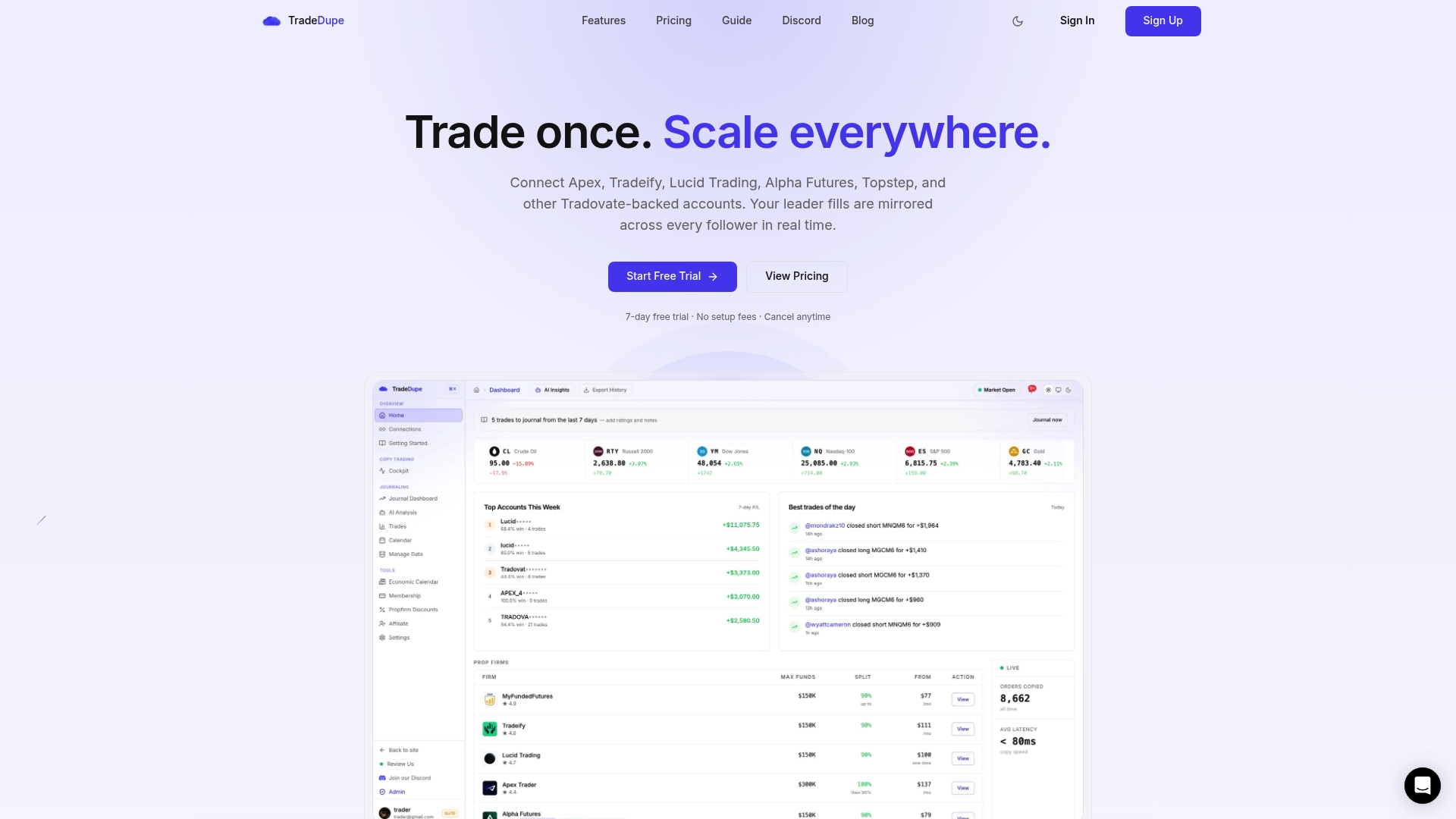
It works with Tradovate-based firms including Apex Trader Funding, Tradeify, Lucid Trading, MyFundedFutures and TakeProfit Trader. Topstep and Alpha Futures are not on Tradovate, so they are not supported.
FAQ
How many Apex accounts can you have at once?
Up to 20 active funded PA accounts in total, counted across your household, companies and connections. Apex's help center says there are no limits on Evaluation accounts. Exceeding 20 PAs risks payout ineligibility and account closure.
Can I have 20 accounts on Tradovate and more on Rithmic?
No. The 20 PA limit applies across all platforms, including Rithmic, Tradovate and WealthCharts. Ten PAs on one platform and ten on another already uses the whole allowance.
Does a family member's Apex account count toward my limit?
According to Apex's help center, the limit covers people in the same house and companies, so a household member's PAs count toward the same 20. If your situation is unusual, ask Apex support and keep the reply in writing.
Can I copy trades across all my Apex accounts?
Apex's help center allows copy trading across PA accounts under your personal and business name, with every account trading the same direction and no hedging. Because Apex's pages differ on this, confirm in writing with Apex before you start.
Can I buy as many evaluations as I want?
Apex's help center says there are no limits on Evaluation accounts. Plan around your free PA slots, since passed evaluations still have to be activated within Apex's window and count toward the 20 once active.
Sources
- Apex Help Center: How many paid funded accounts am I allowed to have?
- Apex Help Center: Prohibited activities
- PropChamps: How many prop firm accounts can you have?
- JoinProp: Apex Trader Funding review
- SafePropFirms: Apex Trader Funding review
- TrackyTrade: Futures prop firm guide 2026
- CompleteTraderEdge: Apex Trader Funding review 2026
- Melaya: AI brief for traders
Recommended
- Apex Prop Firm Guide 2026: Rules, Payouts and Multiple Accounts
- Apex Evaluation Rules \(2026\): Targets, Drawdown, Limits
- Apex 3.0 Payout Rules Changed, So Check the 30% Cap First
- Apex Trader Funding Copy Trading Rules \(2026\): Multiple Accounts, Limits & Compliance
For educational purposes only. Not financial advice. Futures trading involves substantial risk of loss and is not suitable for every investor.