
MyFundedFutures Multiple Accounts: Limits and Rules for 2026
TradeDupe
10 min read
How many MyFundedFutures and Lucid Trading accounts you can hold at once, what the rules say about copying between them, and how to set it up on Tradovate.
Yes, you can run multiple MyFundedFutures accounts, but the cap depends on the program and account size. On Rapid, you can hold up to five active Sim Funded accounts if they are all $25K or $50K. Once you hold a $100K or $150K account, the limit drops to three total across all plans. Lucid Trading uses a different system, with household-wide caps on evaluation and funded accounts. Below you will find the limits, the rules that matter when you trade several accounts at once, and a practical way to mirror one Tradovate account to the rest.
TL;DR
- MyFundedFutures Rapid: up to five active Sim Funded accounts at $25K/$50K sizes, or three total across all plans if you hold a $100K or $150K account.
- MyFundedFutures Builder: one active account per user at $50K, $100K and $150K, and up to two at $25K.
- Lucid Trading: up to 10 active evaluation accounts per household, with a shared 10 total across evaluation and funded, and a cap of 5 funded accounts.
- Copying your own accounts is the standard way to trade several at once, but hedging across accounts is the rule you must never trip. Confirm every limit on the firm's own page before you buy.
Table of Contents
- How many MyFundedFutures accounts can you hold?
- What happens when you pass: sim funded versus live
- How many Lucid Trading accounts can you hold?
- Are you allowed to copy trades between your own accounts?
- Rules that bite when you run several accounts
- How to trade multiple accounts from one Tradovate account
- Our perspective
- Trade several Tradovate accounts with TradeDupe
- FAQ
- Sources
How many MyFundedFutures accounts can you hold?
The answer changes by plan, so start with the plan you are buying rather than a single number.
Rapid
MyFundedFutures' Rapid plan page states that you may hold up to five active Sim Funded accounts at once when those accounts are $25K and/or $50K. If you hold a $100K or $150K account, the limit is three Sim Funded accounts in total across all plans. That second clause is the one that catches people: a single $150K account lowers your ceiling for everything else.
The Rapid EOD page lists only $25K and $50K sizes. Its maximum evaluation contract limits are 2 minis/20 micros and 3 minis/30 micros respectively, and its funded-stage table lists 2/20 and 4/40.

Builder
The Builder plan page limits you to one active Builder account per user at the $50K, $100K and $150K sizes. Up to two active Builder $25K accounts are allowed. Each Builder size also shows a maximum of one live account.
Flex
MyFundedFutures' own Flex article describes Flex as a $50,000 program with a maximum evaluation size of 5 minis/50 micros. Funded contract size scales with equity: 2/20 at $0 to $1,499, 3/30 at $1,500 to $1,999, and 5/50 at $2,000 or more. Check the Flex page for the account count that applies to it today.
| Program | Account limit stated by the firm | Where it is stated |
|---|---|---|
| Rapid | Up to 5 Sim Funded at $25K/$50K; 3 total if you hold a $100K or $150K | Rapid plan |
| Builder | 1 active at $50K/$100K/$150K; up to 2 at $25K | Builder plan |
| Flex | Confirm on the firm's Flex page | Flex article |
Firm rules are updated often. Treat any number in a third-party article, including this one, as a reason to check, and confirm with MyFundedFutures before you pay for a batch of evaluations.
What happens when you pass: sim funded versus live
Passing an evaluation unlocks a simulated funded account right away, and live capital is a later stage, as the firm explains on its how it works page. That distinction matters for multiple accounts, because the account limits above apply to the Sim Funded stage, while live is far more restricted.
According to a firm-published education piece, MyFundedFutures typically limits traders to one live account by default on transition. Additional live accounts are possible only as a discretionary arrangement for high-performing traders with long live track records. The same piece notes that the firm's loyalty program applies limits based on email address, household, payment method and device. So if you share a household or a device with another trader, ask the firm how that is treated before you open accounts.
If you want to see how other funded programs frame their risk limits and activation steps, these funded account risk limits show a very different model from the Tradovate-based futures firms.
The practical consequence: plan your account count for the Sim Funded stage, but expect to end up with fewer live accounts. Copying many sim accounts is a way to multiply payout opportunities along the way, not a guarantee of multiple live accounts.
How many Lucid Trading accounts can you hold?
Lucid's help center is clear on this. Per its maximum number of accounts article, you may hold up to 10 active evaluation accounts per household, and the limit of 10 is shared across evaluation and funded types. Funded accounts are capped at 5 per household, including all Pro, Flex, Daily and Direct types.
One household rule deserves attention. According to Lucid's LucidDaily Live article, if any household member is trading a live account, no other household member is permitted to trade simulated accounts, whether evaluation or funded. If you live with another trader who also uses Lucid, read that page together before either of you buys anything.
| Limit | Lucid Trading |
|---|---|
| Active evaluation accounts | Up to 10 per household |
| Shared evaluation plus funded total | 10 |
| Funded accounts | 5 per household |
Are you allowed to copy trades between your own accounts?
This is the question behind most searches for multiple accounts, because nobody wants to click the same entry five times.
Lucid Trading permits trade copiers but prohibits hedging, which includes opposite or correlated positions across accounts. MyFundedFutures' position on copying your own accounts is covered in our guide, does MyFundedFutures allow copy trading, and our MyFundedFutures copy trading page goes through the setup. Either way, the question is about your own accounts only. Coordinating with other people's accounts is a different matter and a fast route to losing funding.
For a wider view across firms, see which futures prop firms allow copy trading and how prop firm rules affect trade copying.
Rules that bite when you run several accounts
Copying is permitted. What gets accounts closed is usually something you did not intend.
- Hedging across accounts. Never let one account go long while another goes short on the same or a correlated contract. Lucid explicitly counts correlated positions. If you copy from a leader account, every follower should carry the same direction.
- Manual trades on followers. A follower account that takes a trade the copier did not place can break the one-to-many symmetry and look like a hedge. Keep your hands off the followers, or toggle them off first.
- Different contract sizes. Rapid evaluation and funded contract limits differ by account size. A leader order that fits a $50K account may exceed the limit on a $25K follower. Size within the smallest account in the group.
- Consistency and payout rules. If you copy identical trades to every account, all of them hit targets and consistency thresholds together. That can be an advantage, but read the consistency rules compared across firms so one oversized day does not stall every payout at once.
- Inactivity. Funded accounts that sit idle can be closed. Confirm the current activity requirement with the firm instead of relying on forum posts.
- Drawdown on every account at once. Mirroring multiplies your risk. A loss on the leader is a loss on all followers, so one bad session can end several accounts together.
How to trade multiple accounts from one Tradovate account
Both firms run on Tradovate, which makes a one-to-many setup straightforward. Here is the sequence we recommend.
- List your accounts and sizes. Write down each account, its firm, size, drawdown type and contract limit. This tells you which account should be the leader and what the smallest size is.
- Confirm limits with each firm. Check the plan page for your account count and the help center for copier rules.
- Connect your Tradovate accounts. Use Tradovate's official OAuth flow so you authorize access without handing over a password.
- Choose a leader account. Every fill on the leader is mirrored to enabled followers.
- Enable followers one at a time. Use per-account toggles and send a single micro contract first so you can see each fill land.
- Set loss limits on Tradovate. Daily loss limits and profit targets set directly on Tradovate are enforced by the broker, not by software on your side.
- Review the day. Check fills across accounts, then journal the session.
If you want the longer walkthrough, our futures trade copier guide covers it, and the glossary defines terms like leader, follower and slippage.
What to verify before you copy
- Every account sits on Tradovate and appears under the connection you authorize.
- Account types are allowed to be copied under the firm's current rules.
- Your contract size is within the smallest follower's limit.
- No account is in a household or device situation the firm may treat as a shared account.
- You have a plan for what happens if the copier or your internet drops mid-trade.
Our perspective
> We built TradeDupe for one kind of trader: someone holding several prop firm accounts on Tradovate who wants to trade them from one screen. Most of the mistakes we see are not about the copier itself. They are about traders buying five evaluations before reading the account cap, or letting a stray manual click create a hedge. > > Our design follows from that. We connect through Tradovate's official OAuth, so your password is never stored and nothing runs on your PC or VPS. Rogue-trade detection is designed to flag follower trades the copier did not place, which is the situation that most often looks like hedging to a firm. Daily loss limits are set on Tradovate, so the broker enforces them. > > Multiple accounts reward discipline more than speed. Mirror what you would trade on one account, size to the smallest follower, and let the rules of each firm set your account count. > > Andres
Trade several Tradovate accounts with TradeDupe
TradeDupe mirrors every fill on your leader account to your enabled followers over live WebSocket streams, typically under 100ms. It works with Tradovate-based firms including MyFundedFutures, Lucid Trading, Apex Trader Funding, Tradeify, Alpha Futures and TakeProfit Trader. Standard covers 2 connections with 10 accounts each and starts at $20/month billed yearly ($30 billed monthly). Pro and Elite add more connections plus AI trade analysis and alerts. Every plan includes a 7-day free trial with one-click cancellation.
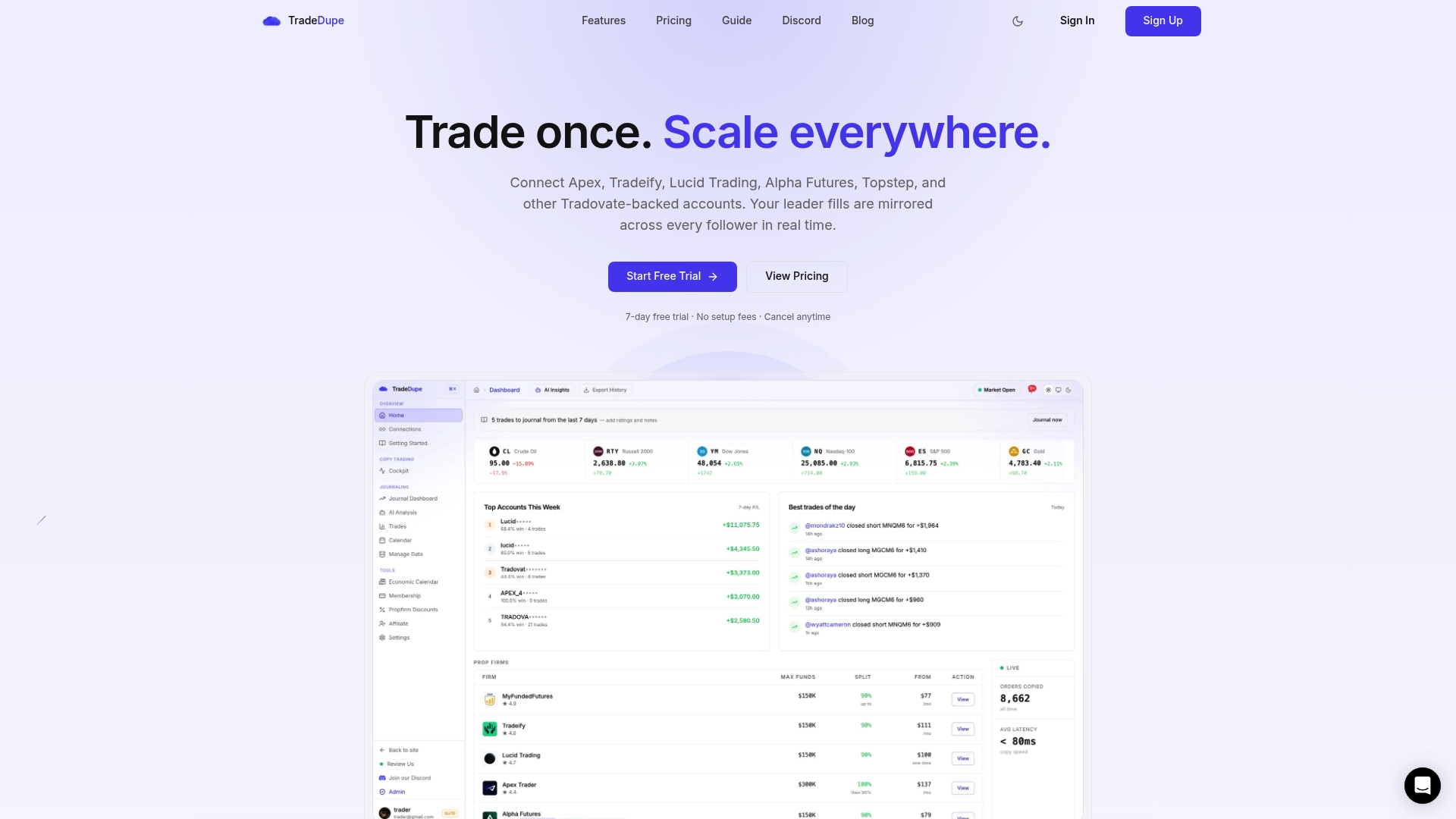
See the plans and start your trial at TradeDupe.
FAQ
Can I have multiple MyFundedFutures accounts at the same time?
Yes. On Rapid, you can hold up to five active Sim Funded accounts at $25K/$50K sizes, or three in total if you hold a $100K or $150K account. Builder allows one active account at $50K and above, and up to two at $25K. Confirm the current numbers on the plan page before buying.
How many Lucid Trading accounts can I hold?
Lucid allows up to 10 active evaluation accounts per household, with a shared limit of 10 across evaluation and funded types. Funded accounts are capped at 5 per household. Check Lucid's help center for any update.
How do I trade multiple funded accounts at once?
Connect your Tradovate accounts through the official OAuth flow, choose one leader and let a copier mirror its fills to the followers. Keep every account on the same side of the market, since opposite positions across your accounts count as hedging at Lucid. Start with one micro contract to confirm each follower fills.
Will I get more live accounts if I pass with several sim accounts?
Not necessarily. MyFundedFutures typically limits traders to one live account by default, with more only at the firm's discretion. Ask the firm directly about your situation.
Sources
- Rapid Plan, My Funded Futures
- Rapid EOD Plan, My Funded Futures
- Builder Plan, My Funded Futures
- How It Works, My Funded Futures
- MyFundedFutures Flex account article
- How Many MyFundedFutures Accounts Can You Have 2026?
- Maximum Number of Accounts, Lucid Trading Help Center
- LucidDaily Live, Lucid Trading Help Center
- Lucid Trading Accounts Compared: Pro vs Flex vs Daily
Recommended
- Apex Prop Firm Guide 2026: Rules, Payouts and Multiple Accounts
- Does MyFundedFutures Allow Copy Trading? Only Your Own Accounts
- MyFundedFutures \(MFFU\) Copy Trading \(2026\): Mirror Every Account
- How Many Tradeify Accounts Can You Have? 2026 Limits
For educational purposes only. Not financial advice. Futures trading involves substantial risk of loss and is not suitable for every investor.