
Partial Fills in Futures Copy Trading: What Happens to Your Prop Accounts
TradeDupe
15 min read
What a partial fill does when you copy one Tradovate account to several prop firm accounts, why followers drift, and how to set up so a half-filled order does not hurt you.
A partial fill on your leader account means only part of your order traded, and the rest is still working at the exchange. When you copy that leader to several prop firm accounts on Tradovate, the same event can leave each follower with a slightly different position, a different average price, or an order still resting that you forgot about. The fix is not complicated: know what a partial fill is, size your orders so they are likely to fill whole, and watch your follower accounts for drift. A copier built for Tradovate, such as TradeDupe, mirrors every fill on the leader to your enabled follower accounts, which is why understanding fills matters before you scale.
TL;DR
- A partial fill happens when an order executes only for the quantity available at your price. The remainder stays open until it fills, is canceled, or expires.
- With a copier, one leader order becomes many follower orders. Each follower is its own order in the queue, so quantity, price and timing can differ across accounts.
- Small size (1 to 5 contracts on liquid contracts such as ES or NQ) rarely partial-fills at market. Larger size, thin sessions and limit orders make it far more likely.
- Before you scale across Apex, Tradeify, Lucid, MyFundedFutures or TakeProfit Trader accounts, confirm each firm's copy trading and contract-limit rules in its help center.
- Use per-account toggles, daily loss limits and a quick end-of-order check so a half-filled order never becomes an oversized position.
Table of Contents
- What a partial fill actually is
- How a copied order turns into many orders
- The three partial fill outcomes you will see
- How to reduce partial fills in the first place
- Prop firm rules that interact with partial fills
- A practical routine for monitoring partial fills
- Mistakes that turn partial fills into account problems
- Perspective: what we have built around this
- Setting up so partial fills are easy to catch
- Trying it on your own accounts
- FAQ
- Sources
What a partial fill actually is
A futures exchange matches your order against opposite orders already in the book. If there is not enough opposite size at your price, you get what is available. Exchange rules put it plainly: a limit order executes only to the extent matching opposite orders are available, with the balance remaining open until it executes, is canceled or expires.
Exchange fill reports reflect this. CME Group's execution report documentation defines one status for a partial fill and another for a complete fill, and it reports the quantity of the latest fill and the quantity still remaining. It also separates each fill's quantity and price from the cumulative quantity traded, so an order's progress can be tracked across several fills.
In practice, you see this in your Tradovate platform as an order that shows, for example, 2 of 5 filled with 3 still working. You hold a 2-lot position and a 3-lot order that could fill at any moment.

Why it matters more with multiple accounts
On a single account, a partial fill is a nuisance. Across five or ten prop accounts it becomes a consistency problem, because each account has its own risk limits: trailing drawdown, daily loss limit, maximum contracts. If the leader holds 2 of 5 contracts and the followers hold different amounts, your accounts no longer match, and the stop and target you placed may protect a different size on each one.
How a copied order turns into many orders
A copier does not clone a position. It watches fills on the leader and places matching orders on each enabled follower. Every follower order is a separate order at the exchange with its own place in the queue.
Official exchange rulebooks describe the matching rules that decide who gets what. Orders are executed either under price-time priority, best price first and then time of entry, or a pro-rata algorithm where same-price orders are filled proportionally. The same rules say a change in price or an increase in quantity is treated as a new order for time priority. In plain terms: an order that arrives later, or that you modify upward, goes to the back of the line.
That is why follower accounts can receive different quantities, prices or timing even when the copier works perfectly:
- Queue position. The leader's limit order may sit near the front, while follower orders placed a moment later sit behind it.
- Market movement between fills. A follower order sent after the leader filled may meet a different best price.
- Order type. A market order takes what is there and keeps walking through price levels. A limit order only takes your price or better and may fill in pieces.
- Different account settings. A follower with a smaller contract limit or a disabled copy toggle will not mirror the same size.
A detail worth knowing: the exchange documentation we reviewed describes order execution and fill reporting, but it does not say a fill on one account automatically creates orders on others. That behavior comes from the copier, not the exchange. Your follower accounts are only as aligned as your copier and your order choices keep them. For a deeper look at the price side, see our breakdown of why fills lag across Tradovate prop accounts.
The three partial fill outcomes you will see
It helps to think in scenarios rather than theory. Say you place a buy of 4 contracts on the leader, and you have three followers.
| Scenario | Leader | Follower A | Follower B | What to do |
|---|---|---|---|---|
| Full fill everywhere | 4 filled | 4 filled | 4 filled | Nothing. Check that stops and targets are in place. |
| Leader partial, followers mirror each fill | 2 filled, 2 working | 2 filled, 2 working | 2 filled, 2 working | Decide: wait, cancel the remainder, or reprice. Do it once on the leader. |
| Followers differ | 4 filled | 4 filled | 3 filled, 1 working | Reconcile the lagging account. Do not add more size on top. |
The middle row is the common one with limit orders. The third row is the one that causes trouble, because a working remainder on one follower can fill later, after you thought you were done, at a price you no longer want.
A worked example
Suppose you are long 3 NQ on the leader after a limit order that filled 2 and left 1 working at the bid. Price runs away from your resting contract. You decide the setup is still good and flatten the 2-lot at target. The resting 1 contract is now a stale order. If it fills on a pullback, you hold an unplanned 1-lot with no stop. Multiply that by four followers and you can end up with a position on one account that you never intended, in a firm that may count it against your contract limits.

The habit that prevents it is simple: whenever you exit or cancel on the leader, check the order list for any working remainder before you move on.
How to reduce partial fills in the first place
You cannot eliminate partial fills, but you can make them rare and predictable.
Choose the order type on purpose
Exchange rulebooks define a handful of order behaviors that matter here:
- Limit order. Executed at a specific price or better. It can fill in part, and the rest waits.
- Market with Protection. The same rulebook describes it as executing as much as possible within an exchange-defined protected range, with any unfilled quantity remaining in the book as a limit order at the edge of that range. It protects you from a runaway price, but it can leave a resting remainder.
- Fill or Kill. The NYMEX/COMEX rulebook describes it as an instruction to fill the order immediately in its entirety or cancel it. The same source describes a Globex Fill and Kill order as one filled immediately in whole or in part, with the remainder canceled.
- Market-to-Limit. Per exchange rules, a partially filled Market-to-Limit order has its remainder canceled and resubmitted as a limit order at the last execution price.
The time conditions available vary by exchange and platform. One futures exchange's rulebook, for example, lists Day, GTC, GTD, FOK and IOC time conditions, and says market orders may carry FOK or IOC. Which of these your Tradovate ticket exposes depends on the contract and the platform, so check what your order ticket offers rather than assuming.
For most prop traders running a copier, the practical takeaway is this: market orders on liquid contracts fill whole almost every time; limit orders at the edge of the book are where partial fills and stranded remainders come from. If you trade limit entries, build the check for working remainders into your routine.
Keep size proportionate to the market
Partial fills grow with order size relative to what is available at your price. Liquid index futures during regular hours can usually absorb a few contracts. Thin contracts, the overnight session and the minutes around news are different. If you copy to ten accounts, remember the combined size across all followers hits the market too: ten accounts of 2 contracts is a 20-lot footprint, not a 2-lot one.
Size to your strictest account
If one follower has a lower contract cap than the rest, a partial fill can leave the others in a different state from the one that matters. Our guide on sizing trades to your strictest follower covers how to set the leader's size so every follower stays inside its limits. Pair it with a quick margin check before copying so a fill never asks an account for more than it has.
Prop firm rules that interact with partial fills
Partial fills are an execution detail, but the consequences land on firm rules. These are the areas to check for each firm you hold accounts with.
- Maximum contracts. Funded and evaluation accounts have contract limits. A stranded remainder that fills later can push you above the cap.
- Daily loss limit and trailing drawdown. An unprotected remainder filling into a move against you adds loss you did not plan. Firms define drawdown differently, so read each firm's definition.
- Consistency and profit-target rules. Uneven fills across accounts mean uneven results across accounts. That matters when a rule compares your best day to your total profit.
- Copy trading permission. Firms differ on whether, how and across how many accounts copying is allowed. Do not assume a rule from one firm applies to another.
We do not list firm-by-firm limits here because they change, and we will not guess at them. For Apex, Tradeify, Lucid, MyFundedFutures and TakeProfit Trader, open the firm's own help center and read the current copy trading, contract and drawdown articles before you scale. If a rule is unclear, ask the firm's support in writing and keep the reply. For a maintained overview, see which futures prop firms allow copy trading, and for the largest Tradovate-based program, Apex's copy trading rules.
One more point from the regulator side. The NFA's Investor Best Practices page advises futures customers to understand the opportunities and risks before opening an account and to ask how orders will be handled and executed. Apply the same habit to a prop firm: ask how it treats working orders and partial fills against its limits.
A practical routine for monitoring partial fills
This is the routine we would run if we held several evaluation and funded accounts on Tradovate.
- Before the session: confirm which follower accounts have copying enabled and which are toggled off. Turn off any account that is near its limit or already in a position you do not want mirrored.
- Before entry: pick the order type deliberately. Market for speed on liquid contracts, limit when price matters, and accept that limit means a possible partial fill.
- After entry: compare filled quantity on the leader to filled quantity on each follower. Look at the order list, not just the position.
- Place protection: confirm each account has its stop and target at the quantity it actually holds.
- Before any exit or cancel: look for a working remainder on the leader and on every follower. Cancel what you do not want.
- After the session: note any account that drifted. Repeated drift on one account points to a settings difference, not bad luck.
If an account falls out of step, our walkthrough on order desync and a seven-step recovery shows how to bring it back without doubling up.
Mistakes that turn partial fills into account problems
- Adding size to "catch up" a lagging follower. If a follower holds 3 of 4, send the missing contract deliberately, once, after checking the working order. Placing a new order on top of a working one can double the position.
- Forgetting the working remainder after a stop-out. The stop closes the filled part. The resting part can still fill.
- Moving a limit price up in size. Per matching rules, an increase in quantity counts as a new order for time priority, so you lose your place in the queue and may fill less, not more.
- Treating the leader's position as the truth for every account. Positions can differ. Each account's own order and position list is the record.
- Copying during thin liquidity with large size. The odds of partial fills and uneven prices climb together.
- Ignoring a firm's limit because the copier "handled it". The firm enforces its rules on the account regardless of how an order got there.
Perspective: what we have built around this
> We built TradeDupe only for Tradovate prop firm traders, so the problems you hit when one account has to drive many are the ones we design around. A partial fill is a good example: it is ordinary exchange behavior, and the risk is not the partial fill itself but the account that quietly ends up with a different position from the others. > > That is why every fill on your leader is mirrored to your enabled follower accounts in real time over live WebSocket streams, why you get per-account copy toggles, and why rogue-trade detection exists to catch follower trades the copier did not place. Daily loss limits and profit targets are set directly on Tradovate, so the broker enforces them rather than a program on your computer. > > Connection goes through Tradovate's official OAuth, so we never store your password, and nothing runs on your PC or VPS. Our view is simple: you should spend your attention on the trade and the order list, not on babysitting a script. > > Andres
Setting up so partial fills are easy to catch
If you copy one Tradovate account to several accounts, a few settings choices make the routine above faster.
- Pick a leader you can watch. Trade the leader account the way you would any account, and keep its size within the strictest follower's limits.
- Use per-account toggles. Switch off followers that are near a drawdown or contract limit, rather than letting them mirror a trade they cannot afford.
- Set loss limits on Tradovate. A daily loss limit set directly on Tradovate is enforced by the broker, which is a safety net when several accounts are moving at once.
- Keep a trade journal. Logging fills per account shows which accounts consistently lag and why.
If you want the full step-by-step on connecting accounts, see our guide to a futures trade copier that mirrors one account to many on Tradovate, and for background on the concept, what a trade copier means in futures trading. The reasoning behind our approach to execution is in server-side execution for Tradovate copy trading.
Trying it on your own accounts
If you hold several Tradovate prop accounts and want to run them from one, TradeDupe connects through Tradovate's official OAuth and mirrors your leader's fills to the followers you enable. Plans start at $20/month billed yearly (Standard, 2 connections with 10 accounts each), and every plan includes a 7-day free trial with one-click cancellation. Pro is $45/month billed yearly and Elite, with unlimited connections, is $90/month billed yearly. You can see the details on the TradeDupe pricing and plan page.
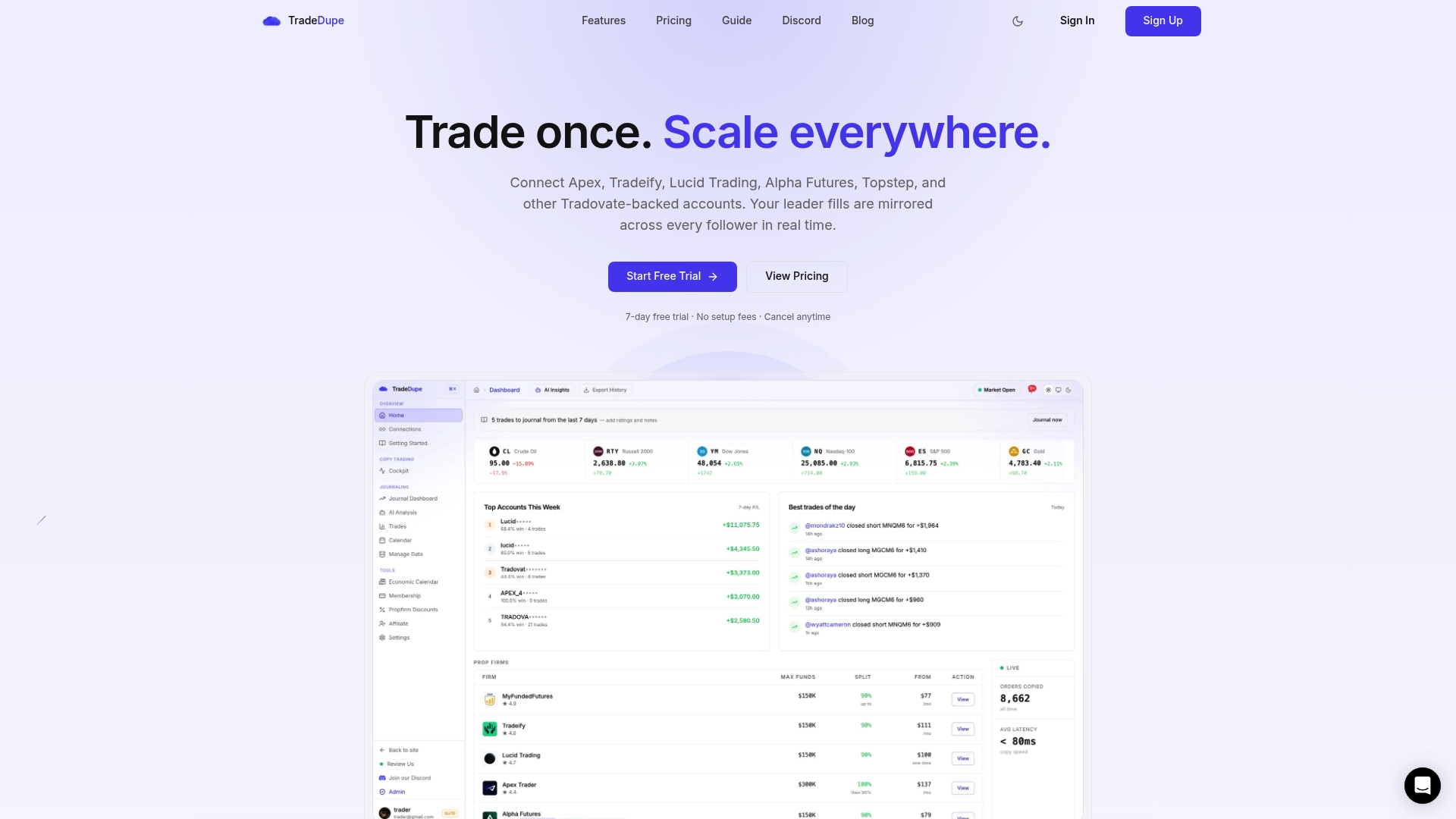
The dashboard also includes a trade journal, analytics and an economic calendar, which helps you review fills after the session.
FAQ
Is a partial fill the same as slippage?
No. A partial fill is about quantity: only part of your order traded. Slippage is about price: you got filled away from the price you expected. They often appear together, because a larger order that walks through several price levels can fill in pieces at different prices. Our slippage guide covers the price side.
Do all my follower accounts get the same partial fill as the leader?
Not necessarily. Each follower order is separate at the exchange, with its own queue position and timing. Quantities and prices can differ even when the copier mirrors every leader fill. Compare each account's filled quantity and working orders after entry instead of assuming they match.
Should I use limit or market orders when copying to many accounts?
Market orders on liquid contracts usually fill in full, which keeps accounts aligned. Limit orders give price control but can fill in part and leave a resting remainder. Choose based on whether alignment or price matters more for that trade, and always check for working orders before you exit.
Can a partial fill break a prop firm rule?
It can contribute to one. A remainder that fills late can push you over a contract limit or add loss against a daily limit or drawdown. The firm applies its rules to each account regardless of how the order arrived. Confirm current limits in each firm's help center.
Does the exchange guarantee the same price for every account?
No. Exchange matching rules fill orders by price and time priority, or pro-rata in some markets, so identical orders sent at slightly different moments can receive different prices or sizes.
Sources
- III-4 Acceptable FMX Division Contract Orders (CFTC filing)
- Drop Copy 4.0 Execution Report, Fill Notice (CME Group)
- U.S. Futures Exchange, L.L.C. Rules (CFTC filing)
- NYMEX/COMEX rulebook, Exhibit A (CFTC filing)
- NASDAQ Futures Rules
- Investor Best Practices (NFA)
Recommended
- Which Futures Prop Firms Allow Copy Trading? \(October 2026\)
- Futures Trade Copier for Prop Firms \(2026\): Mirror One Account to Many on Tradovate
- 3 Safeguards Prop Firm Traders Need for Futures Copy Trading Security
- Best Trade Copier for Prop Firms \(2026\): Rules + Setup
For educational purposes only. Not financial advice. Futures trading involves substantial risk of loss and is not suitable for every investor.