
Server-Side Execution for Tradovate Copy Trading Explained
TradeDupe
11 min read
What server-side execution means when you copy one Tradovate account to several prop firm accounts, how it works, what can go wrong, and what to check first.
Server-side execution means the software that copies your trades runs on a provider's servers, not on your PC or a VPS you rent. When you place an order on your leader account, the server sees the fill and submits matching orders to your follower accounts. Your computer can sleep, crash or lose Wi-Fi and the copying keeps going. If you run several prop firm accounts on Tradovate, this is the setup that removes your own hardware as a point of failure.
This guide explains how it works, how it differs from local copiers, what can still go wrong, and which safeguards to confirm before you put evaluation or funded accounts on it.
TL;DR
- Server-side execution means the copier runs on the provider's servers, so nothing has to stay open on your PC or VPS.
- A fill on your leader account is detected over a live stream and mirrored to enabled follower accounts, which TradeDupe does typically under 100ms.
- Copying cannot remove slippage, rejections or firm rules. Safeguards such as per-account toggles, rogue-trade detection and broker-enforced loss limits matter more than raw speed.
- Before you connect any account, confirm your firm's copy trading policy directly with the firm.
Table of Contents
- What server-side execution means for a Tradovate trader
- How a leader fill reaches your follower accounts
- Server-side versus a local copier or VPS
- What can still go wrong with copied orders
- Safeguards to verify before using it on prop accounts
- What to do when a follower stops matching the leader
- Try it on your own accounts
- Setup checklist before your first live session
- FAQ
- Sources
What server-side execution means for a Tradovate trader
The phrase comes from software in general: code that runs on a remote server rather than on the user's device. In futures copy trading, it describes where the "watch the leader, place the follower orders" logic lives.
In a local setup, a program runs on your trading PC or on a rented virtual private server (VPS). It listens to your leader account and sends orders to the others. Everything depends on that machine staying powered, online and logged in.
In a server-side setup, you authorize the service once, pick a leader and toggle your followers. The service holds the live connections itself. There is nothing to install, patch or keep running overnight.

For a trader with, say, five Apex accounts and three Lucid accounts, the practical difference is operational. A frozen Windows update at 9:25 a.m. Eastern, a VPS that reboots mid-session or a laptop that sleeps in the middle of a position all become non-events, because none of them are in the chain.
How a leader fill reaches your follower accounts
The sequence is short, but each step matters when you are troubleshooting.
- You connect through Tradovate's official OAuth flow. You sign in on Tradovate's own page and approve access. With TradeDupe, your password is never stored.
- You choose a leader account. This is the account where you place your trades by hand or through your charting platform.
- The service holds a live WebSocket stream. A WebSocket is a persistent two-way connection, so updates arrive as they happen instead of the software repeatedly asking whether anything changed.
- A fill on the leader triggers follower orders. Every fill is mirrored to the follower accounts you have enabled. We describe this as event-driven: the fill itself is the trigger. For the mechanics, see our write-up on event-driven trade copying on Tradovate.
- Tradovate and the firm handle the rest. Follower orders are real orders on each account. They go through Tradovate's matching and risk checks like any order you placed yourself.
That last point is worth holding onto. The copier only creates and submits orders. Whether an order is accepted, how it fills and what your account's rules allow are decided by the broker and your prop firm.
Server-side versus a local copier or VPS
Neither approach changes the market. The difference is what sits between your leader fill and your followers.
| Factor | Local PC or VPS copier | Server-side copier |
|---|---|---|
| Where it runs | Your computer or a server you rent | The provider's servers |
| What must stay on | Your machine, the app and its connection | Nothing on your side |
| Setup | Install, configure, keep updated | Authorize through OAuth, pick leader and followers |
| If your PC loses power or internet | Copying can stop | Copying continues from the server |
| Maintenance | You own it | The provider owns it |
A caution on speed: faster is not automatically better. For most prop traders, the larger risk is a copier that silently stops, not one that is a few milliseconds slower. Uptime usually matters more than the last fraction of a second, a point we cover in depth in our guide to cloud versus VPS for copy trading and in what trade copier latency you actually need. TradeDupe's only latency claim is that mirroring is typically under 100ms.
What can still go wrong with copied orders
Server-side execution fixes one class of problems: your own hardware. Others remain, and knowing them makes you a better operator of multiple accounts.
Slippage between accounts
Even fills milliseconds apart can land at different prices in a fast market, especially with market orders and larger sizes across many accounts. Your leader may fill at one tick and a follower one tick worse. Limit orders and sensible size reduce the effect. We break down the causes in copy trading slippage on Tradovate prop accounts.
Rejections
A follower order can be rejected if that account cannot take it: a firm-imposed restriction, insufficient margin or a risk limit already hit. When that happens, the follower is out of sync with the leader. Do not assume every copied order succeeded; check positions.
Partial fills and mismatched positions
On thinner contracts or during fast moves, an order may fill in pieces. If one follower ends up with a different quantity than the leader, your exposure on that account differs from what you planned. Compare position size across accounts after any busy moment.
Disconnects
A dropped connection between the copier and a Tradovate account can leave an account out of step. Server-side systems with auto-recovery are built to reconnect, but you should still know how to see an account's state quickly.
Trades you did not intend
A follower account can receive an order the copier did not place: a manual click on that account, or an order from another tool. This is where rogue-trade detection earns its place, by flagging follower trades the copier did not place.
Safeguards to verify before using it on prop accounts
Before connecting evaluation or funded accounts, confirm each of these. They matter more than a feature list.
- Your firm's copy trading policy. Policies differ by firm and change. Some firms restrict certain forms of copying across accounts or between traders. We keep a running list at which futures prop firms allow copy trading, but the firm's own current rules are the authority. If you are unsure, ask the firm in writing.
- Per-account copy toggles. You want to switch one follower off without touching the rest, for example when an account is close to its drawdown or a payout request.
- Daily loss limits and profit targets enforced by the broker. With TradeDupe, these are set directly on Tradovate, so Tradovate enforces them rather than a program on your side.
- Execution mode controls. Know how the tool behaves when you open, add, reduce or flatten, and test the behavior in a sim or small-size setting you control.
- Rogue-trade detection. It tells you when something other than the copier changed a follower's position.
- Credential handling. Official OAuth means you authorize on Tradovate and the service does not keep your password.
- Consistency and risk rules. Copying identical size across many accounts concentrates the same trade everywhere. Check your firm's consistency rules, maximum contract limits and drawdown type (trailing, end-of-day or static) so that one losing idea cannot breach several accounts at once.
What to do when a follower stops matching the leader
Work through this in order. Speed matters less than not compounding the mismatch.
- Stop adding to the position. Do not place more orders on the leader until you understand the gap.
- Check the account on Tradovate itself. Look at open positions, working orders and any rejection messages. That is the source of truth for what the account holds.
- Identify the cause. A rejection, a partial fill, a toggled-off follower, a disconnect or a manual order on the follower each look different in the order history.
- Fix the position deliberately. Either flatten the follower or bring it to the leader's size. Choose the option that keeps you inside the account's loss limit and your firm's rules.
- Re-enable copying only when the accounts match. Switch the follower back on once positions are aligned.
- Record it. A trade journal entry about what happened helps you spot repeating causes, such as one account that rejects certain order sizes.
If an account looks wrong in a way you cannot explain, or you suspect a platform problem, contact Tradovate support or your prop firm support. They can see what the account did; no third-party copier can.
> ## Our perspective: why we built this server-side > > We built TradeDupe only for Tradovate prop firm traders, and that narrow focus shaped the architecture. A generic multi-broker bridge has to run somewhere, and often that somewhere is your own PC or a VPS you pay for and babysit. We think that is the wrong place for a tool that touches funded accounts. > > So the copier runs on our servers, connected through Tradovate's official OAuth, with live WebSocket streams that mirror each leader fill to your enabled followers, typically under 100ms. Nothing runs on your machine. > > We also think safety beats cleverness. Daily loss limits and profit targets are set directly on Tradovate, so the broker enforces them. Rogue-trade detection and per-account toggles give you control when a follower drifts. That is the design we would want if our own evaluations were on the line. > > Andres
Try it on your own accounts
If you run several Tradovate prop accounts and want them to follow one leader without a PC or VPS in the middle, TradeDupe is built for that. It works with Tradovate-based firms including Apex Trader Funding, Tradeify, Lucid Trading, MyFundedFutures, Alpha Futures and TakeProfit Trader. Plans start at $20/month billed yearly (the Standard plan: 2 connections, 10 accounts each), with Pro at $45/month and Elite at $90/month, both billed yearly. Monthly billing is $30, $60 and $120 respectively. Every plan includes a 7-day free trial with one-click cancellation.
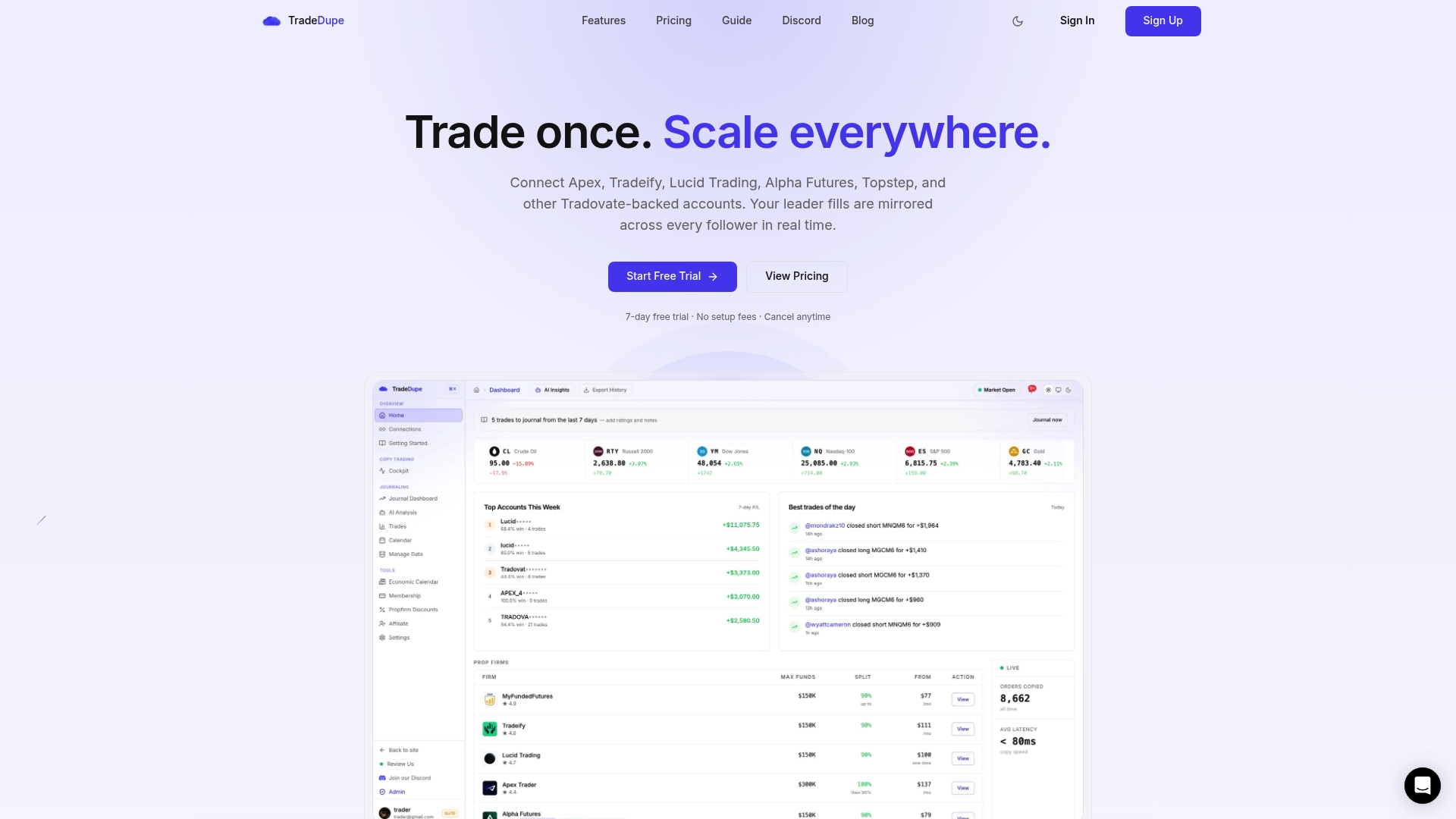
See how mirroring one account to many works on our futures trade copier page, or start from the TradeDupe homepage.
Setup checklist before your first live session
- Read your firm's current copy trading and automation rules, and confirm anything unclear with the firm.
- Decide which account is the leader and keep your manual trading on that account only.
- Enable followers one at a time and confirm each mirrors a single-contract trade correctly.
- Set daily loss limits and profit targets on Tradovate for every account.
- Check your largest planned size against each firm's maximum contract limit.
- Know where to see positions on all accounts at a glance, and how to toggle a follower off.
For a deeper look at what the category does for futures traders, see our explainer on what a trade copier is, our guide to trade copier software for futures trading and the prop firm trade copier rules and setup guide.
FAQ
Is server-side execution faster than running a copier on a VPS?
Not necessarily in every case, and speed is the wrong main question. The real advantage is reliability: there is no machine of yours to crash, reboot or disconnect. TradeDupe mirrors fills typically under 100ms.
Does a server-side copier store my Tradovate password?
With TradeDupe, no. You connect through Tradovate's official OAuth flow, so you approve access on Tradovate's side and your password is never stored.
Will copied trades fill at exactly the same price on every account?
No copier can promise that. Each follower order is a separate order that Tradovate fills on its own, so prices can differ by a tick in fast markets, particularly with market orders. Limit orders and moderate size help.
Can I use copy trading on my prop firm accounts?
It depends on the firm and its current rules, which can change. Check the firm's official policy, and confirm directly with the firm if anything is unclear, before connecting accounts.
What if I want to stop copying to one account mid-session?
Use a per-account copy toggle to switch that follower off while the others continue. Then check its open position on Tradovate and flatten or adjust it deliberately.
Sources
- Trade Copier: What It Means for Futures Trading
- Event-Driven Trade Copying on Tradovate: How It Works
- Cloud vs VPS for Copy Trading
- Trade Copier Latency: What Speed You Actually Need
- Copy Trading Slippage on Tradovate Prop Accounts
- Which Futures Prop Firms Allow Copy Trading?
Recommended
- Event-Driven Trade Copying on Tradovate: How It Works
- Tradovate Trade Copier | Real-Time Account Sync
- Protect Prop Desk Capital With 34ms Tradovate Selective Copy Trading
- Tradovate Copy Trading: Pro Setups for Multi-Account Traders
For educational purposes only. Not financial advice. Futures trading involves substantial risk of loss and is not suitable for every investor.