
Pre-Trade Checks for Copy Trading Prop Firm Accounts
TradeDupe
11 min read
A practical pre-trade checklist for copying one Tradovate account to several prop firm accounts: rules, sizing, limits, and rejected-order risks to confirm first.
Pre-trade checks for copy trading are the controls and confirmations that happen before a copied order reaches your accounts. In futures, regulators and industry groups describe them as principles-based controls meant to stop inadvertent and disruptive orders. For you, the trader running several evaluation or funded accounts on Tradovate, they come in two layers: what you verify before you connect anything, and what limits sit in the order path while you trade. This guide covers both.
TL;DR
- Confirm that every leader and follower account is yours and that your firm permits the specific copying method for the specific stage (evaluation or funded).
- Never assume identical sizing. Map quantity and symbol per follower, because accounts differ in contract caps and scaling tiers.
- Know which layer enforces which limit: you, your broker, the exchange, or the firm. Limits enforced by Tradovate are harder to bypass by accident than limits living on your screen.
- Test on the smallest size, and make sure every account is flat before you change direction or switch the copier off.
- When a rule is unclear, confirm it with the firm in writing. This article does not replace the firm's current rulebook.
Table of Contents
- What pre-trade checks actually are
- Who enforces what on your Tradovate accounts
- The checks to run before you connect anything
- What can go wrong while orders are being copied
- A pre-session routine you can repeat
- Perspective: why the enforcement layer matters
- Run the checks with TradeDupe
- FAQ
- Sources
What pre-trade checks actually are
A pre-trade check is a test an order must pass before it is accepted. The CFTC and the Futures Industry Association (FIA) describe these controls as something that can be applied at the trader, broker, or exchange level, and similar checks may exist at several points in the order flow. That layering matters for copy trading, because one click on your leader account can generate many follower orders, and each follower account has its own limits.
The checks you will meet most often fall into a few families:
- Maximum order size (fat finger). The FIA defines this as a cap on the quantity per order, with the order rejected when the limit is breached.
- Price tolerance and collars. A limit price is compared with a reference price, and orders outside the acceptable range are rejected. The CFTC reference document describes price collars configured by product that stop out-of-range orders from leaving the system.
- Position limits. Intra-day maximum long or short positions, which map directly to the contract caps on your prop firm accounts.
- Message and order rate limits. Throttles that stop a runaway process from flooding the market with orders.
- Kill switch. A way to halt activity quickly. The FIA best-practices table lists it alongside the checks above.
The CFTC presentation that lists these checks by role is worth skimming once: the FIA table in the CFTC presentation shows which checks belong to the trader, the broker, and the exchange.
Who enforces what on your Tradovate accounts
The regulatory frame is simple. Under CFTC Rule 1.73, a clearing futures commission merchant must establish risk-based limits in proprietary and customer accounts, based on factors such as position size, order size, and margin requirements. The same rule requires clearing FCMs to screen orders against those limits by automated means for electronic access and automated execution.
You will not see most of that machinery. What you see is your firm's rulebook and the limits shown on your Tradovate account. In practice, four layers can reject or alter a copied order:
| Layer | Typical control | What it means for a copied order |
|---|---|---|
| Exchange | Dynamic price collars, trading pauses | Can reject or pause orders regardless of your account |
| Broker or clearing firm | Risk-based limits on position size, order size, margin | A follower can be rejected while the leader fills |
| Prop firm | Contract caps, scaling tiers, daily loss limit, drawdown, consistency rules | Differs by firm, program, and stage |
| Your copier and settings | Per-account toggles, execution mode, rogue-trade detection | The only layer you configure fully yourself |
Exchange-only controls such as dynamic price collars and exchange pauses are a reminder that no copier setting can promise a fill. The CFTC's Rule 1.73 reference material also notes that exchange and broker limits are typically organized by hierarchies such as limits per product per client. Your accounts are separate clients at the firm level, so each one carries its own ceiling.
The checks to run before you connect anything
Before a single order is mirrored, work through this list. It follows the order in which problems usually surface.
1. Confirm account ownership
The first check is the one that ends accounts. A published prop firm copier checklist lists as a core item that lead and follower accounts must belong to the same account owner. One firm's help center is explicit that copying between accounts owned by different individuals is not allowed, and that the rule applies both ways: you cannot copy someone else, and you cannot let your trades be copied to an account that is not yours.
The same firm says its system flags trade-by-trade mirroring across accounts of different people for manual review. Copying across your own accounts is a different situation, but it shows why ownership is the first line of any checklist. Never connect a friend's account, even as a favor.
2. Confirm the firm permits your copying method and stage
Rules can differ by program and by stage. The same checklist advises confirming whether each program or stage permits the specific tool type: local software, VPS, cloud, API, or a built-in copier. An evaluation may be treated differently from a funded account, so check each stage separately.
How do you check? Open the firm's current rules page or help center and look for its copy trading policy. If it is silent or ambiguous, email support and keep the reply. We keep a running overview of which futures prop firms allow copy trading and a deeper look at how prop firm rules affect trade copying, but the firm's own page is always the final word, and rules change. If you hold Apex accounts, our Apex copy trading guide covers the setup side.

3. Map symbols and quantities per follower
Do not assume identical sizing. Accounts of different sizes often come with different contract caps, and a firm may use scaling tiers that unlock more contracts as profit builds. The checklist recommends mapping symbols and quantities per follower rather than assuming identical sizing.
A worked example, with made-up numbers. Suppose your leader account trades 5 micros on an account whose cap is high, and one follower is a fresh evaluation that only allows a smaller maximum. If the copier sends 5 to that follower, the follower may reject the order or breach a rule. The leader is in the trade and the follower is not, so your risk is no longer symmetrical. Write down each account's cap from the firm's current rules, then set follower quantities to sit comfortably inside it.

4. Check margin and drawdown headroom
A copied trade consumes margin and drawdown room on every account at once. If one follower is already close to its trailing drawdown threshold, a normal-size trade that is fine on the leader can be the one that ends that follower. Run a quick pass across accounts before the session. Our short margin check before copying walks through it.
5. Learn how stops, brackets, and flatten commands behave
Before going live, learn how stops, brackets, and flatten commands affect your links, and how payouts, resets, and session changes do. Those are the specific items the same checklist tells you to learn. A reset or a passed evaluation changes the account you thought was a follower. Re-verify the link whenever an account changes status.
What can go wrong while orders are being copied
Most copy trading damage comes from asymmetry: the leader and one or more followers end up in different positions. The common causes:
- Rejected follower orders. A lead order may fill while a follower rejects it because accounts have different position limits or scaling tiers.
- Manual orders on a follower. If you touch a follower by hand, the copier and the account disagree about what the position should be.
- Session-boundary disconnects. Connections that drop around the session change can leave a follower out of step. The checklist names these as a known source of copier problems.
- Partial fills and delay. In fast markets a follower can fill at a different price or in smaller pieces than the leader.
- Direction changes with open positions. Reversing on the leader while one follower still holds the old position stacks risk.
The practical answer is to confirm every account is flat before you switch direction or disable the copier, as the same checklist advises, and to test the exact setup at the smallest available size first. Five minutes of micro-size testing costs far less than a failed evaluation.
A pre-session routine you can repeat
Here is a short sequence you can run before each session:
- Confirm every account is flat and the leader is the account you intend.
- Check each follower's contract cap, daily loss limit, and drawdown room against the size you plan to trade.
- Enable only the follower accounts that should trade today. Switch off any that are near a limit, in a payout process, or recently reset.
- Place one micro-size trade and confirm every follower fills as expected.
- Scale to your normal size only after that test passes.
- At the end of the day, confirm all accounts are flat and the positions match.
The point is to make the check a habit, not a reaction to a rejected order. The FIA's guidance says that correct configuration at the appropriate level is essential and that configurations should be reviewed regularly and updated as necessary. For a retail trader, that means revisiting your settings whenever a firm updates its rules or an account changes stage.
When payouts start, some traders also keep a separate home for withdrawals. Setting up virtual bank accounts in several currencies is one way to keep trading income apart from everyday spending, though it has nothing to do with order checks themselves.
Perspective: why the enforcement layer matters
> We build TradeDupe only for Tradovate prop firm traders, and that narrow focus shapes how we think about pre-trade checks. > > The most useful limit is the one you cannot forget to apply. That is why daily loss limits and profit targets are set directly on Tradovate, so the broker enforces them instead of a screen on your desktop. Our platform connects through Tradovate's official OAuth flow, so your password is never stored and nothing runs on your PC or VPS. > > We also think a copier should notice what it did not do. Rogue-trade detection is built to catch follower trades the copier did not place, and per-account toggles let you drop one account out of a session without touching the rest. Execution mode controls give you a say in how orders are mirrored. Mirroring typically happens in under 100ms, which keeps followers close to the leader, but speed is never a substitute for the checks above. > > Our advice is to pair any copier with a written pre-session routine. The tool handles the repetition. You handle the rules. > > Andres
Run the checks with TradeDupe
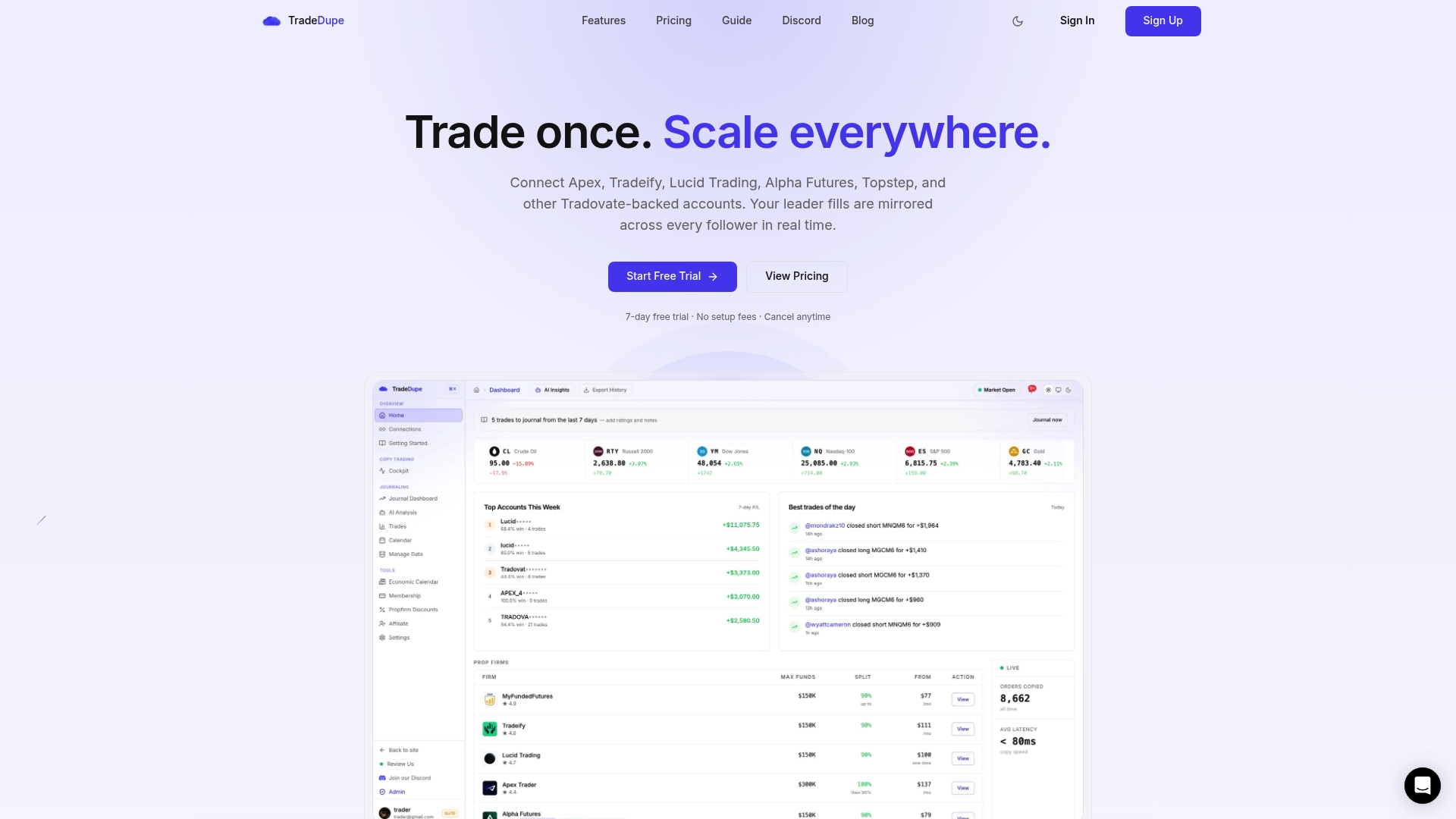
If you trade several Tradovate prop accounts from one leader, TradeDupe mirrors each leader fill to the follower accounts you enable, with per-account toggles, rogue-trade detection, and daily loss limits and profit targets set on Tradovate. Plans start at $20/month billed yearly for Standard, and every plan includes a 7-day free trial with one-click cancellation. The getting started guide shows the setup, and the futures trade copier page explains how mirroring works.
If you want the longer walkthrough of the safety side, read our piece on three safeguards for futures copy trading and the selective copying guide.
FAQ
Are pre-trade checks required for retail copy trading?
Futures regulation puts the mandatory duty on clearing firms. Rule 1.73 requires clearing FCMs to set and screen against risk-based limits, not retail traders. Your firm's rules still apply to you, so treat the firm's limits as your checklist and confirm them with the firm.
What is the most common reason a copied order is rejected?
Different limits across accounts. A lead order can fill while a follower rejects it because of different position limits or scaling tiers. Map the cap for each account and size your followers inside it.
Can I copy trades between my account and a friend's?
No. Firms that address this, such as one whose help center says copying between different owners is not allowed, apply the rule in both directions. Copy only across accounts you own, and confirm your own firm's policy.
How do I know my copier is working before going live?
Test the exact setup at the smallest available size, check that each enabled follower fills, and confirm all accounts are flat afterward. Repeat the test after any change to accounts, firms, or settings.
Sources
- CFTC Technology Advisory Committee presentation: Automated and algorithmic trading controls (FIA)
- 17 CFR 1.73, Clearing futures commission merchant risk management (eCFR)
- FIA best practices for automated trading risk controls
- CFTC Technology Advisory Committee reference document
- CFTC Technology Advisory Committee reference document: Rule 1.73
- Prop Firm Trade Copier Rules by Account Type
- Copy Trading, Upcomers Help Center
Recommended
- Is Copy Trading Allowed at Prop Firms? 2026 Rules
- Best Trade Copier for Prop Firms \(2026\): Rules + Setup
- 3 Safeguards Prop Firm Traders Need for Futures Copy Trading Security
- How Prop Firm Rules Affect Trade Copying in 2026
For educational purposes only. Not financial advice. Futures trading involves substantial risk of loss and is not suitable for every investor.