Three Checks to Fix Tradovate API Error Codes for Prop Desks
TradeDupe
10 min read
Fix Tradovate API errors fast with three checks: renew 80 minute tokens, parse ExecutionReport JSON, and verify accountId and API key scopes.
The fastest way to recover from most Tradovate API errors is to run three checks in order: confirm your access token isn't past its roughly 80-minute lifespan, inspect the full HTTP status and the JSON response body rather than the status code alone, and verify your `accountId` and API key permissions against a fresh `/account/list` call before you touch anything else. These three checks resolve the large majority of authentication and order-rejection issues without needing to open a support ticket.
*
> TL;DR: > > - Verify that access tokens are refreshed every 80 minutes and always check both HTTP status and response body for application-level failures. > - Always use the `ExecutionReport` to confirm order status, especially when responses show a 200 status, since errors can be hidden in `errorText` or `failureText`. > - Confirm `accountId`, API key permissions, and device-id consistency for both demo and live accounts before executing trades, especially after long inactivity. > - Understand that rejection codes like 1013 and 1156 indicate specific issues such as margin limits and price tick violations, which require step-by-step fixes based on the `rejectReason`. > - For websocket disconnects, distinguish between normal (code 1000) and abnormal (code 1006) closes, monitor session counts, and implement heartbeat and reconnection with exponential backoff strategies.
*
Table of Contents
- Tradovate API Error Codes: HTTP Status vs. Application-Level Messages
- Fixing 401 "Access Is Denied" and Other Auth Failures
- Understanding Numeric Reject Codes From Margin and Risk Rules
- Websocket Disconnects and Session Limits: What's Actually Happening
- A Repeatable Triage Workflow: Reproduce, Collect, Isolate, Fix, Verify
- Operational Safeguards for Multi-Account Tradovate Integrations
- Primary Docs and Community Threads Worth Bookmarking
- The Real Lesson Behind Most Tradovate API Errors
- Sources
Tradovate API Error Codes: HTTP Status vs. Application-Level Messages
Every Tradovate API error falls into one of two categories, and confusing them is the single most common debugging mistake developers make. HTTP status codes handle transport-level access: a 401 means your credentials or token failed, a 403 means the endpoint refused your permission set, a 404 means the resource or account doesn't exist as requested, and a 429 means you've hit a rate limit and need to back off.
Application-level rejections work differently, and this is where teams get burned. Tradovate's API documentation confirms that business-logic failures often arrive inside fields like `errorText` or `failureText`, even when the HTTP status itself reads a clean 200. An order can be fully rejected by the exchange or by risk rules while your code sees a "successful" response at the transport layer. Community threads document this exact pattern repeatedly: a 200 OK response carrying a hidden failureText that silently kills an order.
That's why `ExecutionReport` is the authoritative source for what actually happened to an order, not the initial placeOrder response. Practical guidance for any integration:
- Always parse the response body, never assume a 200 status equals success.
- Assert on both the HTTP status code and the presence of `failureText` or `errorText`.
- Treat `ExecutionReport` as ground truth for fills, rejections, and cancellations.
- Log the full raw response during development, not just a parsed subset.
Fixing 401 "Access Is Denied" and Other Auth Failures
A 401 "Access is denied" error is almost always due to one of these: an expired token, an incorrect `accountId`, insufficient API key permissions, or a device-id mismatch between demo and live. Forum troubleshooting threads consistently trace successful fixes back to correcting the accountId pulled from /account/list, adjusting key permissions, or fixing device-id handling. Work through the checklist in this order before assuming something deeper is broken:
- Check token age first. Tradovate access tokens typically expire around 80 minutes, so if your request follows a long-running process or an idle session, call `/auth/renewAccessToken` before retrying. Never reuse a stale token hoping it still works.
- Confirm API key permissions. For testing, enable Contract Library (Read), Positions (Read), Account Information (Read), and Orders (Full), then tighten scopes once your flow is confirmed working.
- Pull a fresh accountId. Query `/account/list` and use the numeric `accountId` value along with the matching `accountSpec` string exactly as returned. A typo'd or cached account identifier throws the same 401 as an expired token.
- Check device-id behavior separately in demo and live. Demo environments tend to be forgiving about device-id consistency; live accounts enforce it more strictly, so a script that works fine in demo can fail in live for this reason alone.
- Watch payload data types. Some endpoints expect `isAutomated` as a string rather than a boolean, and a mismatched type produces an "Access is denied" response that has nothing to do with your actual credentials.
Pro Tip: Keep a small script that does nothing but call `/account/list` and print the raw JSON. Run it first whenever an order call fails. If that script itself throws a 401, you know instantly the problem is authentication, not order logic.
Tradovate's Help Center outlines broader account and access management procedures worth reviewing if the checklist above doesn't resolve the block, particularly for broker-level or firm-level restrictions.
Understanding Numeric Reject Codes From Margin and Risk Rules
Not every rejection comes from Tradovate's own API layer. A meaningful share of order rejections originate at the clearing and risk engine underneath the platform, or from a prop firm's own risk contract layered on top of your account. Knowing who owns the rule determines whether you fix your code, adjust your account settings, or make a phone call.
A few representative codes and what they typically mean in practice:
- 1013 — Single-trade margin limit exceeded. Fix: reduce position size or request a limit increase from the account provider.
- 1156 — Invalid price or tick violation. Fix: align your order price to the instrument's tick size before submission.
- 1140 / 1141 — Risk-rule violations tied to account-level restrictions. These frequently trace back to a prop firm's own risk parameters rather than anything Tradovate controls directly.
Multiple community writeups on reject-code categories point to the same root cause pattern: margin and price-tick violations are enforceable at the clearing layer, while codes like 1140/1141 usually reflect a firm's contract terms layered over the base account. If you're running strategies across several funded accounts, the practical question becomes: is this fix developer-led (a bad price or payload), account-led (a permission or setting), or operations-led (a limit increase or a call to the firm)?
The fastest way to answer that is to pull the order's `rejectReason` from its `ExecutionReport` and match the text against the documented code list rather than guessing from the order's symptoms alone.
Websocket Disconnects and Session Limits: What's Actually Happening
Realtime feeds fail differently than REST calls, and the two most common websocket disconnect codes tell very different stories. Code 1000 is a normal, intentional close, usually triggered by your own client or a session timeout. Code 1006 is an abnormal close, meaning the connection dropped without a proper handshake, and community reports confirm this can happen even when the token used to open the socket was perfectly valid.
A few patterns worth building into any realtime integration:
- Monitor concurrent session count; too many open UI logins plus bot connections on one account can trigger instability that looks like a random disconnect.
- Some endpoints, including `productFind` and certain order strategies, behave more reliably over REST GET/POST than over the websocket channel.
- Implement a heartbeat or ping cycle so you detect a dead connection before it silently stops delivering data.
- Use exponential backoff on reconnect attempts rather than hammering the endpoint immediately after a drop.
Pro Tip: Log your active connection count on a rolling basis. A sudden spike right before a disconnect is a strong signal you've hit a session cap, not a network fluke. For deeper guidance on managing connection health at scale, developer resources on websocket transport cover reconnection strategy in more general terms that apply well here.
A Repeatable Triage Workflow: Reproduce, Collect, Isolate, Fix, Verify
Chasing errors ad hoc wastes time. A fixed sequence gets you to root cause faster and keeps you from missing the fields that actually contain the answer.
- Reproduce the failure with the smallest possible request and capture the complete HTTP response plus the raw JSON body, not a summary.
- Check token age. If it's over roughly 70 to 75 minutes old, or the error is a 401, call `/auth/renewAccessToken` before touching anything else.
- Verify account data. Confirm `/account/list` returns the numeric `accountId` and correct `accountSpec` you're actually using, and double-check API key permission scopes.
- Pull the ExecutionReport. For order issues, fetch rejectReason from the execution report deps endpoint and match it to the appropriate code category.
- For websocket issues, confirm your active session count and check that reconnect logic with backoff is actually firing on drop.
| Step | Primary Check | Typical Fix |
|---|---|---|
| Reproduce | Capture full status + body | Isolate minimal failing request |
| Token | Age since last renewal | Call /auth/renewAccessToken |
| Account | accountId, accountSpec, permissions | Refresh from /account/list |
| Order | ExecutionReport rejectReason | Map to code, route to owner |
| Websocket | Session count, disconnect code | Backoff, heartbeat, reconnect |
Adding a small deduplication window keyed on `clOrdId`, paired with a confirmation fetch of the `ExecutionReport` before any retry, prevents the duplicate-fill risk that shows up after slow or timed-out responses. For a deeper look at token renewal patterns specifically, Tradedupe's guide on Tradovate API authentication rules walks through the same lifecycle in more depth.
Operational Safeguards for Multi-Account Tradovate Integrations
Running one account through this triage workflow is manageable by hand. Running fifteen follower accounts across multiple prop firms is a different problem entirely, and it's the exact problem Tradedupe was built around. A rogue-trade detection layer flags an account behaving outside expected parameters before a bad fill compounds across every follower tied to a leader. Auto-recovery logic reconnects and resyncs a dropped follower without manual intervention.
Per-account toggle controls let you pull one account out of a mirrored trade sequence the instant its `ExecutionReport` shows a rejection, helping prevent risk-rule violations from cascading across accounts. Such reconciliation automation surfaces execution issues earlier than manual log-checking might. For readers managing duplicate-order risk across accounts specifically, Tradedupe's breakdown of duplicate order prevention for prop desks covers the `clOrdId` deduplication pattern in practical detail, and the multi-account copy trading setup guide walks through scaling these safeguards across a full desk.
Primary Docs and Community Threads Worth Bookmarking
Keep these close: the Tradovate API documentation for the authoritative error model, the Tradovate Help Center's API access article for account-level support paths, and the forum's API frequently asked questions thread for working code samples. Treat any `ExecutionReport` pull as your canonical answer over anything inferred from a status code alone.
The Real Lesson Behind Most Tradovate API Errors
Most developers treat error codes as a lookup problem: find the number, find the fix, move on. That mindset misses what's actually happening. A large share of the errors covered here, expired tokens, mismatched account identifiers, and misread response bodies, aren't Tradovate being unpredictable. They're symptoms of code that trusts a single signal (an HTTP status, a cached token, a demo-tested assumption) instead of verifying state at every step.
The conventional advice to "just check the error code list" undersells how often the real problem sits one layer deeper, in a `rejectReason` field nobody parsed or a device-id assumption that held in demo but broke in live. If you're running one account manually, that gap costs you a few minutes of confusion. If you're mirroring trades across a dozen funded accounts, that same unverified assumption multiplies instantly across every follower.
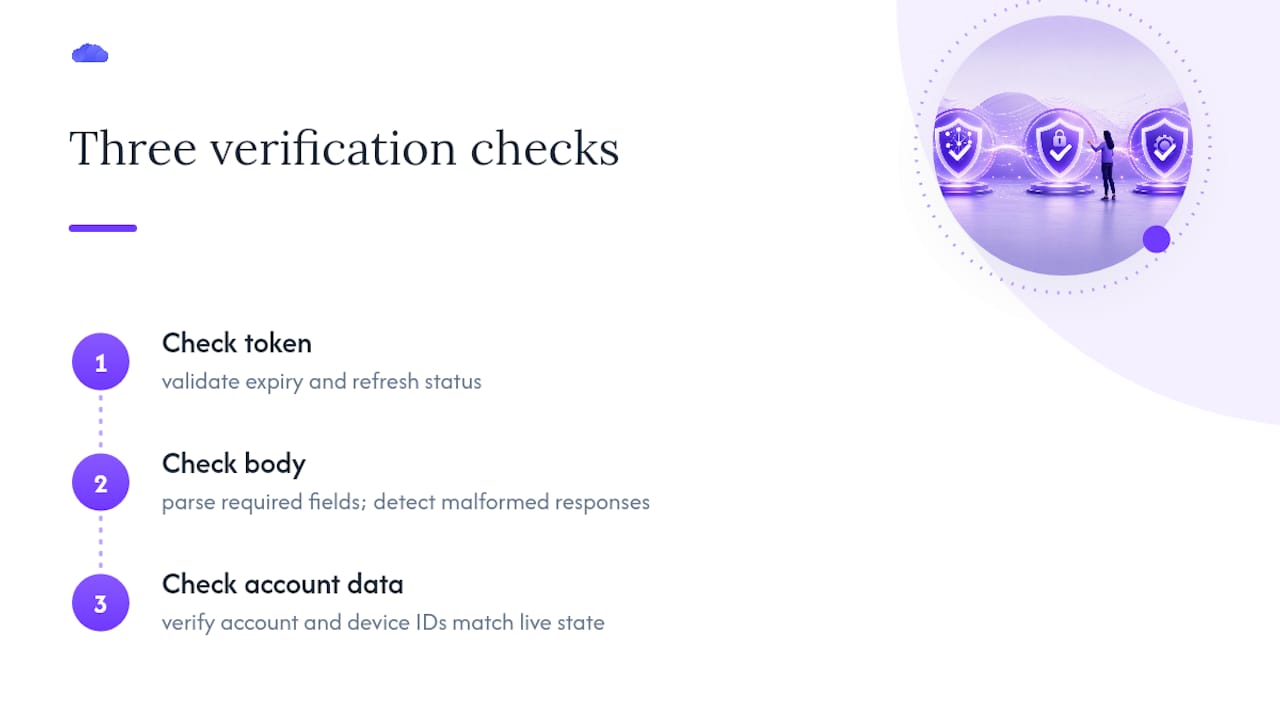
Prioritize building verification into your pipeline before you scale it, not after an account gets flagged. Check the token, check the body, check the account data, in that order, every time. The teams that treat this as infrastructure rather than an occasional debugging chore are the ones who stop firefighting and start trading.
> — Andres