5 Fast Checks to Diagnose Copy Trading Desync for Prop Desks
TradeDupe
12 min read
Prop desk checklist to diagnose copy trading desync: run five fast checks, capture timestamps, RTT, and copier logs before you escalate.
Most copy-trade desyncs trace back to execution timing or configuration mismatches, not platform failure. Before anything else, check connection latency between leader and follower accounts, confirm copier mode, verify margin and sizing rules, audit symbol mapping, and rule out duplicate copiers. Start with logs and timestamps, and pause copying if a mismatch looks structural rather than momentary.
*
> TL;DR: > > - Connection latency should be kept under a few hundred milliseconds to prevent compounding price movement issues during rapid market conditions. > - Running in Orders mode can lead to missed fills if leader orders are modified or canceled, whereas Executions mode exposes the group to slippage due to market movements. > - Margin, contract size, and position limits must be verified beforehand, as silent rejections from brokers can cause desync without clear error messages. > - Symbol mismatches and differences in instrument specifications are common silent causes of order failures, especially with futures contracts. > - Regular operational habits like avoiding duplicate copiers, proper session management, and routine reconciliation significantly reduce long-term desync risks.
*
Table of Contents
- Quick Triage Checklist: The Five Fastest Checks To Run Now
- Why Milliseconds Matter in the Copy Chain
- Executions Mode vs. Orders Mode: Different Failure Patterns
- Sizing, Margin, and Broker Rules That Quietly Alter Fills
- Symbol Mapping and Simulation Queues That Cause Silent Gaps
- Platform Housekeeping: Copiers, Uptime, and Data Feeds
- Partial Fills, Slippage, and Competing for the Same Liquidity
- What To Collect Before You Escalate a Desync Ticket
- Preventive Habits That Cut Desync Risk Long Term
- Author Perspective: Operational Blind Spots and the Value of Better Instrumentation
- How TradeDupe Reduces Copy-Trade Desync on Tradovate
- Selected Documentation and Articles to Consult Next
- Sources
- FAQ
Quick Triage Checklist: The Five Fastest Checks To Run Now
When a follower account drifts from the leader, resist the urge to guess. Run these five checks in order, because each one eliminates a category of failure before you move to the next.
- Connection health and relative latency. Compare round-trip time on the leader account against every follower. A gap of a few hundred milliseconds compounds fast in a fast market.
- Copier mode. Confirm whether the setup runs in Executions mode or Orders mode, and check what order type the leader actually used.
- Margin and contract minimums. Verify each follower account has enough margin and meets the broker's minimum contract size for that instrument.
- Duplicate copiers or feeds. Look for a second copier running on the same account, or an account authorized to more than one data feed.
- Symbol mapping. Cross-check instrument codes between leader and follower. A mismatched contract code causes an order to vanish with no error at all.
Pro Tip: Keep a standing log of RTT readings for every follower account. When a desync ticket comes in, you want a baseline to compare against, not a guess about what "normal" looked like last week.
Why Milliseconds Matter in the Copy Chain
Every copied trade moves through four stages: detection, transmission, translation, and submission. A well-built local copier can push through all four in tens of milliseconds, but a distributed setup that routes through external relays adds real delay at each hop.
That delay is not evenly distributed. Sequential processing systems submit follower orders one after another, so the account processed last absorbs the most price movement, especially in fast tape. Parallel submission or randomized batching order spreads that risk more evenly across the group instead of always penalizing the same account.
A few metrics tell you where the time is going:
- Round-trip time (RTT) between the copier and each broker connection.
- Submission timestamp recorded the instant an order leaves the system, not when it is logged.
- Queue position for each follower account relative to the others.
Cloud relays and independently processed per-account queues introduce small, repeated deviations even when nothing is technically broken. Stable copy trading systems don't chase zero latency. They build predictable fail-safes and log every order's state, whether it was sent, accepted, or filled, so the deviation is at least explainable.
Executions Mode vs. Orders Mode: Different Failure Patterns
The copier mode you choose determines which kind of desync you'll fight.
- Executions mode dispatches a follower market order the instant the leader's fill confirms. It's predictable and fast, but every follower order effectively becomes a market order, exposing the group to slippage on every single trade.
- Orders mode mirrors the leader's actual order type, limit, stop, or market. This preserves price intent, but a limit order that never fills on the leader's side simply never fills on the follower's side either. If the leader scratches or modifies the order, followers can end up missing entirely.
- Limit and stop entries on the leader account are the most common source of follower misses in Orders mode, because price has to revisit the exact level for every account independently.
- Test both modes deliberately. Run a controlled comparison on a small subset of accounts before committing an entire desk to one mode, especially if your strategy leans on limit entries.
Sizing, Margin, and Broker Rules That Quietly Alter Fills
Position sizing across multiple accounts is where a lot of desync problems hide in plain sight. Proportional sizing scales each follower's order to its account balance, which keeps risk consistent but multiplies the math that can go wrong. Fixed sizing is simpler to audit but ignores account-to-account differences in balance and daily loss caps.
- Insufficient margin rejects an order silently in some setups, showing up in logs as a decline rather than a visible alert.
- Minimum contract size violations block micro-sized followers from mirroring a leader trade exactly.
- Position limits enforced by the broker or prop firm can cap a follower below the leader's intended size.
Pro Tip: Build a preflight margin check into your sizing rules rather than discovering the rejection after the fact. Catching it before submission is far cheaper than reconciling it afterward.
Symbol Mapping and Simulation Queues That Cause Silent Gaps
A mismatched instrument code between leader and follower doesn't throw a loud error. The order just doesn't copy, and the account sits there looking idle while the rest of the desk trades. This is one of the most common and least visible desync causes across futures symbol mapping setups.
- Contract specification differences, mini versus standard sizes, change the resulting fill even when the symbol looks correct at a glance.
- Normalize your symbol table across every connected account before go-live, and where possible, test with matching account types (funded to funded, sim to sim) to isolate real desync from expected queue variance.
Platform Housekeeping: Copiers, Uptime, and Data Feeds
Several of the most common desync tickets have nothing to do with market conditions at all. They come from operational habits that quietly compound over weeks.
- Running two copiers on one account produces duplicate fills and conflicting positions that look like a bug but are actually a configuration collision.
- Long desktop app uptime causes some platforms to stop firing copy events reliably or silently reject orders after extended runtime without a restart.
- Multiple authorized data feeds on a single account, common on platforms like NinjaTrader, can cause the same signal to submit more than once.
- Routine housekeeping matters more than most desks admit: a defined restart cadence, a strict single-copier policy, and a quick connection check before each session catch most copier issues before they become tickets.
Partial Fills, Slippage, and Competing for the Same Liquidity
When a leader trade fires and a dozen follower accounts all try to enter the same instrument at once, they're competing for the same resting liquidity. The collective size of that follower group can move the price against itself before the last account fills. Thin strikes and short-dated options amplify the effect further, since there's less depth to absorb the volume.
- Set a price-tolerance threshold that skips a follower trade automatically if the market has moved beyond a defined tick count.
- Limit simultaneous entries across the follower group rather than firing every account in one instant.
- Accept that some trades will be skipped. A missed trade protects the evaluation far better than a badly filled one does.
Pro Tip: If your desk trades size in thin instruments, skip thresholds save more accounts than tighter latency ever will.
What To Collect Before You Escalate a Desync Ticket
Before contacting support or making a structural change, gather hard evidence. Guesswork wastes everyone's time, including yours.
- Fill reports from both leader and follower accounts, with exact prices and quantities.
- Order-level timestamps for detection, transmission, and submission, not just the final fill time.
- Copier event logs covering the exact window of the mismatch.
- Connection traces showing RTT and any dropped sessions during that period.
Normalize every timestamp to UTC with millisecond precision before comparing events across systems. A one-second offset between two clocks can make a normal desync look like a catastrophic failure, or hide a real one.
| Signal observed | Likely cause | Immediate action |
|---|---|---|
| Sync notice clears in 1 to 2 seconds | Independent simulation queue processing | No action needed |
| Order missing with no error | Symbol mapping mismatch | Cross-check instrument codes |
| Persistent multi-tick fill gap | Latency or sizing mismatch | Pause copying, collect logs |
| Duplicate positions on one account | Multiple copiers or feeds running | Disable duplicate connection |
If the mismatch persists past a couple of seconds or orders are outright missing, pause copying, reduce size on the affected accounts, and attach the four items above to any support ticket. Vague descriptions get vague answers.
Preventive Habits That Cut Desync Risk Long Term
Reacting to desync after it costs you a trade is expensive. Building a few standing habits into desk operations prevents most incidents before they start.
- Standardize routing. Where possible, keep account connections on similarly low-latency paths rather than mixing fast and slow setups on the same desk.
- Define sizing rules once, enforce them everywhere. Set daily loss limits and per-account caps consistently, rather than negotiating exceptions account by account.
- Automate reconciliation. A daily check against broker fills, paired with sync monitoring and alerts, catches drift before it becomes a pattern.
- Stage your rollout. Test on a single account, then a small multi-account group, before pushing changes across the full desk. Avoid testing during major news releases, when volatility itself will mask configuration errors.
Pro Tip: Keeping authentication sessions warm rather than re-authenticating on every signal saves latency exactly when you can least afford to lose it.
Author Perspective: Operational Blind Spots and the Value of Better Instrumentation
The biggest mistake desks make is assuming identical fills across accounts without ever measuring for it. Warm sessions, server-side safeguards, and parallel order submission don't eliminate desync, but they shrink its frequency and its cost. The highest-leverage fixes are unglamorous: a symbol mapping test run once a quarter, a daily reconciliation habit, and conservative size caps that never get relaxed under pressure. Desks that treat monitoring as optional find out the hard way that "probably fine" is not a diagnostic.
> — Andres
How TradeDupe Reduces Copy-Trade Desync on Tradovate
TradeDupe is built around the exact failure points this guide covers, not generic multi-broker bridging. It connects through Tradovate's official OAuth flow, so no password is stored and nothing runs locally on a PC or VPS that could stall or lose sync during long uptime. Every leader fill mirrors to enabled follower accounts over live WebSocket streams, typically within 100ms, with rogue-trade detection catching follower orders the copier didn't place.

Per-account copy toggles let you isolate a follower instantly if a mismatch starts showing up in the dashboard, and daily loss limits are enforced directly on Tradovate rather than inside a third-party app that could fail silently. The built-in trade journal and analytics support the same reconciliation habit this guide recommends, so drift shows up in your own reporting before it shows up as a support ticket. TradeDupe works across Tradovate-based prop firms including Apex Trader Funding, Tradeify, Lucid Trading, MyFundedFutures, Alpha Futures, and TakeProfit Trader. Subscription plans start at an affordable monthly rate billed yearly, with a free trial and easy cancellation options. Get started with TradeDupe and connect your first Tradovate accounts in minutes.
Selected Documentation and Articles to Consult Next
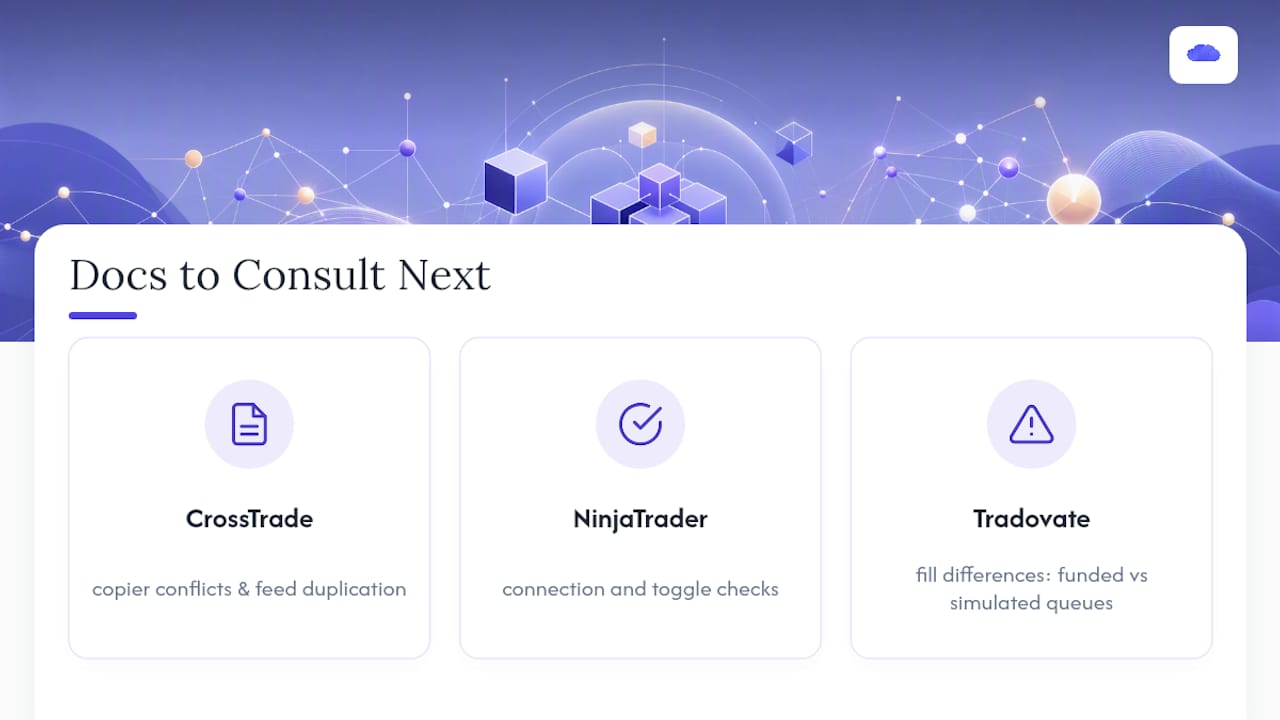
For platform-specific debugging, keep these on hand when filing a support ticket. The CrossTrade troubleshooting guide covers copier conflicts and feed duplication. The NinjaTrader copier checklist walks through connection and toggle checks. For fill-difference expectations on funded versus simulated queues, see the Tradovate sync notice breakdown.
Sources
- Why Two People Copying the Same Trade Get Different Fills
- CrossTrade — Troubleshooting trade copier
- Account Lag in Copy Trading Systems
- Trade Copier Troubleshooting Guide | Affordable Indicators – NinjaTrader
FAQ
What Are the Downsides of Copy Trading?
Copy trading exposes followers to execution delay, slippage, and configuration risk that a leader account never experiences directly. Desync between accounts, whether from latency, sizing mismatches, or symbol mapping errors, means followers can get materially different results from the same signal even when everything is technically working as designed.
Is It True That 99% of Traders Fail?
There's no single verified figure that applies universally across all trading styles and account types, and claims citing a precise percentage should be treated skeptically without a named source. What's better documented is that undisciplined risk management and unmanaged execution errors, including copy trading desync, are consistent contributors to account failure.
Why Does a Trade Copier Sometimes Stop Working?
The most common causes are a second copier running on the same account, a desktop application that has been running too long without a restart, or an account authorized to multiple data feeds that duplicates signals. Vendor logs from platforms like CrossTrade typically show which of these is happening before you need to contact support.
Is It True That 90% of Traders Lose Money?
Precise loss-rate statistics vary by market, timeframe, and account type, so a single flat figure shouldn't be treated as an established fact without a specific source behind it. What is well supported is that poor risk controls, oversized positions, and unmonitored execution errors, copy trading desync among them, meaningfully worsen outcomes for active traders.
How Do I Know if a Desync Is Serious or Normal?
A sync notice that clears within a second or two and re-aligns positions on its own is typically normal queue processing, not a fault. Persistent multi-tick differences, missing orders, or gaps that don't resolve on their own are the signals worth pausing copying and collecting logs for.
Recommended
- Multi Broker Copy Trading: What Prop Desks Should Demand
- What Is Real-Time Trade Synchronization for Prop Traders?
- Prevent Drift with 100ms Sync Monitoring for Tradovate Prop Accounts
- Trade Reconciliation Automation for Tradovate Prop Desks: 6 Essentials
For educational purposes only. Not financial advice. Futures trading involves substantial risk of loss and is not suitable for every investor.