
Is Tradovate OAuth Copy Trading Safe? 2026 Guide
TradeDupe
13 min read
How Tradovate OAuth works for copy trading, what it lets an app do, what it can't, and a checklist to keep your prop firm accounts safe.
Copy trading through Tradovate's official OAuth flow is a safer way to connect an app than handing over your username and password, because the app receives a limited, short-lived token and never sees your credentials. It is not risk-free. Safety depends on three things: which app you authorize, what the app can do once connected, and the controls you set on your own accounts. This guide explains each, so you can run several prop firm accounts from one leader account without guessing.
TL;DR
- OAuth is the safer connection method. Tradovate says OAuth suits apps used by people who don't trust the app with their credentials, and it relies on short-lived tokens instead of a standing API key.
- OAuth does not make a copier trustworthy by itself. Authorize only apps you have vetted, and grant only the permissions the app needs.
- Your biggest risks are operational: duplicate fills, missed orders, a follower trade nobody placed, and oversized exposure across accounts.
- Set loss limits at the broker level, not just in the app, and confirm your firm's copy trading rules before you connect anything.
- Know how to cut access fast: a kill switch mindset, a revoke routine and a two-factor-protected login.
Table of Contents
- What Tradovate OAuth actually does
- OAuth versus an API key or sharing a password
- What OAuth does not protect you from
- Protect the login behind the token
- What can go wrong when you copy one account to several
- Safeguards that reduce the damage
- How to revoke access and respond to a problem
- A pre-connection checklist for multi-account traders
- Our perspective
- Trying it on your own accounts
- FAQ
- Sources
What Tradovate OAuth actually does
OAuth is an authorization standard. Instead of typing your Tradovate password into a third-party app, you are sent to Tradovate's own login page, you sign in there, and Tradovate hands the app a token. The app then uses that token to act on your behalf within the scope you approved.
The Tradovate API documentation describes the mechanics: a client obtains an access token before it can call protected resources, and that token travels in the Authorization header using the Bearer scheme. In practice this means the app proves who it is on every request with a token, not with your password.
Two consequences matter for you:
- Your password never reaches the app. If the app's database were ever exposed, a password is not in it to leak.
- Tokens expire. Tradovate notes that OAuth reduces security-breach risk by offering short-lived tokens in place of an API key. A stolen short-lived token is worth less than a stolen permanent credential.
For a deeper technical walk-through of how the handshake links several accounts, see our guide to Tradovate API authentication for multiple prop accounts.
OAuth versus an API key or sharing a password
Traders who copy across accounts usually end up with one of three connection styles. They are not equal.
| Method | What the app holds | Main risk |
|---|---|---|
| Sharing your login | Your username and password | Full account takeover if the app or its host is compromised |
| API key with a dedicated password | A long-lived key and a separate credential | A leaked key stays valid until you rotate it |
| OAuth | A scoped, short-lived token | Authorizing an untrustworthy app; token handling on the app's side |
Tradovate's own support article states that OAuth is a superior security scheme compared with API keys and is best for large numbers of unknown users. That describes you well: you are one of many users, and you have no way to audit a vendor's servers. OAuth is designed for exactly that situation.
What OAuth does not protect you from
OAuth limits what a connected app can learn. It does not guarantee the app behaves well. Tradovate's guidance is direct on this point: developers have to handle the redirect and the exchange of the grant code for a token, secrets can be stolen or compromised, so grant access only to trusted parties and select only the permissions the application needs.

A copier you authorize can, by design, place and manage orders on your accounts. That is the whole job. So the question is not "is OAuth safe" but "do I trust what this app is allowed to do, and have I limited the damage if something goes wrong."
A quick trust check before you authorize
- Does the login happen on Tradovate's own page? If an app asks you to type your Tradovate password into its own form, that is not OAuth.
- Does the permission screen match the job? A copier needs to read accounts and place orders. Anything that looks broader deserves a second look.
- Does the vendor explain where execution runs? Some tools run on your PC or a VPS you maintain, which adds machines you must secure. Others run on the vendor's servers.
- Is there a public security page? Read it. Ours is on the Security & Reliability page.
- Is cancellation simple? You should be able to leave without friction, and revoke access when you do.
Protect the login behind the token
The token is only as safe as the Tradovate account that issued it. Tradovate recommends two-factor authentication for applications, and the API documentation warns that secrets and API keys must be kept away from public access. For you as a trader, that translates into plain habits:
- Turn on two-factor authentication for your Tradovate login and your email.
- Use a unique password you do not reuse anywhere else.
- Never paste an API secret into a chat, a screenshot or a shared document.
- Do not let a friend, chat-room "mentor" or signal seller log in to your accounts.
That last point also touches firm rules. Many prop firms distinguish between copying trades across accounts you own and letting someone else operate them. Apex has discussed this distinction, and we explain it in Apex copy trading on Tradovate with your own accounts. Rules change, so confirm the current wording with your firm before you connect.
What can go wrong when you copy one account to several
Security is only part of safety. Mirroring a leader to many followers creates operational risks that have nothing to do with hackers. These are the ones we see traders run into.
Duplicate or missing fills
A connection drop, a restart or a mis-click can leave one follower flat while the others hold a position, or can send the same order twice. The result is that your accounts no longer match, and your risk is no longer what you planned. After any disconnect, compare positions and working orders on every follower before you take another trade.
A trade you did not place
If a follower account shows a fill that neither you nor the copier created, treat it as an incident. It could be a stray order, a second device logged in, a platform automation you forgot, or a compromised login. A copier that flags follower trades it did not place gives you an early warning. Without that, you find out when the drawdown moves.
Sizing mistakes multiplied
One wrong contract count on the leader becomes the same wrong count on every follower. Ten accounts at the wrong size is a different problem from one account at the wrong size. Check size before you hit buy, not after.
Correlated drawdown
Copying means every account takes the same loss at the same moment. If every evaluation has a trailing drawdown, they can all fail on the same bad trade. This is the real cost of copying, and it is why per-account controls matter.
Rule-breaking you did not intend
Firms publish rules on consistency, scaling, contract limits, news trading and automation. A copier does not change what your firm allows, and it does not know the rule changed last month. We do not list firm rules here because they change. Read the current rules page of each firm and, if anything is unclear, ask the firm's support in writing.
Safeguards that reduce the damage
The futures industry has a framework for this. The FIA's best-practices paper on automated trading says that localized pre-trade risk controls should be the primary tools for preventing unintended market activity caused by unauthorized access, system failures and errors, and that such controls can sit at the trader, broker or exchange level. It also describes kill switches as a way to immediately disable trading and cancel working orders.
The paper is written for professional market participants, but the logic transfers to a trader with ten funded accounts. Layer your controls so that no single failure ends everything:
- Account level: daily loss limits and profit targets that the broker enforces, not just a rule in a spreadsheet.
- Copier level: a toggle per follower, so you can pull one account out of the mirror without disconnecting the rest.
- Execution level: a mode that controls how orders are sent, so you decide what happens to new entries versus exits.
- Human level: a written pre-session check and a flatten-everything routine you can run in seconds.
We go deeper on the stop-everything idea in what a kill switch setup does and on layering in five layers of risk controls.
Why broker-enforced limits matter
A limit that lives inside a third-party app only works while that app is running and connected. A limit set on Tradovate is enforced by Tradovate, whether or not your copier, your PC or your internet connection is up. That is why we set daily loss limits and profit targets directly on Tradovate rather than inside our own software.
How to revoke access and respond to a problem
Have this routine written down before you need it.
- Flatten and stop. Close positions and cancel working orders on affected accounts. Disable the follower toggles or pause the copier.
- Revoke the app. Remove the application's authorization from your Tradovate account settings, and disconnect it inside the app as well.
- Secure the login. Change your Tradovate password and email password, and confirm two-factor authentication is on.
- Review the activity. Check the order and fill history on every account for anything you did not place.
- Tell your firm if needed. If an account looks compromised, contact the prop firm's support promptly and document what you saw.
The SEC's risk alert on unauthorized trading, written for broker-dealers, makes a useful general point: it describes independent, mutually reinforcing controls as critical, along with regular reviews and prompt escalation of detected activity. For you, that means do not rely on one safeguard, review your setup on a schedule, and report oddities quickly instead of hoping they were a glitch.
Login rate limits are not an attack
If you or an app request tokens too often, Tradovate can answer with a time penalty. The API documentation describes the p-ticket and p-time fields and a p-captcha response: when a captcha flag is set, the operation cannot be retried from a third party, and users should be told to try again in an hour. If your copier suddenly cannot reconnect, do not hammer the login. Wait, then retry. Our walkthrough of Tradovate API error codes covers the common cases.

A pre-connection checklist for multi-account traders
Run this before you authorize any copier on accounts that hold evaluation or funded capital.
- Read each firm's current rules on copy trading and automation. If anything is unclear, confirm with the firm in writing.
- Turn on two-factor authentication for Tradovate and your email.
- Confirm the OAuth screen is on Tradovate's domain and the permissions match a copier's job.
- Set daily loss limits on Tradovate for every account.
- Start with one follower, then add the rest after you have compared fills.
- Trade micro size for the first sessions and verify position parity on every account.
- Write down your flatten-and-revoke routine and keep it next to your screen.
- Review connected applications monthly and remove anything you no longer use.
For the multi-firm setup itself, Tradovate copy trading setups for multi-account traders lays out the leader and follower structure, and our list of prop firms that allow copy trading is a starting point for your own rule checks.
Our perspective
> We built TradeDupe for one kind of trader: someone running several Tradovate prop firm accounts who wants to place a trade once and have it appear everywhere. That narrow focus shapes how we think about safety. > > First, your password should never be our problem. We connect through Tradovate's official OAuth flow, so your credentials are never stored by us, and nothing needs to run on your PC or a VPS. That removes machines you would otherwise have to secure and keep online. > > Second, limits belong with the broker. We set daily loss limits and profit targets directly on Tradovate so Tradovate enforces them, which is a stronger position than a rule that depends on our software staying up. > > Third, the dangerous trade is the one you did not place. Our rogue-trade detection is designed to catch follower trades the copier did not place, and per-account toggles let you pull a single account out of the mirror without touching the others. Fills on the leader are mirrored over live WebSocket streams, typically under 100ms. > > Our advice is the same whatever tool you use: authorize only what you trust, limit what it can do, and rehearse your exit before you need it. > > Andres
Trying it on your own accounts
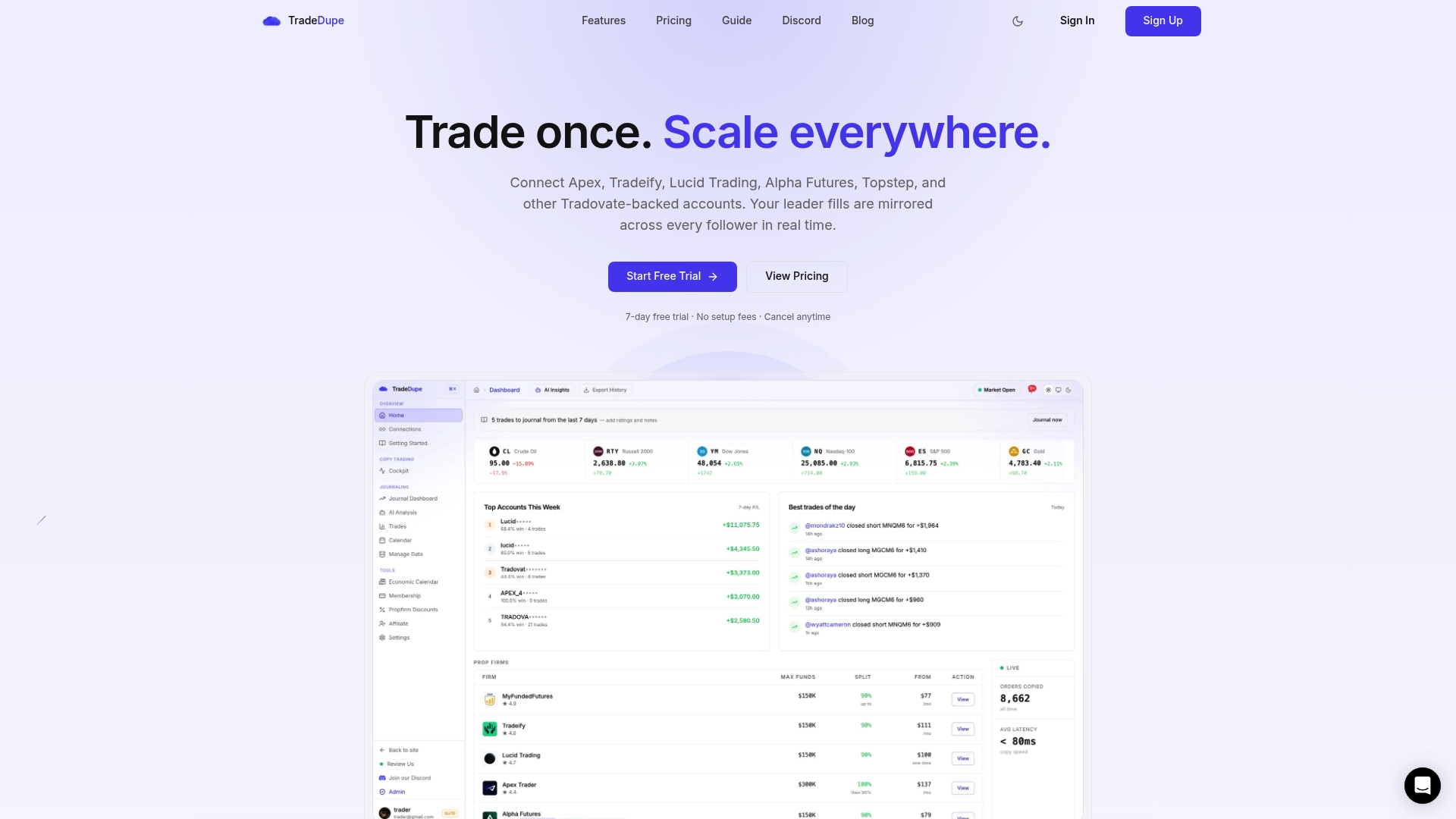
If you hold several Tradovate-based prop accounts, such as Apex, Tradeify, Lucid, MyFundedFutures, Alpha Futures or TakeProfit Trader, TradeDupe connects them through OAuth and mirrors your leader account to the followers you enable. Plans start at $20/month billed yearly, and every plan includes a 7-day free trial with one-click cancellation. The Standard plan covers 2 connections with 10 accounts each. Our futures trade copier page shows the setup and plan details.
Whichever tool you pick, start with micro size and one follower, and confirm your firm's copy trading rules first.
FAQ
Does Tradovate OAuth store my password in the copy trading app?
No. With OAuth you sign in on Tradovate's own page, and the app receives a token instead of your credentials. Tradovate presents this as the appropriate choice for apps whose users do not trust the app with their credentials. If an app asks you to type your Tradovate password into its own form, it is not using OAuth.
Can a copy trading app withdraw money from my prop firm account?
A copier authorized through OAuth acts through Tradovate's trading API, within the permissions you approve. Payouts are handled by your prop firm under its own process, so check how your firm handles them and keep two-factor authentication on. Select only the permissions the app needs, as Tradovate advises.
How do I remove a copier's access to my accounts?
Flatten positions, disable the copier or its follower toggles, then remove the application's authorization in your Tradovate settings and disconnect it in the app. Afterward, change your passwords and review order history for anything you did not place. If an account looks compromised, contact your prop firm's support.
Is copy trading across prop firm accounts allowed?
It depends on the firm and the rules in force today. Many firms treat copying between accounts you personally own differently from sharing access or copying someone else's trades. Read each firm's current rules, and if the wording is unclear, ask support and keep their answer in writing.
Sources
- Tradovate API documentation
- Tradovate support: Should I use OAuth, an API key, or an API key with a dedicated password?
- FIA: Best Practices for Automated Trading Risk Controls
- SEC National Examination Risk Alert on unauthorized trading
Recommended
- Protect Prop Desk Capital With 34ms Tradovate Selective Copy Trading
- Apex Copy Trading on Tradovate: Your Own Accounts, No Shared Access
- Tradovate Copy Trading: Pro Setups for Multi-Account Traders
- Rogue Trade Detection for Tradovate Copy Trading \(2026\)
For educational purposes only. Not financial advice. Futures trading involves substantial risk of loss and is not suitable for every investor.