
Tradovate WebSocket Explained for Prop Traders (2026)
TradeDupe
12 min read
How the Tradovate WebSocket works, which URLs and limits apply, and what it means when you run several prop firm accounts from one leader account.
The Tradovate WebSocket is a persistent, two-way connection that pushes live account, order, fill, position and market data to a client the moment it changes, instead of making the client ask over and over. Any tool that mirrors fills across several prop firm accounts depends on that stream. Tradovate documents hard caps on it, including 50 connections per user, and those caps shape how reliable multi-account trading can be.
This guide explains the WebSocket in plain terms for traders who hold several evaluation or funded accounts on Tradovate. It covers how it differs from the REST API, what the connection limits are, what happens when requests get throttled, and why it matters when you copy one account to many.
TL;DR
- The WebSocket streams live events (fills, orders, positions, quotes). The REST API answers one-off requests. Tradovate designed them to work together.
- Every WebSocket session needs an access token, and that token expires after 80 minutes unless it is renewed.
- Tradovate caps simultaneous WebSocket usage at 50 connections per user, and the oldest connection is closed when a limit is exceeded.
- When Tradovate throttles a request, it returns a wait time and a ticket. Waiting and resending is the intended handling, not a ban.
- If you run several prop accounts, a purpose-built copier removes the need to manage any of this yourself.
Table of Contents
- What the Tradovate WebSocket actually is
- REST vs. WebSocket: how they fit together
- The URLs: demo, live, market data and replay
- How a WebSocket session starts
- What flows through the stream
- Connection limits and what they mean
- When requests get throttled
- Disconnects, heartbeats and common errors
- Why this matters when you run several prop accounts
- Mirror one Tradovate account to many
- FAQ
- Sources
What the Tradovate WebSocket actually is
A normal web request works like a phone call you make each time you need something: you ask, you get an answer, you hang up. A WebSocket is a line that stays open. Tradovate lists low latency, bidirectional server push, and a single persistent connection for multiple data streams as the advantages over polling with REST, particularly for user data, position updates, order status changes and risk alerts.
For a futures trader, the practical meaning is simple. When a fill happens on one account, the event arrives over the open line right away. Nothing has to check "did anything fill yet?" every second. That event-driven design is what makes real-time mirroring across accounts possible.
Tradovate's own documentation says that almost all functionality in the Tradovate Trader application is exposed through the API, apart from privileged creation and update commands. The same page states that access is through REST requests or a WebSocket connection, and that the Market Data API (quotes, DOM, charts, histograms) travels over the Tradovate WebSocket protocol.
REST vs. WebSocket: how they fit together
It is tempting to treat these as two competing options. They are not. Tradovate's community forum explains that the API is partitioned so that REST handles request-and-response calls, while the WebSocket servers deliver event-driven data and can also accept appropriate REST-like requests. Authentication still starts on the REST side, because a WebSocket needs an access token obtained through REST.
| REST API | WebSocket API | |
|---|---|---|
| How it works | HTTP request to a URL endpoint, one response | Persistent connection, events pushed to you |
| Best for | Placing a single order, fetching an account list, requesting a token | Live fills, order status, positions, quotes |
| Authentication | Token request, then a bearer header on each call | Token sent once after the connection opens |
| Failure mode | Error code on the request | Connection drop, needs reconnection |
Tradovate's architecture page adds that the API follows predictable operation-based patterns, with query operations such as item, list and find, and action operations such as update. It also supports socket sharding to help handle large volumes of real-time data.
The URLs: demo, live, market data and replay
One mistake that trips up people exploring the API is connecting to the wrong environment. Tradovate's API cheat sheet lists these production addresses:
| Purpose | Address |
|---|---|
| REST, simulation | https://demo.tradovateapi.com/v1 |
| REST, live | https://live.tradovateapi.com/v1 |
| Real-time user data, simulation | wss://demo.tradovateapi.com/v1/websocket |
| Real-time user data, live | wss://live.tradovateapi.com/v1/websocket |
| Market data | wss://md.tradovateapi.com/v1/websocket |
| Market replay | wss://replay.tradovateapi.com/v1/websocket |
Tradovate's environments page explains that Live means real trading with actual money and positions, while Demo is simulated trading for evaluation and testing. It also splits the API into Development and Production environments, and recommends storing URLs as configuration variables and building reconnection logic for WebSocket connections.
This matters to you in one specific way. Prop firm evaluation accounts on Tradovate are generally simulated, so which environment an account sits in decides which user-data stream carries its fills. If you are unsure how your firm sets up its accounts, confirm with the firm.
How a WebSocket session starts
The sequence is short, and knowing it helps you understand why sessions drop.
- Get an access token over REST. The request goes to the access token endpoint. The cheat sheet says every other call must carry a bearer authorization header, while the token request itself omits it.
- Open the socket to the right URL for your data type.
- Wait for the open frame. Tradovate's frame format is inherited from SockJS, with four frame types: open, data, heartbeat and close.
- Authorize. Tradovate's authentication documentation says that after connecting you send an auth request with the access token, and that the token does not need to be sent with every later request.
- Keep the token fresh. Tokens last 80 minutes, each response includes an expiration time, and you renew by calling the renewal endpoint with the current token before it lapses.
WebSocket messages are plain text with new-line separated fields: an endpoint name, a request ID, optional query parameters and an optional JSON body, as the architecture page describes.
This is also why connecting through Tradovate's official OAuth flow is preferable to handing over credentials. Our guide to Tradovate API authentication for multiple prop accounts walks through the steps, and the piece on Tradovate API security covers the rules around tokens.
What flows through the stream
Once authorized, Tradovate's best practices page names the user sync request as the recommended endpoint for real-time user data, and says it is meant to be called over a WebSocket, not HTTP. Your API key permissions can affect which fields come back.
The data frames carry several event types, per the architecture documentation:
- Props events: notifications that an entity (an order, a fill, a position) was created, updated or deleted.
- Shutdown events: a warning before Tradovate gracefully closes the connection, with a reason code.
- Market data and chart events: quotes and bars from the market data feed.
- Clock messages: time synchronization used by Market Replay.
For a trader, the props events are the important ones. A fill on your leader account is a props event, and that is the signal a copier acts on.
Connection limits and what they mean
The question behind searches for Tradovate API rate limits is usually: how much can I connect at once? Tradovate's connection overview gives the numbers:
| Limit | Value |
|---|---|
| Total WebSocket connections per user | 50 |
| Distinct devices for organization-admin market-data connections | 15 |
| Distinct IP addresses for market-data connections | 5 |
When a limit is exceeded, the server closes the oldest connection and revokes its token. A forum explanation of the same behavior says the server drops connections by timestamp, oldest first, whenever a new connection is authorized.
The practical consequence: if you log in somewhere new, or run several tools that each open their own sessions under the same login, one of them can get kicked. That is a common reason a setup that worked yesterday goes quiet today.
When requests get throttled
Tradovate does not simply refuse when you send too much. Per the official request-limits guide, the server returns a ticket and a wait time. You wait that many seconds, then resend the original request with the ticket added to the body. The same guide says that if a captcha field is present, a third-party application cannot complete the request, and the client should try again in an hour.

The architecture page lists the standard HTTP codes, including 429 Too Many Requests, and notes that business-logic errors arrive as an error text field inside an otherwise successful response. It recommends batch endpoints, caching and graceful limit handling.
The best practices page adds exponential backoff for retries, logging of API operations, and alerts when usage approaches limits. If you want to decode the error messages you see, our piece on fixing Tradovate API error codes covers three checks to run first.
Disconnects, heartbeats and common errors
WebSocket sessions do drop. Tradovate's documentation explains how to read the cause:
- A shutdown event came first. The disconnect was deliberate. The reason code is one of connection quota reached, device quota reached, IP quota reached, or maintenance.
- No shutdown event. Treat it as a heartbeat, idle or network problem and reconnect.
- Close codes. The server never sends a WebSocket close status code, so you see either 1005 (graceful) or 1006 (abrupt).
- Silence. A connection that sends nothing for 15 seconds is dropped.
The last point is unusual. The best practices page stresses that the client is responsible for sending heartbeats about every 2.5 seconds, unlike many WebSocket systems where the server handles keep-alive.
On the error side, one forum thread lists handshake failures such as WinError 10054, a TLS protocol-version alert and a 502 Bad Gateway. A Tradovate responder suggested a TLS version mismatch, noting the servers support TLS 1.1 or higher. Another thread shows a broken pipe error on a demo connection.
These details explain a lot of what traders call "the copier stopped." A quiet socket, an expired token or a displaced session looks identical from the chart.
Why this matters when you run several prop accounts
If you trade multiple evaluation or funded accounts, you are really asking for one thing: a fill on your leader account should appear on every follower within a moment, and nothing should happen that you did not intend. The WebSocket is the only practical way to hear about that fill quickly.
Building that yourself means handling token renewal every 80 minutes, heartbeats, reconnection, connection ordering, throttling and the demo versus live split, all while your accounts are exposed to the risk. A missed reconnect can leave followers flat while the leader is in a position, which is a problem for drawdown and consistency rules at any firm.
Before you copy at all, check what your firm allows. Rules differ and change, so confirm with the firm directly. Our overview of which futures prop firms allow copy trading is a starting point, and the article on Tradovate multi-account trading covers how to organize several accounts.
A few habits reduce trouble whichever route you take:
- Keep one clear leader account and avoid placing manual trades on followers.
- Be careful about logging in from new devices while a session is running, since new connections can displace old ones.
- Set daily loss limits and profit targets on Tradovate itself, so the broker enforces them rather than relying on software staying connected.
- Review your fills afterward. Our guide to server logs for trading systems explains how timing data helps.
> ## Our perspective > > Most traders who search for the Tradovate WebSocket are not trying to become engineers. They want a fill on one account to show up on the others without babysitting a connection. We built TradeDupe for exactly that, and only for Tradovate prop firm traders, not as a generic multi-broker bridge. > > Our approach is that the plumbing should be invisible. You connect through Tradovate's official OAuth flow, so your password is never stored and nothing runs on your PC or VPS. Fills on the leader are mirrored to enabled followers over live WebSocket streams, typically under 100ms. > > We also think safeguards belong where the broker can enforce them. Daily loss limits and profit targets are set directly on Tradovate, and rogue-trade detection flags follower trades the copier did not place. Flat plans instead of per-account fees mean adding another evaluation does not change your bill. > > Andres
Mirror one Tradovate account to many
If you would rather trade than maintain connections, TradeDupe's futures trade copier mirrors your leader account to your enabled follower accounts on Tradovate. It works with Tradovate-based firms including Apex Trader Funding, Tradeify, Lucid Trading, MyFundedFutures, Alpha Futures and TakeProfit Trader. Per-account copy toggles and execution mode controls let you decide which accounts follow.
Plans start at $20/month billed yearly (Standard is $30/month billed monthly), and every plan includes a 7-day free trial with one-click cancellation.
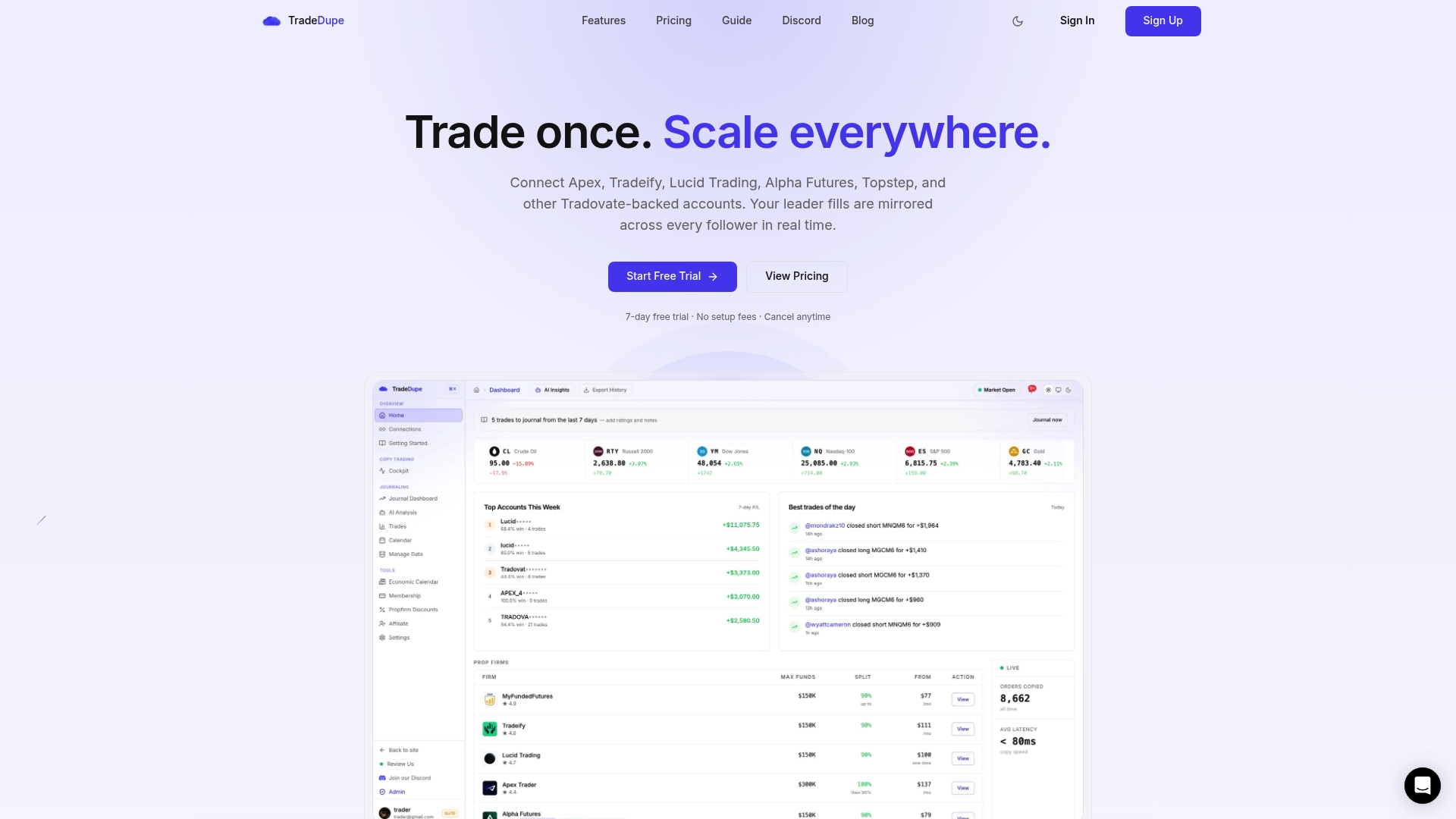
The web and mobile dashboard also includes a trade journal, analytics, reports and an economic calendar. Pro and Elite plans add AI trade analysis, custom alerts and Discord webhook alerts. For a deeper look at timing, see our integration guide.
FAQ
What is the Tradovate WebSocket used for?
It streams live data such as fills, orders, positions and quotes to a connected client as events happen. Tradovate documents it as the way to get real-time user data and market data. It is what makes real-time trade mirroring possible.
What are the Tradovate API rate limits?
For WebSockets, Tradovate lists 50 total connections per user, plus caps on devices and IP addresses for market-data connections. For throttled requests, the server returns a wait time and a ticket to resend with. Confirm current figures on Tradovate's documentation, since they can change.
Why does my Tradovate WebSocket keep disconnecting?
Common causes are a quota being reached, an expired access token, missed heartbeats, or a new login displacing the oldest connection. Tradovate sends a shutdown event with a reason code when the close is deliberate. Without one, treat it as a network or idle issue and reconnect.
Do I need to code anything to copy trades between Tradovate accounts?
No. A copier that connects through Tradovate's official OAuth handles the connection for you. Before copying, confirm with each prop firm that copy trading is permitted on your account type.
Sources
- WebSocket Connections, Tradovate
- Welcome to Tradovate Partner API
- API Architecture & Design, Tradovate
- API Cheat Sheet, Tradovate
- Environments, Tradovate
- API Key Authentication, Tradovate
- Best Practices, Tradovate
- How to handle request limits, Tradovate example-api-faq
- How is the Tradovate API Partitioned?
- Ability to set order if websocket disconnects
- Common errors of connected websocket to Tradovate API
- How can I keep the socket stable
Recommended
- What Is Real-Time Trade Synchronization for Prop Traders?
- Prop Desks: 100ms Tradovate Integration with T0 to T3 Audit Trail
- Tradovate Copy Trading: Pro Setups for Multi-Account Traders
- Tradovate multi-account trading: Master your ecosystem
For educational purposes only. Not financial advice. Futures trading involves substantial risk of loss and is not suitable for every investor.